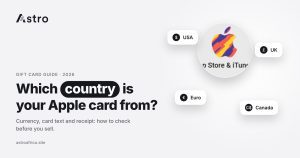
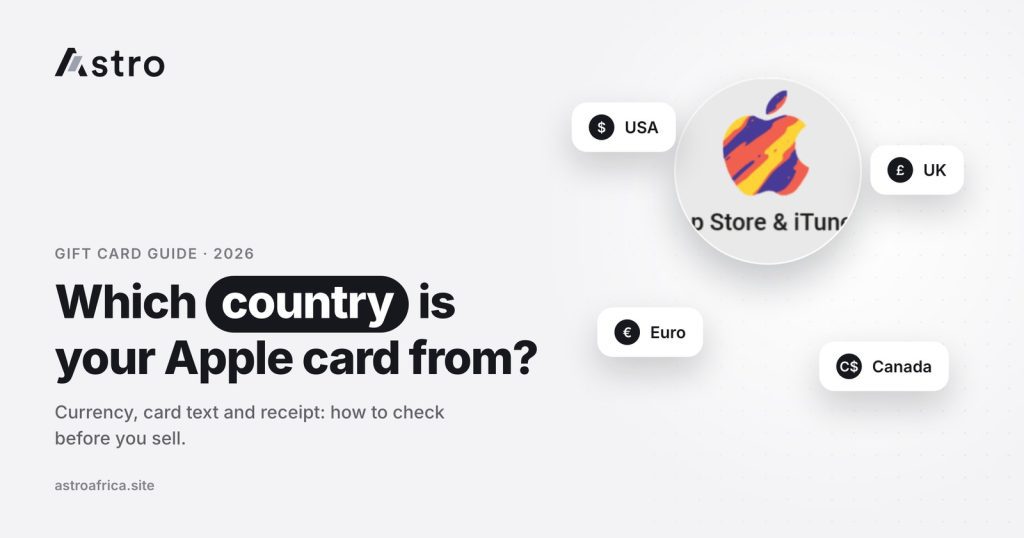
The quickest way to tell which country an Apple gift card is from is to look at the currency on the front of the card: a plain $ usually means the United States, £ means the United Kingdom, CA$ means Canada and A$ means Australia. If the currency is shared by several countries, such as the euro (€), the language printed on the card, the receipt and the store where it was bought will tell you the exact country.
This guide explains every check you can do on a physical card or an e-code, why the Apple gift card country matters so much when you sell, and how sellers in Nigeria and Ghana can pick the right country on Astro so the trade goes smoothly.
Key points
- The country of an Apple gift card is the country where it was issued, not the country where the seller lives.
- Currency symbol and amount are the first clue, but some symbols ($, €, kr) are shared by more than one country.
- The language on the card, the receipt, and the e-code email or store website confirm the country.
- Each country has its own rate, so choosing the wrong country can change what you are paid.
- On Astro, Nigerian sellers are paid in naira and Ghanaian sellers are paid in cedis. Check today’s rates before you sell.
Why the Apple gift card country matters
An Apple gift card (the cards many people still call iTunes cards) is tied to the App Store of the country where it was issued. A US card adds US dollars to a US Apple account, a UK card adds pounds to a UK account, and so on. The card cannot simply be moved to a different country’s store.
Because of this, buyers treat each country as a different product, and physical cards, e-codes and value ranges can be priced separately too. A $100 US card and a CA$100 Canadian card are not worth the same in naira or cedis, even though both show “100”.
One point confuses many first-time sellers: the card’s country is where it was issued, not where you live. A seller in Lagos or Accra who received a card from a friend in Germany is holding a German card. Selecting “Nigeria” or “Ghana” as the card country would be wrong. What you need is the issuing country printed on, or linked to, the card itself.
Check 1: The currency symbol and amount
Start with the front of the card. Here is how the common currency symbols map to countries:
| What you see on the card | Usual country | Watch out for |
|---|---|---|
| $ with no letters | United States | Other dollar countries usually add letters, so a bare $ almost always means USA |
| £ | United Kingdom | Rarely confused with anything else |
| € | A eurozone country, such as Germany, the Netherlands or Finland | The symbol alone does not tell you which country; check the language and receipt |
| CA$ or CAD | Canada | Some Canadian cards also show French text |
| A$ or AUD | Australia | Don’t mistake it for a US card |
| NZ$ or NZD | New Zealand | Easily mixed up with Australian cards |
| CHF | Switzerland | Text may be in German, French or Italian |
| ¥ | Japan | Amounts run into the thousands, such as 5,000 or 10,000 |
| R$ | Brazil | Text is in Portuguese |
| zł or PLN | Poland | Text is in Polish |
| kr | Norway or Denmark | Both use “kr”, so check the language on the back |
| HK$ | Hong Kong | May show Chinese and English text |
| S$ or SGD | Singapore | Not the same as a US dollar card |
Check 2: The language and small print on the card
When the currency is shared, the text on the card settles it. Turn the card over and read the terms printed on the back, near the scratch panel.
- English only usually means the US, UK, Australia, New Zealand, Canada (sometimes with French) or Singapore. Look for the country name or a local Apple website in the small print.
- German text on a euro card points to Germany. Swiss cards may also use German, but they show CHF, not €.
- Dutch text on a euro card points to the Netherlands.
- Finnish text on a euro card points to Finland.
- Portuguese with R$ points to Brazil.
- Polish, Turkish, Hungarian, Norwegian or Danish text points to those countries.
- Japanese characters with ¥ point to Japan.
The small print often includes the Apple website for that country (for example a web address ending in the country’s code) or a line saying the card is valid only in that country’s store. That line is one of the clearest signs you will find.
Check 3: Where the card or code was bought
The shop or website that sold the card is strong evidence of its country. A card bought in a UK supermarket is a UK card, and a code from a German online store is almost always German. If someone sent you the card, ask them where they bought it.
Be careful with cards bought from strangers, social media sellers or WhatsApp groups. A card’s country, value or code can be misdescribed, and some cards turn out to be already used. The guide on the risks of trading gift cards on WhatsApp groups explains what to watch for.
Check 4: The receipt
A receipt is one of the most reliable ways to confirm the Apple gift card country. Look for:
- The store name and its address or country.
- The currency the card was paid for in.
- Tax or VAT lines, which follow each country’s own format.
- The card amount, which should match the value on the card.
On Astro, a receipt isn’t required for most Apple card trades, but you can upload one, and keeping it helps if questions about the card come up.
Check 5: E-code emails and the store region
An e-code has no physical card to look at, so the purchase details do the work. Check:
- The email that delivered the code. It usually shows the sender, the currency and the amount, and often the country or regional website the code was bought from.
- The store’s website address. Online stores often run separate regional sites. A site or page for one country normally sells that country’s codes.
- The currency on the order confirmation. An order paid in pounds is very likely a UK code; one paid in Canadian dollars is likely a Canadian code.
Check 6: The code itself
Apple gift card codes are usually 16 characters long, and many begin with the letter X. The code alone does not reliably reveal the country, so treat it as a final check that the code is complete, not as proof of the country.
For physical cards, scratch the panel gently so every character is clear. If it is already damaged, read what happens when you scratch off a gift card code by mistake.
Common mix-ups to avoid
- Choosing your own country. Nigeria or Ghana is where you live, not where the card was issued.
- Treating every € card the same. Euro cards from different countries can carry different rates, so check the language and receipt.
- Selecting physical when you have an e-code, or the other way round.
- Picking the wrong value range. Small and large cards from the same country can be priced differently.
For more errors that cost sellers money, see mistakes to avoid when selling Apple gift cards in Nigeria and Ghana.
Which Apple gift card countries can you sell on Astro?
On Astro, Apple/iTunes is one card in the app, with one rate for each country and type. At the time of writing, Astro has live Apple card rates for cards from these countries:
- United States (physical and e-code)
- United Kingdom
- Canada (physical and e-code)
- Australia (physical and e-code)
- New Zealand (physical and e-code)
- Germany (euro, physical and e-code)
- Netherlands (euro, physical and e-code)
- Finland (euro, physical and e-code)
- Switzerland (physical and e-code)
- Brazil (physical and e-code)
- Poland (physical and e-code)
- Japan
- Hong Kong, Singapore, Turkey, Norway, Denmark, Saudi Arabia, Mexico and Hungary
The list and value ranges can change, so always check the options shown in the app and on the live rates page before you sell. Rates are not quoted in this guide because they move with the market. They also don’t depend on the time of day, so there is no advantage in waiting for a particular hour to sell.
For country-specific guides, see Japanese Apple gift cards in Nigeria and Ghana and selling euro Apple gift cards in Ghana.
How to sell an Apple gift card on Astro
Once you know the card’s country, type and value, selling takes a few steps:
- Open the Astro app and go to Sell Gift Card.
- Choose Apple/iTunes.
- Select the country the card was issued in and the type (physical or e-code).
- Pick the value range that matches your card and enter the amount.
- Upload a clear photo of the card, or enter the e-code. Add the receipt if you have one.
- Review the rate and the payout shown, then submit.
Two rules are worth knowing before you tap submit:
- A sale can’t be cancelled once it is submitted. Double-check the country, type and amount first.
- If the rate changes before you submit, the sale goes through at the new rate. Review the rate on the final screen.
Astro’s trade terms also note that a card uploaded in the wrong section is moved to the correct one and credited at that section’s current rate, which may differ from the rate you saw. Choosing the right country from the start avoids this.
In Nigeria: paid in naira
Nigerian sellers receive naira in their Astro wallet and can withdraw to a Nigerian bank account, including OPay and PalmPay. The least naira withdrawal is ₦300. For a full walkthrough, read how to sell Apple gift cards in Nigeria.
In Ghana: paid in cedis
Ghanaian sellers receive cedis in their Astro wallet and can withdraw to mobile money: MTN MoMo, Telecel Cash (formerly Vodafone Cash) or AirtelTigo Money. Ghana withdrawals are checked by the Astro team before they are paid, so timing can vary. The guide to selling Apple gift cards in Ghana and the Ghana page have more detail.
No platform can promise zero fraud risk in gift card trading. Only sell cards you bought yourself or received from someone you trust, never share codes with people who contact you claiming to be support, and keep your receipts.
Frequently asked questions
How do I know what country my Apple gift card is from?
Check the currency symbol and amount on the front, then the language and small print on the back. If the currency is shared by several countries, the receipt, the store where it was bought or the e-code purchase email will confirm the country.
Is the card country the same as the country I live in?
No. The card country is where the card was issued. A German card sold by someone in Nigeria or Ghana is still a German card.
Why do Apple gift cards from different countries have different rates?
Each card only works in its own country’s App Store, and demand and exchange rates differ by country. Buyers therefore price each country, and often each type and value range, separately.
My card shows only “$”. Is it a US card?
Usually, yes. Other dollar countries such as Canada, Australia and New Zealand normally add letters like CA$, A$ or NZ$. If the receipt or packaging names another country, go with that.
How can I tell which country a euro (€) Apple card is from?
Read the language on the back of the card and check the receipt or store. German text usually means Germany, Dutch means the Netherlands and Finnish means Finland.
How do I find the country of an Apple e-code?
Look at the email or order page that delivered the code. The currency, the sender and the regional website it was bought from normally show the country.
Do I need a receipt to sell an Apple gift card on Astro?
For most Apple card trades on Astro, a receipt isn’t required, but you can upload one if you have it. It helps confirm the card’s country and value.
What happens if I select the wrong country on Astro?
A card uploaded in the wrong section is moved to the correct one and credited at that section’s current rate, which may be different. Because a sale can’t be cancelled after it is submitted, check the country before you submit.
Are Apple gift card rates better at certain times of day?
No. Rates on Astro don’t depend on the time of day. They change with the market, so check the rate shown in the app before you submit.
Where can I check today’s Apple gift card rates?
See today’s live rates in naira and cedis, and confirm the rate on the final screen in the app before you sell.
Knowing your Apple gift card country takes a minute: check the currency, read the back, and confirm with the receipt or purchase email. When you’re sure of the country, type and amount, get the Astro app and sell your card for naira in Nigeria or cedis in Ghana.