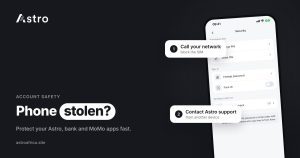
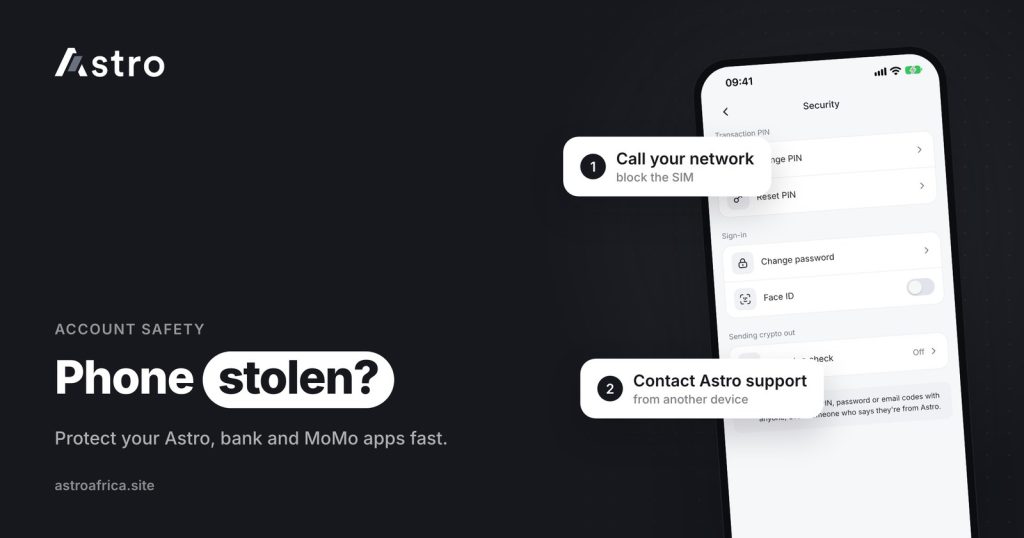
If your phone is stolen with your bank app on it, act within the first hour: lock or erase the phone remotely, ask your network to block the SIM, and call your bank and mobile money provider to block app access. Then contact every finance app you use, including Astro, through another device, and change the passwords on your email accounts.
A stolen phone is not only a lost device. For many people in Nigeria and Ghana, it holds banking apps, mobile money, crypto wallets, email and the SIM that receives one-time codes. This guide covers what to do straight away, in what order, and the settings to put in place now so a stolen phone causes less damage later.
Key points
- Speed matters. Thieves often try to get into finance apps within hours, before the owner reacts.
- Block the SIM first if you can, because it receives OTPs and password-reset codes.
- Call your bank and mobile money provider using numbers from their official websites or your card, not from a search ad or a stranger.
- Contact Astro support through the in-app chat on another device, or at [email protected].
- Prevention helps most: a strong screen lock, no PINs saved in notes or photos, and app-level protection such as a transaction PIN, Face ID and two-step check.
Why a stolen phone is a financial risk
Most phones are stolen for resale, but some thieves, or the people they sell to, look for money first. A phone that is unlocked, or easy to unlock, can give them access to:
- Banking apps that are still signed in, or that can be reset with an OTP.
- Mobile money on the SIM, such as MTN MoMo, Telecel Cash or AirtelTigo Money in Ghana.
- Email, which is often the key to resetting every other account.
- Saved PINs and passwords in notes, photos, messages or the browser.
- Crypto wallets and apps, especially if a seed phrase was photographed or saved on the phone.
This is different from SIM swap fraud, where someone takes over your number without touching your phone. Here the thief has the device itself, which is why locking the phone and blocking the SIM come first.
What to do in the first hour
Borrow a trusted person’s phone or use a computer. Work through these steps in order.
1. Lock or erase the phone remotely
On an iPhone, sign in to Find My from another Apple device or iCloud on a computer, mark the phone as lost and, if needed, erase it. On Android, use Google’s Find My Device from another device or a browser to lock or erase the phone. Marking it as lost locks the screen and can show a message with a contact number.
Erasing removes your data but also stops you tracking the phone. If the phone holds money apps that are still signed in and you can’t confirm they are locked, erasing is usually the safer choice.
2. Block your SIM
Call your mobile network from another line and ask them to block the SIM. In Nigeria that means MTN, Airtel, Glo or 9mobile. In Ghana that means MTN, Telecel or AirtelTigo. A blocked SIM can’t receive the OTPs and reset codes a thief would need. Ask how to get a replacement SIM on the same number, and take your ID when you go.
3. Call your bank
Call your bank’s official customer care line. Use the number on the back of your card or on the bank’s website, not one found in a social media comment. Ask them to:
- Block or suspend mobile and internet banking on the device.
- Block any cards that were saved in apps or wallets on the phone.
- Note any transactions you did not make.
Do the same for any fintech bank apps on the phone, such as OPay, PalmPay, Kuda or Moniepoint, through their official support channels.
4. Secure your mobile money
In Ghana, mobile money is tied to the SIM. Call your network’s mobile money customer service and ask them to block or suspend the wallet until your new SIM is ready. If you think someone already knows your MoMo PIN, say so, and change it as soon as you have access again.
5. Change your email passwords
Your email account can reset almost everything else. Sign in from a trusted device, change the password, sign out of all other sessions if the option exists, and check that your recovery phone number and email are still yours.
6. Contact Astro support
If you use Astro, contact support as soon as possible. Use the in-app chat from another phone where you can sign in safely, or email [email protected] from the email address linked to your account. Explain that your phone was stolen and ask what can be done to protect your account.
Astro asks for a 5-digit transaction PIN or Face ID to confirm payments, and customers who turn on the optional two-step check also need a code from an authenticator app for outside crypto sends and Astro Tag crypto sends. These layers make it much harder for a thief to move money, but no app can promise zero risk if a PIN was saved on the phone or seen by someone else. The guide to account security on Astro explains each layer.
7. Report the theft
Report the theft at a police station and ask for a police report or extract. Banks, networks and insurers often need it. Keep a note of the phone’s IMEI number if you have it; you can usually find it on the phone’s box or receipt.
What to do in the next few days
- Check every finance app once you are back in. Look at recent transactions, saved payout details and linked devices.
- Change PINs and passwords for your bank, mobile money and finance apps, especially any you might have typed in public.
- Review your social media and messaging accounts. Thieves sometimes use a stolen WhatsApp account to ask your contacts for money. Warn friends and family not to send anything.
- Watch for follow-up scams. After a theft, people may call claiming to be from your bank or network and ask for your OTP or PIN “to block the account”. A real bank won’t ask for these.
If you had crypto wallets on the phone
Self-custody wallets such as Trust Wallet or MetaMask work differently from apps like Astro. There is no support team that can freeze them. Whoever has the seed phrase controls the funds.
- If your seed phrase was not on the phone and the phone had a strong lock, restore the wallet on a new device using your written seed phrase.
- If the seed phrase was saved on the phone (a photo, a note, a screenshot or a cloud document), treat it as exposed. Restore the wallet on a new device right away, create a brand-new wallet with a new seed phrase, and move the funds into it.
The guide What Is a Seed Phrase? explains why it matters so much and how to store it safely.
How to prepare before your phone is ever stolen
Most of the damage from a stolen phone can be prevented with a few settings. It takes about twenty minutes.
Lock the phone properly
- Use a PIN of six digits or more, or a strong passcode, plus Face ID or fingerprint.
- Set the screen to lock quickly when idle.
- Turn on Find My (iPhone) or Find My Device (Android) and check that it works.
- Hide message previews on the lock screen so OTPs don’t show when the phone is locked.
Lock the SIM
Set a SIM PIN in your phone settings. If the phone is stolen and the SIM is moved to another device, it can’t be used without that PIN. Keep the PUK code from your SIM pack somewhere safe at home.
Don’t store secrets on the phone
- Never save bank PINs, MoMo PINs or app passwords in notes, contacts or messages.
- Never photograph your seed phrase, card details or ATM PIN.
- Use a password manager with its own strong lock if you need to store passwords.
Turn on app-level protection
- Use a different PIN for each money app, and never the same as your phone unlock code.
- On Astro, keep your 5-digit transaction PIN private, use Face ID if your phone supports it, and consider turning on the two-step check for crypto sends.
- If you use an authenticator app, check whether it offers a backup, and keep backup codes somewhere safe away from the phone, so you can recover access on a new device.
Write down what you’d need
Keep a short list at home of your bank and network customer care numbers, your phone’s IMEI and the email linked to each finance app. When a phone goes missing, that list saves time when it matters most.
For more on keeping crypto safe in general, see how to protect your crypto wallet from scammers and crypto scams in Nigeria.
Frequently asked questions
What should I do first if my phone is stolen?
Lock or erase the phone remotely if you can, then call your network to block the SIM. After that, call your bank and mobile money provider to block app access.
Can a thief use my bank app if the phone is locked?
It is much harder, but not impossible if the screen lock is weak, a PIN was saved on the phone, or someone watched you type it. That is why blocking access quickly still matters.
How do I block my bank app after my phone is stolen?
Call your bank’s official customer care line from another phone and ask them to block mobile banking and any saved cards. Use the number on your card or the bank’s website.
How do I protect my MoMo wallet if my phone is stolen in Ghana?
Call your network’s mobile money customer service and ask them to block the wallet and SIM. Then get a replacement SIM on the same number and change your MoMo PIN.
How do I secure my Astro account if my phone is stolen?
Contact Astro support through the in-app chat on another device where you can sign in safely, or email [email protected] from the email linked to your account. Explain what happened and ask what can be done to protect the account.
Can someone send crypto from my Astro account without my PIN?
Payments on Astro need your 5-digit transaction PIN or Face ID, and the optional two-step check adds an authenticator code for outside crypto sends and Astro Tag crypto sends. Keep your PIN private and never save it on the phone.
Is a stolen phone the same as SIM swap fraud?
No. In a SIM swap, someone moves your number to a new SIM without having your phone. With a stolen phone, the thief has the device itself. The first steps overlap, but locking the device matters more here.
What if my seed phrase was saved on the stolen phone?
Treat it as exposed. Restore the wallet on a new device, create a brand-new wallet with a new seed phrase, and move the funds into it as quickly as possible.
Should I erase my phone remotely or keep tracking it?
If the phone holds money apps that are still signed in, erasing is usually safer. Your data and accounts matter more than the device.
Do I need a police report?
It helps. Banks, networks and insurers may ask for one, and it creates a record if the phone is later used for fraud.
A stolen phone is stressful, but a fast, ordered response protects most of what matters: lock the phone, block the SIM, call your bank and MoMo provider, and secure your finance apps. To trade on an app with a transaction PIN, Face ID and an optional two-step check, download the Astro app and set up your security today.