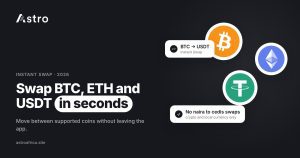
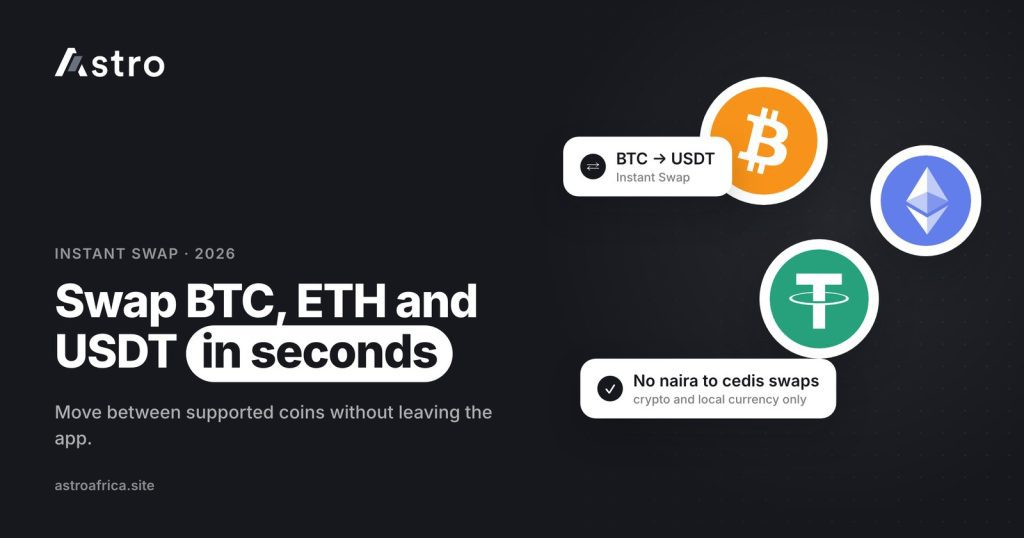
To swap BTC to USDT on Astro, open Instant Swap in the app, choose BTC as the coin you are giving and USDT as the coin you want, enter the amount, check the quote and confirm. The USDT lands in your Astro wallet, where you can hold it, swap it again or sell it for naira or cedis, without sending anything to another exchange.
This guide explains what Instant Swap is, which swaps it supports, what it costs, how it differs from selling and from Limit Orders, and the mistakes to avoid when you move between Bitcoin, Ethereum, USDT and other coins in Nigeria and Ghana.
Key points
- Instant Swap lets you move from one supported coin to another inside the Astro app, such as BTC to USDT, ETH to USDT or USDT to SOL.
- It also covers crypto to naira or cedis, and, in Nigeria, naira to crypto.
- Crypto-to-crypto swaps carry one network-partner fee that Astro passes on. There is no Astro fee on naira swaps or on buying crypto with naira. The app shows the final amount before you confirm.
- Naira and cedis cannot be swapped for each other on Astro.
- Instant Swap uses the current price. If you want to wait for a set crypto-to-crypto price, that is what Limit Orders are for.
What is Instant Swap?
Instant Swap is the Astro feature that converts one asset you hold into another at the current price shown in the app. Instead of selling Bitcoin on one platform, waiting for cash, and then buying USDT somewhere else, you make a single conversion inside your Astro wallet.
Because the swap happens inside the app, there is no blockchain transfer involved. You don’t pick a network, you don’t paste an address, and you don’t pay a blockchain fee to move coins between wallets. The coin you give leaves your balance and the coin you receive appears in its own wallet in the app.
Astro supports BTC, USDT, USDC, ETH, BNB, TRX, LTC, DOGE and SOL. Any of these can be swapped into another, and every listed coin can be sold for naira or cedis.
What you can swap on Astro
| Swap type | Example | Nigeria | Ghana |
|---|---|---|---|
| Crypto to crypto | BTC to USDT, ETH to USDC, USDT to SOL | Yes | Yes |
| Crypto to local currency | USDT to naira, BTC to cedis | Yes (naira) | Yes (cedis) |
| Local currency to crypto | Naira to USDT | Yes | Not available |
| Naira to cedis, or cedis to naira | — | No | No |
Ghanaian users can swap between coins and swap crypto into cedis, then withdraw those cedis to mobile money. Buying crypto with cedis is not available in Ghana at the moment.
Why people swap BTC to USDT
Swapping Bitcoin to USDT is one of the most common moves for crypto users in Nigeria and Ghana. A few reasons come up again and again:
- Locking in value. Bitcoin’s price moves a lot. USDT is designed to track the US dollar, so swapping BTC to USDT is a way to step out of Bitcoin’s price swings without leaving crypto. If you are new to stablecoins, this explainer on why stablecoins are gaining popularity in Nigeria covers the basics.
- Holding before cashing out. Some people receive BTC but are not ready to sell it for naira or cedis yet. Swapping to USDT lets them hold a dollar-linked balance and sell later.
- Getting the right coin for a payment. If a client, a friend or another platform wants USDT, swapping first means you send exactly what they expect.
- Moving into another coin. USDT is often a middle step: BTC to USDT now, then USDT to ETH or SOL later.
Swapping does not guarantee a profit or protect you from every loss. It only changes which asset you hold. The price of the coin you swap into can still change, and stablecoins depend on their issuers keeping them close to one dollar.
How to swap BTC to USDT on Astro, step by step
Signing up on Astro doesn’t require ID, and crypto trading needs no ID verification. Once your BTC is in your Astro wallet, the swap takes a few taps.
- Open the Astro app and go to Swap (Instant Swap).
- Choose the coin you are giving. Select BTC.
- Choose the coin you want. Select USDT.
- Enter the amount. You can type a BTC amount, or the amount of USDT you want to receive, depending on the screen.
- Check the quote. The app shows how much USDT you will get after the fee. Read it before you continue.
- Confirm the swap. The status shows “Processing” while it completes, then your USDT appears in your USDT wallet.
Getting BTC into Astro first
If your Bitcoin is on another exchange or in a wallet such as Trust Wallet, deposit it into Astro first. Open your BTC wallet in the app, tap Receive, copy the address and send from the other platform on the Bitcoin network. Crypto sent on the wrong network, or sent as a different coin, can’t be recovered, so always copy the address from Astro and check it before you confirm. If you are moving USDT rather than BTC, the guide to USDT TRC20 vs BEP20 vs ERC20 explains how to pick the right network, and the guide on crypto deposits that don’t show up helps if a transfer seems slow.
Swapping ETH, USDT and other coins
The same steps work for every supported pair. Some common examples:
- ETH to USDT: step out of Ethereum’s price movement into a dollar-linked balance.
- USDT to BTC or ETH: move back into a coin you want to hold.
- USDT to USDC, or USDC to USDT: switch between two dollar stablecoins, for example if a recipient only accepts one of them.
- BNB, TRX, LTC, DOGE or SOL to USDT: tidy up smaller balances into one coin before selling.
What does Instant Swap cost?
For now, Astro only passes on its network partner’s fee on crypto-to-crypto swaps. There is no Astro fee on naira swaps or on buying crypto with naira.
Fees and prices change, so this guide does not quote numbers. The swap screen shows the amount you will receive after the fee before you confirm. Treat that figure as the one that counts, and compare it with what you expect before you tap confirm.
Prices move with the market. If you leave the swap screen open for a while, the quote may refresh. That is normal, and it is why you should check the final amount just before confirming. The explainer on why the USDT to naira rate changes covers what drives those movements.
Instant Swap vs selling vs Limit Orders
These three features can look similar, but each one answers a different need.
| Instant Swap | Sell | Limit Order | |
|---|---|---|---|
| What it does | Converts one asset to another at the current price | Turns crypto into naira or cedis for withdrawal | Waits until your chosen crypto-to-crypto price is reached |
| Price used | Current price shown in the app | Current rate shown in the app | The price you set |
| Works with naira or cedis? | Yes (crypto to naira or cedis, and naira to crypto in Nigeria) | Yes | No. Crypto to crypto only |
| When it completes | Straight away under normal conditions | Straight away; withdrawal timing depends on your payout method | Only if the market reaches your price |
Limit Orders are useful if you want, for example, to swap BTC to USDT only when Bitcoin reaches a certain USDT price. They are not a way to set a naira or cedi cash-out rate. If you set a price 10% or more away from the current price, the app shows a warning before you place the order. An open order shows as “Pending” until it fills; the difference between the two statuses is explained in Processing vs Pending on Astro.
Swapping crypto to naira or cedis and withdrawing
Once you have USDT, or any other supported coin, you can turn it into local currency.
In Nigeria
Swap or sell your crypto for naira, then withdraw to a Nigerian bank account, including OPay and PalmPay. Eligible payouts can arrive in as fast as 60 seconds under normal conditions, though bank delays, network congestion or maintenance can affect timing. Payouts also run on weekends and public holidays, and the least naira withdrawal is ₦300. For a full walkthrough, see how to sell USDT in Nigeria or how to sell Bitcoin in Nigeria.
Nigerian users can also go the other way: fund a naira wallet and swap naira to USDT or another coin. There is no Astro fee on buying crypto with naira.
In Ghana
Swap or sell your crypto for cedis, then withdraw to mobile money: MTN MoMo, Telecel Cash (formerly Vodafone Cash) or AirtelTigo Money. Ghana withdrawals go to mobile money only for now and are checked by the Astro team before payment, so timing can vary. The guide to selling USDT in Ghana and the article on converting Bitcoin to cedis or naira cover the Ghana side in more detail.
Mistakes to avoid when swapping
- Swapping the wrong direction. Check which coin is in the “from” box and which is in the “to” box before you enter an amount.
- Ignoring the final amount. Always read the amount you will receive after the fee, not just the price per coin.
- Assuming a swap moves coins off Astro. A swap only changes what you hold inside the app. To send crypto to Binance, Trust Wallet or MetaMask, use Send and pick the correct network.
- Using a Limit Order for a cash-out rate. Limit Orders are crypto to crypto only.
- Trusting “swap agents”. No Astro staff member will ask you to send crypto to them to “complete a swap”. Swaps happen only inside your own app.
To move coins to a friend who also uses Astro, Astro Tag crypto sends are free and don’t need a network or address. The full list of tools is on the features page.
Frequently asked questions
Can I swap BTC to USDT on Astro?
Yes. Open Instant Swap, choose BTC as the coin you are giving and USDT as the coin you want, enter the amount, check the quote and confirm. The USDT goes into your Astro USDT wallet.
Which coins can I swap on Astro?
Astro supports BTC, USDT, USDC, ETH, BNB, TRX, LTC, DOGE and SOL. You can swap between supported coins, and every listed coin can be sold for naira or cedis.
How much does a swap cost?
For now, Astro only passes on its network partner’s fee on crypto-to-crypto swaps. There is no Astro fee on naira swaps or on buying crypto with naira. The app shows what you will receive after the fee before you confirm.
Do I need to choose a network when I swap?
No. A swap happens inside the Astro app, so there is no blockchain transfer and no network to choose. You only pick a network when you deposit crypto into Astro or send it out.
Can I swap naira to cedis on Astro?
No. Astro does not offer naira to cedis or cedis to naira swaps.
Can Ghanaian users swap crypto?
Yes. Ghanaian users can swap between supported coins and swap crypto into cedis, then withdraw to mobile money. Buying crypto with cedis is not available at the moment.
What is the difference between Instant Swap and a Limit Order?
Instant Swap uses the current price and completes straight away under normal conditions. A Limit Order waits for a crypto-to-crypto price you set and only fills if the market reaches it. Limit Orders can’t be used to set a naira or cedi rate.
Do I need KYC to swap crypto on Astro?
No. Sign-up doesn’t ask for ID, and crypto trading needs no ID verification. Some other features, such as Nigerian bank accounts, do require verification.
Can I cancel a swap after confirming it?
Check the quote carefully before you confirm. Once a swap is confirmed it is processed at the quoted amount, so treat the confirm button as final.
Where can I see the current swap price?
Crypto prices are shown inside the Astro app and update with the market. Open the swap screen to see the live quote for the pair you want.
Instant Swap turns a two-platform job into one step: pick the coins, read the quote, confirm. If you hold Bitcoin and want a dollar-linked balance, or need USDT for a payment, download the Astro app and swap BTC to USDT in a few taps.