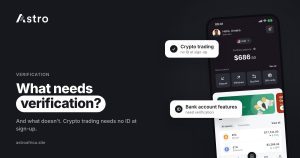
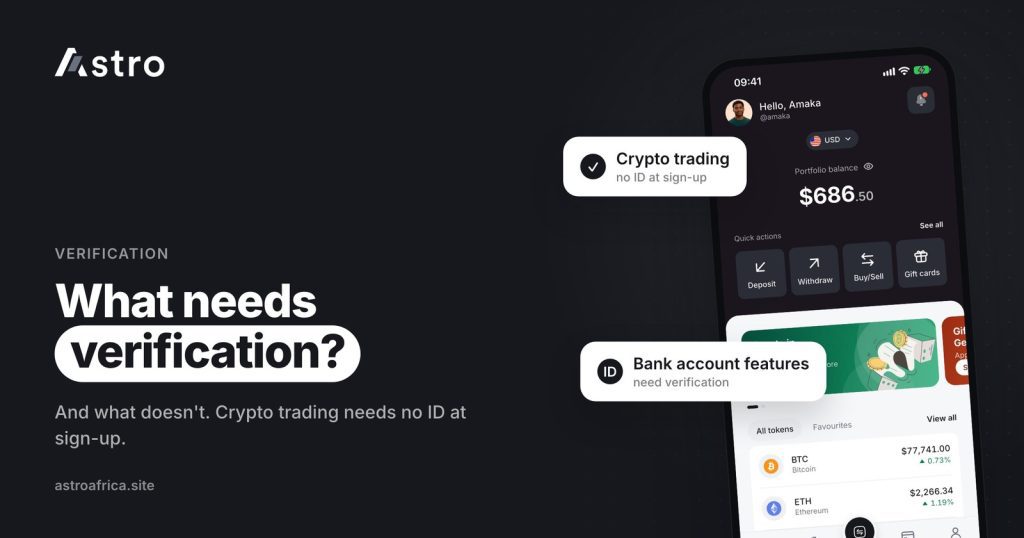
On Astro, signing up does not ask for ID, and standard crypto trading and crypto withdrawals do not need KYC verification. Verification is only required for certain account-based features, such as Nigerian bank accounts, so Astro is not “KYC-free” for everything, but most people can start trading crypto without uploading any documents.
This guide explains what KYC means, exactly which parts of Astro work without verification, which parts need it and why, and how to verify safely when you do need to.
Key points
- Creating an Astro account does not ask for an ID card, passport or selfie.
- Standard crypto trading (buying, selling and swapping supported coins) and crypto withdrawals do not need KYC.
- Nigerian bank accounts and some other account-based features do need verification, which can include your BVN.
- After BVN verification, the name on your account can’t be changed, so use your real legal name from the start.
- Astro will never ask you to send ID documents through WhatsApp, Telegram or social media DMs. Verify only inside the app.
What is KYC?
KYC stands for “Know Your Customer”. It is the process financial companies use to confirm who a customer is, usually by checking details such as a government ID, a selfie, an address or, in Nigeria, a Bank Verification Number (BVN).
KYC exists to reduce fraud, stop stolen identities from being used to open accounts, and meet the rules that apply to certain financial products. Banks, mobile money providers and many fintech apps use it, especially for anything that works like a bank account.
Many people searching for a “crypto app with no KYC in Nigeria” are not trying to hide anything. They want to start quickly, they don’t have their documents to hand, or they are cautious about sending personal details to an app they have only just downloaded. Those are fair concerns, and it helps to know exactly what an app will ask for before signing up.
What doesn’t need verification on Astro
Here is what you can do on Astro without uploading an ID.
Signing up
Creating an account does not ask for ID. You sign up with your basic details, set up your 5-digit transaction PIN for confirming payments, and you can start using the app.
Standard crypto trading
Astro supports BTC, USDT, USDC, ETH, BNB, TRX, LTC, DOGE and SOL. Standard crypto trading does not need KYC, which covers:
- Receiving crypto into your Astro wallet from another app or wallet.
- Holding crypto in your wallet without selling it straight away.
- Selling crypto for naira in Nigeria or for cedis in Ghana.
- Buying crypto with naira in Nigeria.
- Instant Swap between supported coins.
- Limit Orders for crypto-to-crypto trades at a price you set.
Prices are shown in the app before you confirm any trade, and they move with the market. For step-by-step guides, see how to sell USDT in Nigeria and how to sell Bitcoin in Nigeria.
Crypto withdrawals
Sending crypto out of Astro to another wallet or exchange, such as Trust Wallet, Binance or MetaMask, does not need KYC. You choose the coin, the network and the address, then confirm with your PIN or Face ID.
Because no one checks the destination for you, accuracy is your responsibility. Crypto sent on the wrong network or as a different coin can’t be recovered. If you are not sure how networks work, read what happens if you send USDT on the wrong network before sending.
Sending crypto to other Astro users
Astro Tag lets you send crypto to another Astro user by their tag, without copying a long wallet address. Crypto sends by Astro Tag are free.
What does need verification on Astro
Some features work more like a bank account than a simple trade. These are covered by stricter rules, so Astro needs to confirm who you are before you can use them.
Nigerian bank accounts
Nigerian bank account features are for eligible, verified Nigerian users. Verification for these features can include your BVN and an ID check with a selfie. The app shows what is needed for your account when you open the feature.
Other account-based features
A small number of other account-based or regulated features also need verification, and some need a higher level than others. If a feature needs verification, the app tells you before you start and walks you through the steps. You don’t need to verify in advance for features you don’t plan to use.
| What you want to do | ID verification needed? |
|---|---|
| Sign up for an account | No |
| Receive and hold crypto | No |
| Buy, sell and swap supported crypto | No |
| Crypto-to-crypto Limit Orders | No |
| Send crypto to an outside wallet or exchange | No |
| Send crypto to another Astro user by Astro Tag | No |
| Nigerian bank account features | Yes |
| Some other account-based features | Yes, as shown in the app |
Why some features need verification and others don’t
The difference comes down to what each feature does. A crypto trade is a single exchange of one asset for another at a price you can see. An account-based feature, on the other hand, gives you something that behaves like a bank product, with its own identity checks set by the banking system. Those checks are required for that kind of product, whichever app offers it.
Verification also protects you. When an account is tied to a verified identity, it is harder for someone else to open accounts in your name or to move money through features that need stronger checks.
Your name after BVN verification
One rule is worth knowing before you verify: once your account has been verified with your BVN, the name on the account can’t be changed. The name is taken from your verified details.
To avoid problems later:
- Sign up with your real legal name, spelled the way it appears on your BVN and ID.
- Don’t use nicknames, business names or another person’s details.
How to stay safe when verifying
Verification scams are common in Nigeria and Ghana. Fraudsters pose as “support agents” and ask people to send their BVN, ID card, selfie or one-time codes in a chat, then use those details to open accounts or take over existing ones. A few simple rules help:
- Verify only inside the Astro app. Astro will never ask you to send ID documents through WhatsApp, Telegram, Instagram or X DMs.
- Never share your PIN, one-time codes or authenticator codes with anyone, including people who say they work for Astro.
- Ignore anyone who offers to “verify your account for you” or to unlock a feature for a fee.
- Turn on extra protection. Astro uses a 5-digit transaction PIN, Face ID, and an optional two-step check with an authenticator app for outside crypto sends and Astro Tag crypto sends.
No system can remove fraud risk completely, but these habits stop most account takeovers. For more, read crypto scams in Nigeria and how to protect yourself and how to protect your crypto wallet from scammers. The security page explains how Astro accounts are protected.
What this means for users in Ghana
Ghanaian users can sign up and trade supported crypto without uploading ID, in the same way as users in Nigeria. On Astro, they can:
- Sell crypto and supported gift cards for cedis.
- Buy crypto using cedis already in their wallet.
- Withdraw cedis to mobile money: MTN MoMo, Telecel Cash (formerly Vodafone Cash) or AirtelTigo Money.
A few things work differently in Ghana for now. Cedis can’t be deposited directly into the wallet, so cedis come from selling crypto or gift cards. Withdrawals go to mobile money only, not to bank accounts, and they are checked by the Astro team before payment, so timing can vary. For a full guide, see how to sell USDT in Ghana and get paid to mobile money, or visit the Ghana page.
Before you delete an account
Some people sign up again with a new account instead of verifying the one they have. That is worth avoiding. A deleted Astro account can’t be restored, and the email address used for it can’t be reused for a new account. If you need help with verification, contact support from inside the app or at [email protected] instead.
Frequently asked questions
Does Astro need KYC to sign up?
No. Signing up on Astro does not ask for an ID card, passport or selfie.
Can I trade crypto on Astro without KYC?
Yes. Standard crypto trading, including buying, selling and swapping supported coins, does not need KYC verification.
Do I need KYC to withdraw crypto from Astro?
No. Crypto withdrawals to an outside wallet or exchange don’t need KYC. Make sure you choose the correct coin, network and address, because crypto sent on the wrong network or as a different coin can’t be recovered.
Is everything on Astro KYC-free?
No. Nigerian bank account features and some other account-based features need verification. The app tells you when a feature needs it.
What details are used for verification in Nigeria?
Depending on the feature, verification can include your BVN and an ID check with a selfie. The app shows exactly what is needed when you start.
Can I change my name after BVN verification?
No. Once your account is verified with your BVN, the name on the account can’t be changed. Sign up with your real legal name from the start.
Do Ghanaian users need verification to sell crypto?
Standard crypto trading doesn’t need KYC in Ghana either. Ghanaian users can sell crypto for cedis and withdraw to mobile money.
Will Astro ever ask for my ID on WhatsApp or Telegram?
No. Verification happens inside the Astro app only. Anyone asking for your ID, PIN or codes in a chat should be treated as a scammer.
Why does a crypto app need verification for some features?
Features that work like bank products have identity checks set by the banking system. Verification also makes it harder for someone to open accounts in your name.
Can I open a new account instead of verifying my old one?
It’s best not to. Deleted accounts can’t be restored, and their email address can’t be reused. Contact support if you need help with verification.
Astro lets you sign up and start trading crypto without uploading ID, and only asks for verification when a feature genuinely needs it. To see which features are available for your account, download the Astro app and start with the features you need.