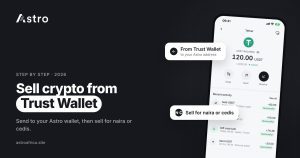
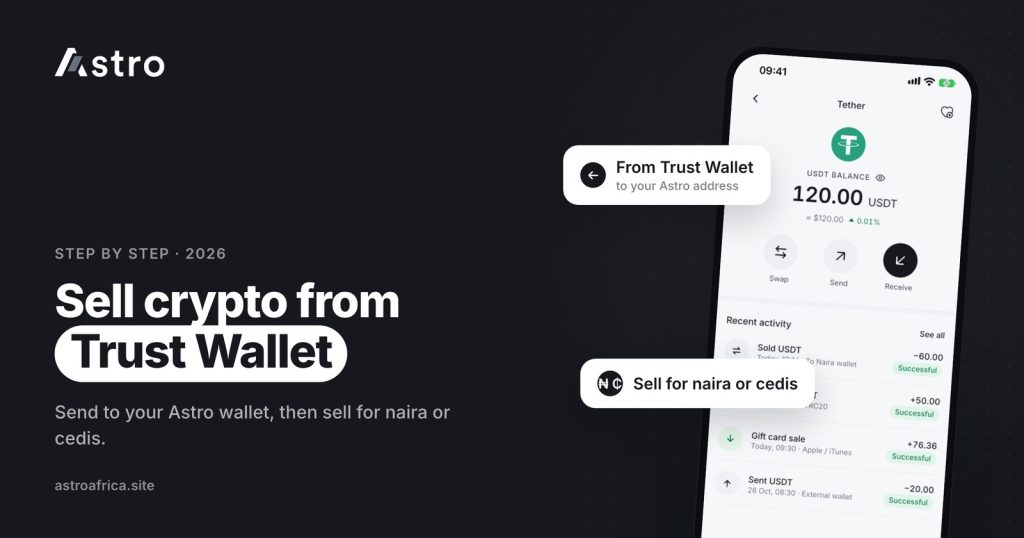
To turn crypto in Trust Wallet into naira or cedis, send it to a platform that pays out in local currency, such as Astro, using the exact same coin and network on both sides, then sell it and withdraw. Nigerian users can withdraw naira to a bank account, including OPay and PalmPay, while Ghanaian users can withdraw cedis to mobile money.
This guide walks through the full route from Trust Wallet to naira or cedis, the network choice that trips up most people, and what to check before you press Send.
Key points
- Trust Wallet holds and sends crypto. To get naira or cedis, you send the coins to an app like Astro and sell them there.
- The coin and the network in Trust Wallet must match the deposit address you copy in Astro. Crypto sent on the wrong network, or as a different coin, cannot be recovered.
- Trust Wallet charges network fees in the chain’s own coin, so keep a little TRX, BNB or ETH (and so on) in the wallet.
- Astro supports BTC, USDT, USDC, ETH, BNB, TRX, LTC, DOGE and SOL. USDT is live on TRC20, BEP20 and ERC20.
- Nigeria: sell for naira and withdraw to a bank, OPay or PalmPay. Ghana: sell for cedis and withdraw to MTN MoMo, Telecel Cash or AirtelTigo Money.
Why you can’t just “cash out” inside Trust Wallet
Trust Wallet is a self-custody wallet: nobody else can move your coins without your seed phrase. The trade-off is that it is not a bank or an exchange. It does not hold naira or cedis, and it does not pay into local bank accounts or mobile money wallets on its own.
Some wallets show buy or sell buttons that pass you to outside providers. Those providers set their own rules, fees and payout methods, and they may not support Nigerian banks or Ghana mobile money at all. For most people in Nigeria and Ghana, the simpler route is:
- Send the coins from Trust Wallet to a deposit address in an app that buys crypto for local currency.
- Sell the coins in that app.
- Withdraw naira to a bank account or cedis to mobile money.
Astro was built for exactly this flow. You can hold the coins in your Astro wallet for as long as you like, sell them when you are ready, or swap them into another supported coin first with Instant Swap.
Before you start: what you need
- The Astro app, with an account. Sign-up doesn’t ask for ID, and crypto trading and crypto withdrawals don’t need ID verification. Some other features, such as Nigerian bank accounts on Astro, do require verification.
- Your Trust Wallet, unlocked, with the coins you want to sell.
- A little of the network’s own coin for fees. Sending USDT on TRC20 needs TRX in the wallet, USDT on BEP20 needs BNB, and USDT on ERC20 needs ETH. Without it, Trust Wallet will not let the transfer go through.
- Your payout details: a Nigerian bank account (OPay and PalmPay work too) or a Ghana mobile money number.
If you are not sure how wallets and addresses work, the beginner’s guide to crypto wallets explains the basics.
Step 1: Check which coin and network you actually hold
This is the step that matters most. Trust Wallet can hold several versions of the same coin. USDT, for example, can sit in your wallet on Tron (TRC20), BNB Smart Chain (BEP20) or Ethereum (ERC20). They look similar in the token list, but each lives on a different blockchain.
Open Trust Wallet, tap the coin you want to sell and look at the network name shown with it. Write it down if you need to. If you hold USDT on more than one network, decide which balance you are sending.
The guide to USDT TRC20 vs BEP20 vs ERC20 explains how the three networks differ and how to tell their addresses apart.
Step 2: Copy the right deposit address in Astro
- Open the Astro app and go to your wallet.
- Choose the same coin you hold in Trust Wallet, for example USDT or BTC.
- Tap to deposit or receive, and select the network that matches the one in Trust Wallet. For USDT, that means TRC20, BEP20 or ERC20.
- Copy the address shown for that coin and network. You can also scan the QR code from Trust Wallet if it is easier.
Never reuse an old address from memory or a screenshot, and never use an address that someone sent you in a chat claiming to be your Astro address. Always copy it fresh from your own app.
Step 3: Send from Trust Wallet
- In Trust Wallet, open the coin on the correct network and tap Send.
- Paste the Astro address, or scan the QR code.
- Enter the amount. If you are sending a large balance for the first time, consider a small test transfer first.
- Review the confirmation screen. Check the coin, the network, the first and last few characters of the address, and the network fee Trust Wallet shows.
- Confirm the transfer.
Two mistakes cause most lost funds here:
- Wrong network. BEP20 and ERC20 addresses both start with “0x”, so Trust Wallet may accept an address even if you picked the wrong chain. Check the network name, not just the address.
- Wrong coin. Sending USDC to a USDT address, or ETH to a BNB address, is not the same as sending the right coin. Crypto sent as a different coin cannot be recovered.
If something has already gone wrong, the guide on what happens when crypto is sent on the wrong network explains what can and can’t be done.
Step 4: Wait for the deposit to confirm
Blockchain transfers need a number of network confirmations before they are credited. While that happens, the deposit can show as “Pending” in the app, because it is waiting on the blockchain rather than on Astro. Timing depends on the network and how busy it is. Tron and BNB Smart Chain are usually quick, while Bitcoin and Ethereum can take longer when the network is congested.
If the deposit does not appear after a reasonable time, check the transaction on a block explorer using the transaction ID from Trust Wallet. The guide to crypto deposits that are not showing lists the common reasons and what to do about each one.
Step 5: Sell for naira or cedis
Once the coins are in your Astro wallet, you can sell them straight away or hold them. To sell:
- Open the coin in your Astro wallet and choose to sell.
- Enter the amount. The app shows the rate and what you will receive before you confirm.
- Confirm with your 5-digit transaction PIN or Face ID.
Rates move with the market, so always check the rate shown in the app when you sell. To understand why the price moves, see why the USDT to naira rate changes.
Step 6: Withdraw to your bank or mobile money
Nigeria: naira to a bank account
Nigerian users can withdraw naira to supported bank accounts, including fintech banks such as OPay and PalmPay. The least naira withdrawal is ₦300. Eligible payouts can arrive in as fast as 60 seconds under normal conditions, but bank delays and maintenance can affect timing, so not every withdrawal will land that quickly. Payouts also run on weekends and public holidays.
For more on paying out to fintech banks, see selling USDT to OPay or PalmPay, and for the full Nigerian walkthrough, the guide to selling USDT in Nigeria.
Ghana: cedis to mobile money
Ghanaian users can sell crypto for cedis and withdraw to MTN MoMo, Telecel Cash (formerly Vodafone Cash) or AirtelTigo Money. Ghana withdrawals are checked and processed by hand for now, so timing varies and is not instant. Bank-account payouts in Ghana are paused, so mobile money is the payout route. The guide to selling USDT in Ghana covers this in more detail.
While a withdrawal is being handled, it shows as “Processing”. A pending withdrawal can’t be cancelled, but if a withdrawal fails, the full amount comes back, including the withdrawal fee. The post on “Processing” vs “Pending” explains each status.
Which coins can you move from Trust Wallet to Astro?
Astro supports BTC, USDT, USDC, ETH, BNB, TRX, LTC, DOGE and SOL. Trust Wallet can hold all of these, but on different networks. A few practical notes:
| Coin in Trust Wallet | What to check before sending |
|---|---|
| USDT | Match TRC20, BEP20 or ERC20 with the network you select in Astro. |
| USDC | USDC also exists on several networks. Only send on a network the Astro app lists for USDC. |
| BTC | Send native Bitcoin to a Bitcoin address. Don’t send a wrapped or “pegged” BTC token from another chain. |
| ETH | Send ETH on Ethereum unless the Astro app shows another network for ETH. |
| BNB, TRX, LTC, DOGE, SOL | Send each coin on its own chain, to the address Astro shows for that coin. |
Trust Wallet often shows wrapped tokens with familiar names, such as a “BTC” token on BNB Smart Chain. These are not the original coin. If you are unsure what a token really is, check its network in Trust Wallet or ask Astro support before sending.
Safety tips for moving crypto out of Trust Wallet
- Never share your seed phrase. Nobody needs it to send you money or help with a deposit. A real support agent will never ask for it. Read what a seed phrase is if you are unsure.
- Ignore “support agents” who message you first on WhatsApp, Telegram, Instagram or X. Get help through the Astro in-app chat or [email protected].
- Don’t connect your wallet to unknown sites that promise to “sync” or “unlock” your funds.
- Send a small test first when using a new address or network.
No platform can promise zero fraud risk, but these habits remove most of it. For more, see how to protect your crypto wallet from scammers.
Frequently asked questions
Can I withdraw directly from Trust Wallet to a Nigerian bank account?
Not in the usual sense. Trust Wallet holds crypto, not naira. To get naira into a bank account, send the coins to an app that buys crypto, such as Astro, sell them, then withdraw naira to your bank, OPay or PalmPay.
Can I send crypto from Trust Wallet to Ghana mobile money?
Not directly. Send the coins to Astro, sell them for cedis, then withdraw to MTN MoMo, Telecel Cash or AirtelTigo Money. Ghana withdrawals are processed by hand, so timing varies.
Which network should I use to send USDT from Trust Wallet?
Use the network your USDT is already on in Trust Wallet, and select that same network when copying the Astro address. Astro supports USDT on TRC20, BEP20 and ERC20.
Why does Trust Wallet say I don’t have enough for the fee?
Trust Wallet pays network fees in the chain’s own coin. To send USDT on TRC20 you need some TRX, on BEP20 you need BNB, and on ERC20 you need ETH. Add a small amount of that coin and try again.
What happens if I send crypto on the wrong network?
Crypto sent on the wrong network, or sent as a different coin, cannot be recovered. That is why it is worth checking the coin and network twice and sending a small test when in doubt.
How long does a Trust Wallet deposit take to show on Astro?
It depends on the blockchain and how busy it is. The deposit is credited once the required network confirmations are complete. If it is taking unusually long, check the transaction ID on a block explorer and contact support if it shows as complete.
Do I need KYC to sell crypto from Trust Wallet on Astro?
No. Sign-up doesn’t ask for ID, and crypto trading and crypto withdrawals don’t need ID verification. Some other features, such as Nigerian bank accounts on Astro, do require verification.
Is there a least amount I can withdraw in naira?
Yes. The least naira withdrawal is ₦300.
Where can I see the rate before I sell?
Crypto rates are shown in the Astro app before you confirm a sale, and they move with the market. The rates page on the website lists gift card rates only.
Moving crypto from Trust Wallet to naira or cedis comes down to three things: match the coin, match the network, and use a platform that pays out where you need the money. When you are ready, download the Astro app, copy your deposit address for the right network, and sell in a few taps.