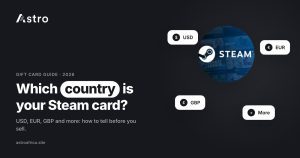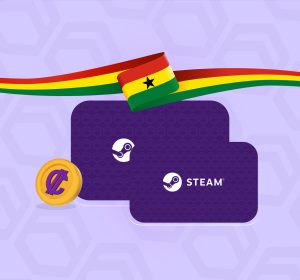
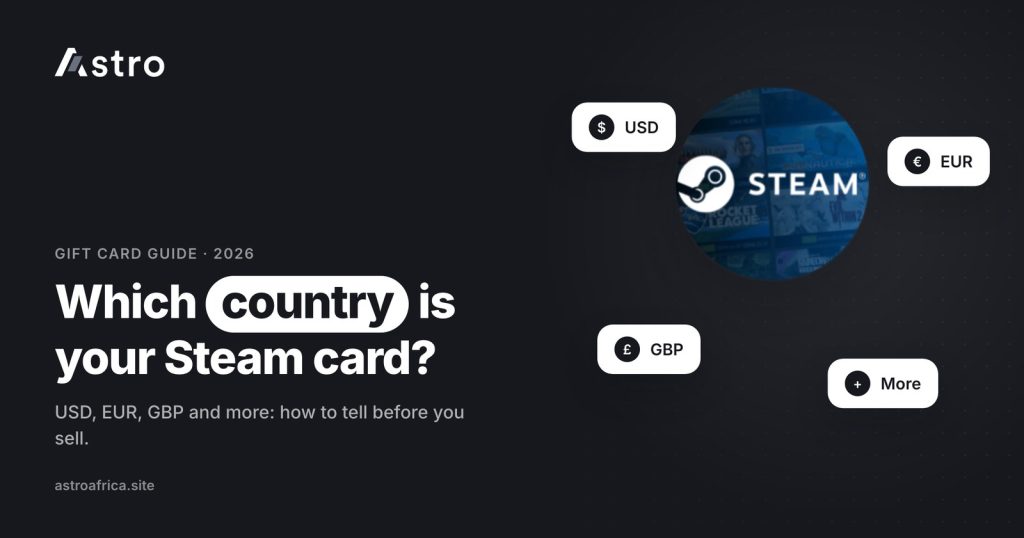
The easiest way to tell a Steam card’s country is to look at the currency printed on the card or shown in the e-code email: a $ sign usually means a US card, € means a euro card, £ means a UK card, and other cards name their currency, such as CAD, AUD, NZD or CHF. Getting the Steam card country right matters because each currency is traded at its own rate, and a card uploaded under the wrong country can be moved to the right section and paid at that section’s rate.
This guide explains how to identify the currency of a physical Steam card or a Steam e-code, which Steam card countries Astro currently trades, the mistakes that slow a trade down, and how to sell a Steam card for naira or cedis.
Key points
- A Steam card’s “country” really means its currency. Check the symbol or currency code on the card, the receipt or the e-code email.
- Astro trades Steam cards in US dollars, euros, British pounds, Canadian, Australian and New Zealand dollars and Swiss francs, plus a few other country cards.
- Each currency has its own rate, so the same face value can be worth different amounts in naira or cedis.
- Pick the right country and card type (physical or e-code) before you submit. A trade can’t be cancelled once it is submitted.
- Nigerian users are paid in naira. Ghanaian users are paid in cedis and can withdraw to mobile money.
Why the country of a Steam card matters
Steam gift cards and wallet codes are sold in many countries, and each one is loaded with value in a local currency. A US$50 card and a €50 card share the same face number but hold different amounts of money, because a euro and a dollar are worth different amounts. When a trading platform buys your card, it prices it by currency.
That is why gift card apps, including Astro, ask you to choose a country (or currency) before you upload a Steam card. If you choose the wrong one, the team has to check the card and move it to the correct section, which can slow the trade and change what you receive.
If you have read the guide on how to tell which country your Apple gift card is from, the idea is the same.
How to tell your Steam card’s currency
There are four quick checks. Most cards can be identified with the first one.
1. Look at the currency on the card or in the email
Physical Steam cards show the value with a currency sign or code on the front, for example $20, €50 or £25. Steam e-codes are usually delivered by email or inside a store app, and the order page or email normally states the value and currency. Check this first.
2. Read the receipt
A receipt from the shop where the card was bought shows the currency of the purchase. A receipt in pounds points to a UK card; a receipt in Canadian dollars points to a Canadian card. Keep the receipt with the card until the trade is complete.
3. Think about where the card was bought
If a relative bought the card in Germany, France, Spain or Italy, it is very likely a euro card. If it came from a shop in London or Manchester, it is likely a UK card. If it came from Toronto, it is likely Canadian. Always confirm with the currency printed on the card.
4. Watch out for the “dollar” trap
Several countries use a dollar sign. A card that just says “$50” is most often a US card, but Canadian, Australian and New Zealand cards also use dollars. These cards usually include a code such as CAD, AUD or NZD, or a country name, somewhere on the card or packaging. If you see one of those, choose that country, not USA.
Steam card countries and currencies at a glance
The table below shows the Steam card currencies Astro currently lists, with the sign or code to look for.
| Card country | Currency | What to look for |
|---|---|---|
| USA | US dollar (USD) | $ with no other country code |
| Euro countries | Euro (EUR) | € |
| United Kingdom | British pound (GBP) | £ |
| Canada | Canadian dollar (CAD) | $ with CAD or “Canada” |
| Australia | Australian dollar (AUD) | $ with AUD or “Australia” |
| New Zealand | New Zealand dollar (NZD) | $ with NZD or “New Zealand” |
| Switzerland | Swiss franc (CHF) | CHF |
| Brazil | Brazilian real (BRL) | R$ |
| Denmark | Danish krone (DKK) | kr or DKK |
| Mexico | Mexican peso (MXN) | $ with MXN or “México” |
| Poland | Polish złoty (PLN) | zł or PLN |
Astro also lists Spain as a separate Steam option for some physical cards. If your card came from Spain, check both the euro and Spain options in the app and choose the one that matches the card’s value range, or ask support through the live chat before you submit.
The main currencies (US, euro, UK, Canada, Australia, New Zealand and Switzerland) are accepted as both physical cards and e-codes. Brazil, Denmark, Spain, Mexico and Poland are listed for physical cards only. Each option has a value range, so check that your card’s face value fits the range shown in the app. Lists change, so the app and the live rates page are the final word.
Popular Steam card countries in more detail
USD Steam cards
US dollar cards are the most common Steam cards traded in Nigeria and Ghana. They show a plain $ sign. For a value guide in naira, see how much a $100 Steam card is worth in naira, and for Ghana, how much a $50 Steam card is worth in cedis.
EUR Steam cards
Euro cards are common when the card was bought in Germany, France, Italy, the Netherlands or another euro country. They are sold under the euro option, not under a single country. Two popular values have their own guides: the €50 Steam card in Ghana and the €20 Steam card in cedis.
GBP Steam cards
UK cards show the £ sign. Because the pound and the euro are both European currencies, people sometimes mix them up. Look at the symbol: £ is UK, € is euro.
CAD, AUD and NZD Steam cards
These are the cards most often uploaded under the wrong country, because they use the dollar sign. Look for the currency code or the country name before you choose “USA”.
Swiss and Brazilian Steam cards
Swiss cards show CHF, and Brazilian cards show R$. Both have their own options in the app. There are separate guides on Switzerland Steam cards and on selling a Brazil Steam card in Nigeria.
Physical card or e-code: the second choice to get right
After the country, the app asks whether your card is physical or an e-code.
- Physical card: a plastic or paper card bought in a shop, with a code hidden under a scratch-off panel. Scratch it gently so every character is clear, and take a sharp, well-lit photo.
- E-code: a digital code sent by email or shown in a store app, with no physical card. You enter or upload the code itself.
A Steam wallet code has 15 characters. Make sure every one is visible and correct before you submit. If you are unsure about the difference, the guide on common Steam card redemption errors covers the problems people run into most.
Common mistakes when choosing a Steam card country
- Choosing USA for every dollar card. Check for CAD, AUD, NZD or MXN first.
- Mixing up £ and €. They look similar at a glance on a small photo.
- Choosing the wrong card type. A physical card uploaded as an e-code, or the other way round, may need to be moved.
- Uploading a blurry or half-scratched code. The team has to be able to read the full code.
- Ignoring the value range. Some options only accept certain face values, for example 20 to 200 or 50 to 500.
A card uploaded in the wrong section is forwarded to the right one and credited at the current rate in that section. That keeps the trade going, but the amount may differ from what you expected, so it is worth getting it right the first time.
How to sell a Steam card on Astro
- Open the Astro app and go to the gift card section.
- Choose Steam.
- Pick the card country and type (physical or e-code) that match your card.
- Enter the card value and upload a clear photo of the card or the e-code.
- Check the rate shown in the app and submit.
Once a sale is submitted, it can’t be cancelled. If the rate changes before you press submit, the sale goes through at the new rate, so always look at the rate on the final screen. Rates depend on the card country, card type, value, whether there is a receipt and current market prices. They don’t depend on the time of day. Today’s numbers are on the live rates page.
Getting paid in Nigeria
Nigerian users are paid in naira to their Astro wallet and can withdraw to supported bank accounts, including OPay and PalmPay. The least naira withdrawal is ₦300. Eligible payouts can arrive in as fast as 60 seconds under normal conditions, though bank delays or maintenance can affect timing.
Getting paid in Ghana
Ghanaian users are paid in cedis and can withdraw to mobile money: MTN MoMo, Telecel Cash (formerly Vodafone Cash) or AirtelTigo Money. Ghana withdrawals are processed by hand, so timing can vary. Bank-account payouts are not available in Ghana at the moment. The Ghana page lists what is available there.
Staying safe with Steam cards
Steam cards are popular with scammers because they are easy to send. Never share a card code with someone who contacts you out of the blue, and never “test” a code for a stranger. Only upload your code inside the app you are selling to. No platform can promise zero fraud risk, so treat any card that came from an unknown person with care.
Frequently asked questions
How do I know what country my Steam card is from?
Look at the currency on the card, receipt or e-code email. $ with no other code is usually USA, € is euro, £ is UK, and other cards show codes such as CAD, AUD, NZD or CHF.
Is a Steam card with a $ sign always a US card?
No. Canadian, Australian, New Zealand and Mexican cards can also show a dollar-style sign. Look for a currency code or country name before choosing USA.
Which Steam card countries does Astro accept?
Astro currently lists USA, euro, UK, Canada, Australia, New Zealand and Switzerland for physical cards and e-codes, plus Brazil, Denmark, Spain, Mexico and Poland for physical cards. Check the app for the current list.
Why is a €50 Steam card worth more than a $50 one?
Because the euro and the dollar are different currencies with different values. Each currency is priced on its own, so the same face number can be worth a different amount in naira or cedis.
What happens if I choose the wrong country?
The card is forwarded to the right section and credited at the current rate in that section. The amount may differ from what you expected, so choose carefully.
Can I sell a Steam e-code, or only physical cards?
Both, for the main currencies. Some country options, such as Brazil, Denmark, Spain, Mexico and Poland, are listed for physical cards only.
Does a receipt change the rate for Steam cards?
Rates can depend on the receipt as well as the country, type and value. The app shows the rate for each option before you submit.
Can I cancel a Steam card sale after submitting?
No. Once a gift card sale is submitted, it can’t be cancelled. Check the country, type, value and photo before you press submit.
Can Ghanaian users sell Steam cards on Astro?
Yes. Ghanaian users are paid in cedis and can withdraw to MTN MoMo, Telecel Cash or AirtelTigo Money. Ghana withdrawals are processed by hand, so timing varies.
Where can I see today’s Steam card rates?
Rates change with the market. See the live rates page for today’s Steam card rates in naira and cedis, or check the rate in the app before you sell.
Once you know your Steam card’s country and type, selling it takes a few minutes. Download the Astro app, choose the matching Steam option, and check the rate before you submit.