If your wallet says you don’t have enough TRX to send USDT, it means the Tron network fee has to be paid in TRX, not in USDT, and your wallet doesn’t hold enough of it. The same rule applies on other networks: USDT on BEP20 needs BNB for the fee, and USDT on ERC20 needs ETH, so a self-held wallet must keep a little of the network’s own coin before any USDT can move.
This guide explains why, what the common errors mean, how to top up safely, and when you don’t need a fee coin at all.
Key points
- Every blockchain charges a network fee (often called “gas”) in its own coin: TRX on Tron, BNB on BNB Smart Chain and ETH on Ethereum.
- USDT is a token that rides on those networks, so it can’t pay the fee by itself in a normal self-custody wallet.
- Send the fee coin to the same wallet on the same network as your USDT. TRX goes to your Tron address, BNB to your BNB Smart Chain address, ETH to your Ethereum address.
- When you send from an exchange or from the Astro app, the fee is handled for you and shown before you confirm, so you don’t need to hold TRX, BNB or ETH there.
- Crypto sent on the wrong network, or sent as a different coin, can’t be recovered.
What “not enough TRX” actually means
Blockchains are run by computers that check and record every transaction, and they are paid through network fees. Each blockchain charges its fee in its own coin, often called the native coin or gas coin:
- Tron (where USDT TRC20 lives) charges in TRX.
- BNB Smart Chain (where USDT BEP20 lives) charges in BNB.
- Ethereum (where USDT ERC20 lives) charges in ETH.
USDT is not the native coin of any of these networks. It is a token issued on top of them, a bit like a passenger on a bus that only accepts its own fare card. That is why a wallet can show a healthy USDT balance and still refuse to send any of it: the USDT is there, but the fee can’t be paid.
If the difference between TRC20, BEP20 and ERC20 is new to you, read USDT TRC20 vs BEP20 vs ERC20 explained first. It covers which network each version of USDT uses and why the network must match on both sides of a transfer.
Common error messages and what they mean
Different wallets word the problem differently. These are the kinds of messages people see most often:
| Message you might see | What it usually means | What to add |
|---|---|---|
| “Insufficient TRX” or “Not enough TRX for fee” | The Tron network fee can’t be covered | TRX on the Tron network |
| “Out of energy” or “Insufficient energy / bandwidth” | Tron’s resources for this transfer are used up, and there isn’t enough TRX to pay instead | TRX on the Tron network |
| “Insufficient BNB for gas” or “Not enough BNB” | The BNB Smart Chain fee can’t be covered | BNB on BNB Smart Chain (BEP20) |
| “Insufficient funds for gas” or “Not enough ETH” | The Ethereum fee can’t be covered | ETH on the Ethereum network |
The fix is always the same: add a little of the network’s own coin to the same wallet.
How fees work on each network
Tron (USDT TRC20): energy, bandwidth and TRX
Tron uses two resources, bandwidth and energy. Token transfers such as USDT TRC20 use both, because they run a small program (a smart contract).
Some advanced users stake TRX to get these resources. Most everyday users don’t, so their wallet burns TRX to pay for them at the moment of sending. Without enough TRX, the wallet shows an error or the transfer fails.
Two details catch people out on Tron:
- The fee can be higher than expected. Sending to an address that has never held USDT can cost more, and costs change with network conditions. Keep a buffer.
- A failed transfer can still cost TRX. If a TRC20 transfer runs out of energy partway, it can fail and the TRX used isn’t returned. Top up before retrying.
BNB Smart Chain (USDT BEP20): gas in BNB
BNB Smart Chain charges gas in BNB. Fees are generally low but never zero, so a wallet with USDT BEP20 and no BNB can’t send. The BNB must be on BNB Smart Chain (BEP20); BNB on another network, or still on an exchange, doesn’t count.
Ethereum (USDT ERC20): gas in ETH
Ethereum charges gas in ETH. It tends to cost more than Tron or BNB Smart Chain and rises when the network is busy, which is one reason many people prefer TRC20 or BEP20 for everyday USDT. The ETH must be on the Ethereum main network; ETH on other “0x” networks won’t pay Ethereum gas.
This guide doesn’t quote fee amounts, because they change all the time. Always read the estimated fee your wallet shows before you approve.
Who needs a fee coin, and who doesn’t
The fee rule bites hardest in self-custody wallets, where you hold the keys. It works differently elsewhere.
| Where you send from | Do you need TRX, BNB or ETH? |
|---|---|
| Self-custody wallet (Trust Wallet, MetaMask, TronLink and similar) | Yes. The fee is paid from your own balance of the network’s coin. |
| Exchange (Binance, Bybit, OKX and similar) | Usually no. The exchange shows its withdrawal fee before you confirm. |
| Astro app, sending to an outside wallet | No. The app shows Astro’s fee before you confirm. If the send fails, the amount and Astro’s fee come back. |
| Astro app, sending to another Astro user by Astro Tag | No. Crypto sends by Astro Tag are free and don’t use a blockchain network. |
Some wallets offer ways to pay the fee in USDT or to rent energy on Tron. These options vary, may cost more than paying in TRX, and change often, so read the terms on screen first.
How to fix it: topping up TRX, BNB or ETH safely
The fix is to get a small amount of the fee coin into the exact wallet and network that holds your USDT. Here is a careful way to do it.
- Find the right receiving address. In your wallet, open the native coin itself (TRX, BNB on BNB Smart Chain, or ETH on Ethereum) and tap Receive.
- Check it matches. On Tron, your TRX and USDT TRC20 address is the same “T” address. On BNB Smart Chain and Ethereum, addresses start with “0x”, so confirm the network label, not just the format.
- Get the coin from somewhere that doesn’t need gas from you. An exchange account or the Astro app works well here, since the fee for sending is handled on their side.
- Send on the matching network. TRX on Tron (TRC20). BNB on BNB Smart Chain (BEP20). ETH on Ethereum (ERC20). Selecting any other network can lose the funds.
- Send a little more than one fee. A small buffer saves you from topping up again if fees rise or the receiving address costs more than usual.
- Wait for it to arrive, then send your USDT. Check the fee estimate on the confirmation screen before you approve.
Using Astro to get the fee coin
Astro supports BTC, USDT, USDC, ETH, BNB, TRX, LTC, DOGE and SOL, and lets you send crypto to outside wallets such as Trust Wallet, MetaMask or Binance.
- In Nigeria, users can buy crypto such as TRX, BNB or ETH with naira in the app, then send it to their own wallet on the matching network.
- In Nigeria and Ghana, users who already hold another supported coin in Astro can use Instant Swap to change it into TRX, BNB or ETH, then send it out. Instant Swap is explained in how to swap BTC, ETH and USDT on Astro.
The guide on sending crypto from Astro to Trust Wallet, MetaMask or Binance walks through the outside-send screen step by step, including the network choice.
Avoiding the problem next time
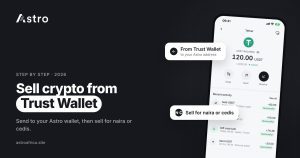
To move USDT out of Trust Wallet or a similar wallet, a small top-up of the fee coin is unavoidable for that transfer. The full route is in how to sell crypto from Trust Wallet for naira or cedis.
Next time, you can have USDT paid straight into a wallet that handles fees for you. Your Astro USDT wallet has its own deposit address for TRC20, BEP20 and ERC20, so USDT received there can be sold, swapped, held or sent on without keeping TRX, BNB or ETH around.
Mistakes to avoid when topping up
- Sending TRX to a BEP20 or ERC20 address. TRX belongs on Tron. Sending it anywhere else can mean it is lost.
- Sending BNB on the wrong network. BNB must arrive on BNB Smart Chain to pay BEP20 gas. Check the network name in the sending app, not just the “0x” address.
- Trusting a stranger who offers “free gas”. Some scammers offer TRX, then ask for your seed phrase. No genuine helper needs it; see what a seed phrase is.
Crypto sent on the wrong network, or sent as a different coin, can’t be recovered. If it has already happened, read sent crypto on the wrong network for what can and can’t be done. If a top-up you sent hasn’t shown up yet, why a crypto deposit may not be showing covers the usual causes.
Selling your USDT once it moves
Once your USDT reaches Astro on the matching network, you can hold, swap or sell it. Nigerian users can sell for naira and withdraw to a Nigerian bank account, including OPay and PalmPay; eligible payouts can arrive in as fast as 60 seconds under normal conditions, though banks and maintenance can affect timing. Ghanaian users can sell for cedis and withdraw to MTN MoMo, Telecel Cash (formerly Vodafone Cash) or AirtelTigo Money; Ghana withdrawals are processed by hand, so timing varies. See how to sell USDT in Nigeria and how to sell USDT in Ghana.
Signing up on Astro doesn’t ask for ID, and crypto trading and crypto withdrawals don’t need ID verification, though some other features do.
Frequently asked questions
Why can’t I send USDT when I have enough USDT?
Because the network fee is paid in the network’s own coin, not in USDT. On Tron you need TRX, on BNB Smart Chain you need BNB, and on Ethereum you need ETH. Without that coin, a self-custody wallet can’t pay the fee.
How much TRX do I need to send USDT?
It depends on network conditions and on the receiving address, so there is no fixed figure. Your wallet shows an estimate before you confirm. Keep a little more than one fee as a buffer.
Is my TRX address the same as my USDT TRC20 address?
Yes. On Tron, one address holds both TRX and TRC20 tokens such as USDT. Send the TRX to that same “T” address on the Tron network.
Why did my TRC20 transfer fail and still take TRX?
If a token transfer runs out of energy partway through, it can fail, and the TRX used up to that point isn’t returned. Add more TRX before trying again.
Do I need BNB or ETH to send USDT BEP20 or ERC20?
Yes, in a self-custody wallet. BEP20 needs BNB on BNB Smart Chain, and ERC20 needs ETH on the Ethereum main network, in the same wallet as the USDT.
Do I need TRX to send USDT from Astro?
No. The Astro app shows its fee before you confirm an outside send, and you don’t need to hold TRX, BNB or ETH for it. If a send fails, the amount and Astro’s fee come back. Crypto sends to other Astro users by Astro Tag are free; see how Astro Tag works.
Can Ghana users get TRX on Astro?
Ghanaian users who hold another supported coin in Astro can swap it to TRX with Instant Swap, then send it to their own wallet on the Tron network.
What if I sent TRX or BNB on the wrong network?
Crypto sent on the wrong network, or as a different coin, can’t be recovered. Always choose the network in the receiving wallet first and match it exactly on the sending side.
The “not enough TRX” error isn’t a problem with your USDT; the wallet just needs the network’s own coin to pay for the transfer. Add a little TRX, BNB or ETH on the right network, or keep USDT where fees are handled for you. To buy, swap, send or sell in one place, download the Astro app.