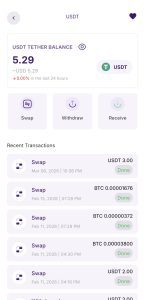
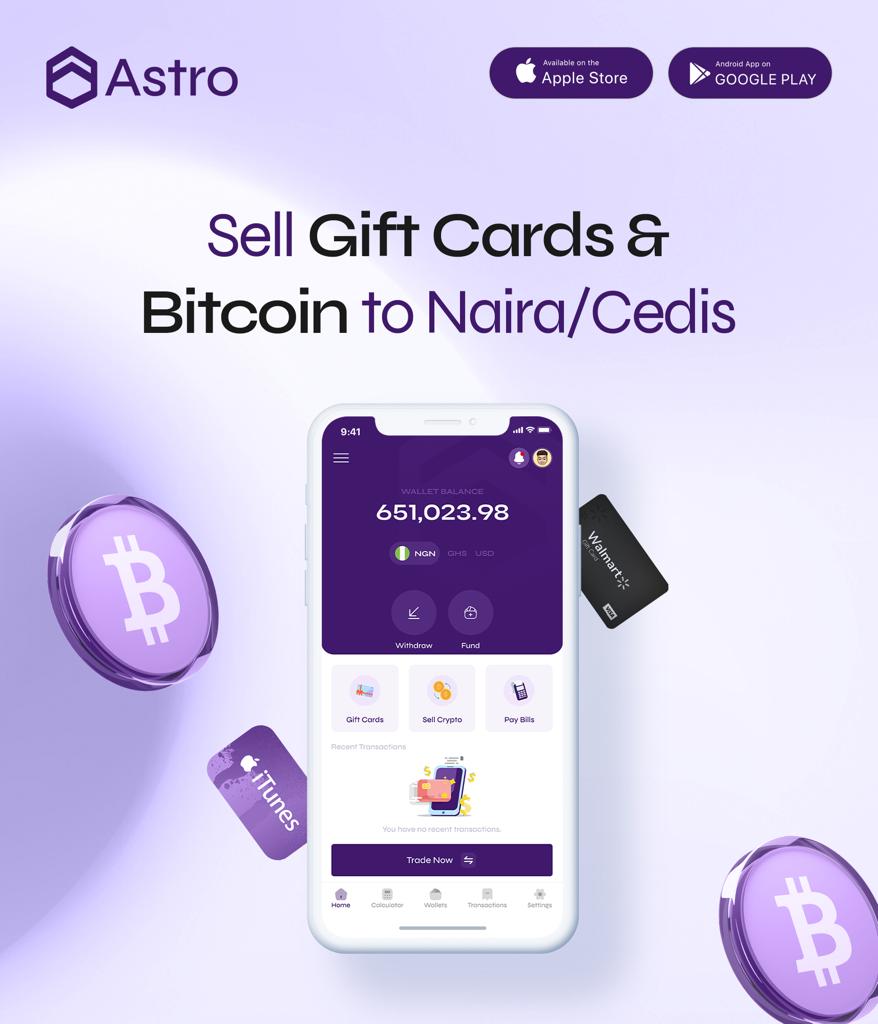
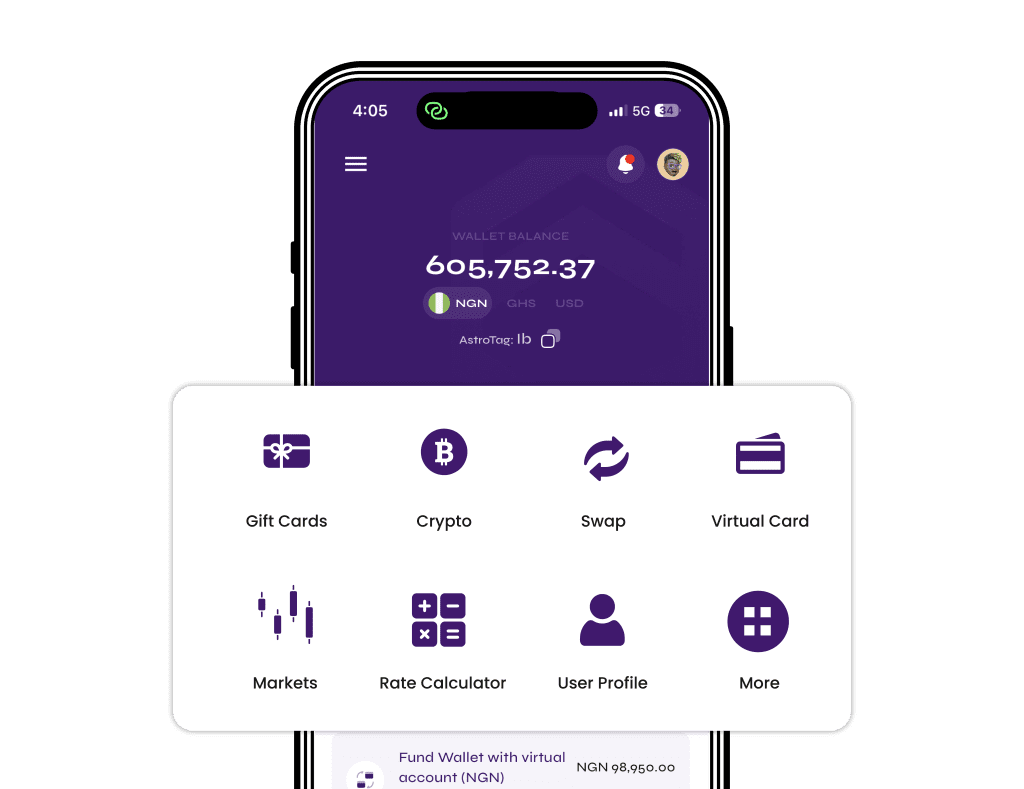
Sell USDT in Ghana and get paid in cedis through mobile money with Astro Africa. Instead of relying on risky P2P trades with strangers, users can deposit USDT into their Astro wallet, sell when ready, and withdraw directly to supported Ghana payout options.
This is useful for freelancers receiving crypto payments, traders taking profit, and anyone holding USDT while waiting for the right time to cash out. Astro also gives users more flexibility because they can hold USDT in-wallet, swap between supported coins, and use Automated Payment when they want faster payout flow.
Many users now prefer direct platforms over P2P because of fake payment alerts, delayed transfers, and account-related stress. This guide explains how to sell USDT in Ghana safely, what network to use, how payout works, and what to check before sending funds.
Why Ghanaians Are Using USDT in 2026
USDT (Tether) has become the go-to cryptocurrency in Ghana for several reasons.
It stays stable. Unlike Bitcoin or Ethereum that can swing 10-20% in a single day, USDT is pegged to the US dollar and is designed to stay close to $1. This makes it useful for holding value without the sharp price swings of other coins.
It protects against cedi depreciation. The Ghana cedi has lost significant value against the dollar over the past few years. Many Ghanaians now hold USDT as a way to preserve their purchasing power instead of keeping all their money in cedis.
It makes international payments simple. Freelancers, remote workers, and business owners receive USDT from clients abroad because it’s faster and cheaper than traditional bank transfers. No SWIFT fees. No 3-5 business day delays. Just instant digital money that can be converted to cedis whenever needed.
It’s perfect for crypto trading. Traders use USDT as a stable base to move in and out of volatile coins like Bitcoin and Ethereum without converting to cedis each time.
The challenge most Ghanaians face is finding a reliable way to convert USDT to cedis quickly and safely. That’s exactly what this guide solves.
The Problem With Selling USDT in Ghana
Most people in Ghana still rely on P2P (peer-to-peer) platforms to sell USDT. You post an ad, find a buyer, they send cedis to your mobile money, you release the crypto.
This method is risky.
Scammers everywhere. P2P platforms are full of fraudsters. Some send fake payment screenshots hoping you’ll release crypto before verifying. Others use stolen mobile money accounts, which can get your account flagged or frozen.
Slow and frustrating. You might wait hours for a buyer. When you finally find one, they take forever to pay. Meanwhile, rates change and you lose money.
Chargebacks and reversals. A buyer pays you, you release the USDT, then they reverse the mobile money transaction. You lose both the crypto and the money.
No protection. If something goes wrong on a P2P platform, you’re mostly on your own. Customer support is slow, and getting your money back is nearly impossible.
There’s a better way.
Sell USDT in Ghana With Astro Africa
Astro Africa offers a simpler, more direct way to sell USDT in Ghana in 2026.
Astro isn’t a P2P platform. You’re not trading with strangers. Instead, Astro works like your personal crypto exchange where you have complete control over your money.
Here’s what you can do on Astro:
Sell USDT to cedis. Convert your USDT to Ghana cedis and withdraw directly to MTN Mobile Money, Vodafone Cash, AirtelTigo Money, or your bank account.
Swap between coins. Convert USDT to Bitcoin, Bitcoin to Ethereum, or any supported pair without selling to cedis first.
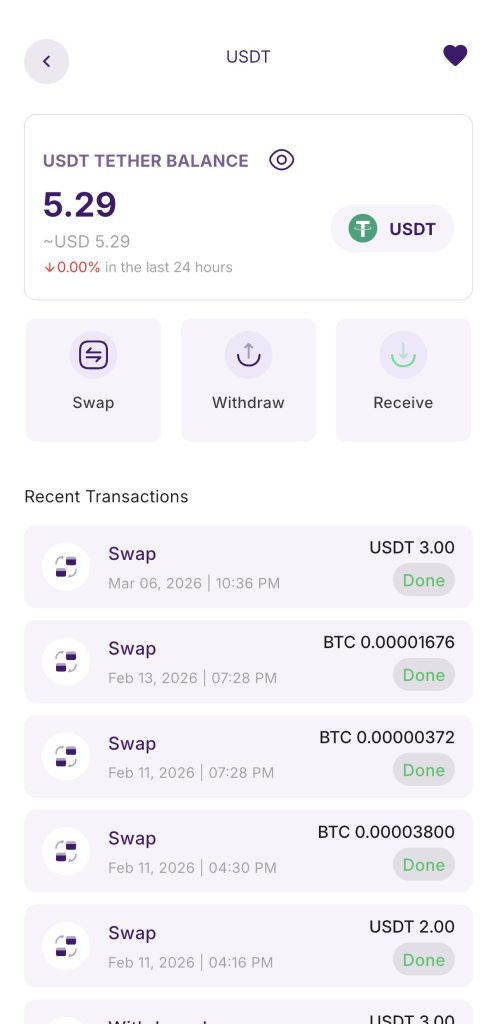
Hold crypto in your wallet. Keep your USDT in your Astro wallet and watch the rates. Sell when you’re ready.
Set Limit Orders for crypto swaps. Want to convert your BTC to USDT at a specific rate? Set a limit order and Astro executes automatically when the market reaches your target.
Enable Automated Payment. Turn this on and supported crypto deposits convert to cedis and pay out to your mobile money automatically.
Astro Africa vs Other Platforms in Ghana
Here’s how Astro compares to other options Ghanaians use to sell USDT:
| Feature | P2P Trading | Astro Africa |
|---|---|---|
| Payout flow | Depends on buyer | Direct platform payout |
| Typical payout speed | Can vary | Fast payout after sale |
| Mobile money support | Depends on platform | Yes |
| Hold crypto in wallet | Limited / varies | Yes |
| Crypto-to-crypto swap | Limited / varies | Yes |
| Automated payout option | Rare | Yes |
| Scam exposure | Higher | Lower |
| Account-related stress | Higher | Lower |
Astro gives you the flexibility of a full exchange with the simplicity of a cash-out app. Sell, swap, hold, or automate. Your choice.
How to Sell USDT in Ghana on Astro Africa (Step-by-Step)
Follow these steps to sell USDT and get paid to your mobile money:
Step 1: Download Astro Africa
Get the app from Google Play Store or Apple App Store. You can also use the web version at astroafrica.site.
Step 2: Create Your Account
Sign up with your email address and create a password. Verify your email to activate your account.
Step 3: Get Your USDT Wallet Address
Go to your dashboard and pick USDT. Or go to Wallet and select USDT from there.
Choose your network. TRC20 (Tron network) is a popular choice because its transfer fees are usually low.
Copy your unique USDT wallet address.
Step 4: Send USDT to Your Astro Wallet
Open your external wallet (Trust Wallet, Binance, MetaMask, or wherever your USDT is stored) and send it to your Astro wallet address.
Make absolutely sure you select the correct network. If you copied a TRC20 address, send on TRC20. Sending on the wrong network can result in lost funds.
Wait for blockchain confirmation. This usually takes 1-3 minutes on TRC20.
Step 5: Decide What to Do With Your USDT
Once your USDT arrives in your Astro wallet, you have options:
Hold it. Keep the USDT in your wallet. Your balance stays in dollars. Sell whenever rates are better.
Swap it. Convert to Bitcoin, Ethereum, or other supported coins instantly. No need to sell to cedis first.
Sell at the current rate. Convert to cedis and withdraw.
Enable Automated Payment. Turn this on in Settings if you want every future deposit to convert and pay out automatically.
Step 6: Withdraw to Mobile Money
Select your mobile money provider — MTN MoMo, Vodafone Cash, or AirtelTigo Money.
Enter your mobile money number.
Confirm the amount.
Submit.
Eligible payouts reach your mobile money wallet quickly under normal conditions, though provider delays can affect timing.
What Is Instant Swap?
Instant Swap is one of Astro’s most powerful features. It lets you convert between currencies in one tap:
Crypto to Fiat — Sell USDT, BTC, or ETH to cedis or naira.
Fiat to Crypto — Buy USDT, BTC, or ETH with naira (available to Nigerian users).
Crypto to Crypto — Swap BTC to USDT, ETH to BTC, or any supported pair.
All swaps happen instantly. No waiting. No third party. Just you and your money.
This is especially useful for traders who want to move between coins without cashing out to cedis each time.
What Are Limit Orders?
Limit Orders let you swap crypto at your own price instead of accepting whatever the market offers right now.
This feature works for crypto-to-crypto swaps. For example, if you want to convert your Bitcoin to USDT at a specific rate:
You set your target rate. For example: “Swap my BTC to USDT when Bitcoin hits $90,000.”
Astro monitors the market 24/7.
When the market hits your price, Astro executes the swap automatically.
You can target the rate you want without staring at charts all day.
How to Set a Limit Order
- Go to your dashboard and pick the crypto you want to swap (e.g., BTC)
- Select Limit Order
- Choose the destination crypto (e.g., USDT)
- Enter your target rate
- Confirm
That’s it. Astro handles the rest.
What Is Automated Payment?
Automated Payment is for users who want cedis paid out automatically, without lifting a finger.
When you enable it:
- Crypto lands in your Astro wallet
- It converts to cedis automatically at the current rate
- Cedis are paid out to your mobile money automatically
No tapping. No checking the app. It just happens.
This is perfect for freelancers and remote workers who receive regular crypto payments from clients abroad. Every time USDT hits your wallet, cedis hit your MoMo.
How to Enable Automated Payment
- Go to Settings
- Select Automated Payment
- Turn it on
- Link your mobile money number
Done.
Which USDT Network Should You Use?
USDT exists on multiple blockchain networks. The token is the same, but transfer fees and speed differ:
| Network | Speed | Gas Fee | Best For |
|---|---|---|---|
| TRC20 (Tron) | Usually a few minutes | Usually low | Everyday transactions (recommended) |
| BEP20 (BSC) | Usually a few minutes | Usually very low | Low-fee transactions |
| ERC20 (Ethereum) | Often slower | Higher; rises when the network is busy | Large transfers when gas is low |
TRC20 is usually a quick, low-cost choice, but fees and times on every network change with traffic. Astro supports all three networks, so choose based on where your USDT is coming from and always send on the same network as your deposit address.
Can You Withdraw to Bank Account Instead of Mobile Money?
Yes. Astro supports both mobile money and bank account withdrawals in Ghana.
If you prefer bank transfer, simply select your bank during withdrawal instead of mobile money. Enter your account details and confirm.
Bank transfers may take longer than mobile money, depending on the bank.
Can You Receive USDT From Abroad?
Yes. This is a great use of Astro for Ghanaians.
If you’re a freelancer, content creator, or business owner receiving payments from international clients:
- Go to your dashboard and pick USDT (or go to Wallet and select USDT)
- Copy your wallet address
- Send it to your client
- They send USDT from anywhere in the world
- You receive it in your Astro wallet
- Convert to cedis and withdraw to mobile money
No more waiting for international wire transfers. No more losing money to bank fees. Just fast, direct payment.
USDT to Cedis Rate Today
USDT to cedis rates change throughout the day based on market conditions and liquidity. Instead of relying on an old fixed number, it is better to check the live rate inside the Astro Africa app or website before selling.
Users who want more control can hold USDT in their wallet and decide when to cash out, while users who want to cash out now can sell at the current rate and withdraw directly to mobile money or bank account.
Tips for Getting a Good Rate
Time your sales. If rates are low today, hold your USDT and sell when they improve.
Use TRC20. Save on gas fees and keep more cedis in your pocket.
Check rates before sending. Always confirm the current rate in the app before initiating a transaction.
Is Astro Africa Safe to Use in Ghana?
Astro Africa gives users a more direct way to sell USDT in Ghana without dealing one-on-one with random buyers. That reduces the stress that often comes with P2P trading, such as fake payment alerts, delayed transfers, and account-related problems.
Users can receive USDT in-wallet, choose when to sell, and withdraw to supported Ghana payout options like MTN MoMo, Vodafone Cash, AirtelTigo Money, or bank account.
As with any crypto transaction, users should still confirm the correct wallet address, choose the right network, and review payout details carefully before submitting a transaction.
Frequently Asked Questions
What is the best app to sell USDT in Ghana?
Astro Africa is a strong option for selling USDT in Ghana because it lets users receive USDT, hold it in-wallet, sell when ready, and withdraw to mobile money or bank account. It also supports crypto swaps and Automated Payment.
How long does it take to sell USDT on Astro in Ghana?
Once the USDT transaction is confirmed on the blockchain, users can sell at the current rate and receive cedis through supported payout options. Eligible payouts are fast under normal conditions, though mobile money or bank delays can affect timing.
Can I buy USDT with cedis on Astro?
No. Buying crypto on Astro is currently available to Nigerian users with naira. Ghana users can sell USDT for cedis, hold it in-wallet, and swap between supported coins.
Which mobile money providers does Astro support in Ghana?
Astro supports MTN MoMo, Vodafone Cash, and AirtelTigo Money for Ghana withdrawals.
What is Instant Swap?
Instant Swap allows users to move between supported pairs inside the app. That includes crypto to fiat, crypto to crypto, and, for Nigerian users, naira to crypto.
What are Limit Orders?
Limit Orders on Astro are for crypto-to-crypto swaps. Users can set a target price for a supported coin swap and let the order execute automatically when the market matches it.
What is Automated Payment?
Automated Payment converts supported crypto deposits into cedis and sends the payout to the user’s selected payout method automatically.
Which USDT network is best in Ghana?
TRC20 is usually the best option because it is fast and has lower transfer fees. BEP20 can also be useful, while ERC20 is usually more expensive.
Can I use Astro in both Ghana and Nigeria?
Yes. Astro supports users in both Ghana and Nigeria, with local payout options for each country.
Is P2P trading safe in Ghana?
P2P trading can expose users to problems like fake payment alerts, delayed transfers, and account-related issues. That is why many users prefer direct payout platforms instead of dealing with unknown buyers.
Can I hold USDT on Astro without selling immediately?
Yes. Users can deposit USDT into their Astro wallet and choose to hold it before selling, swapping, or withdrawing.
Start Selling USDT in Ghana Today
Selling USDT in Ghana should be simple, fast, and flexible. Astro Africa gives users a direct way to receive USDT, hold it in-wallet, sell when ready, and withdraw to MTN MoMo, Vodafone Cash, AirtelTigo Money, or bank account.
Users who want speed can cash out quickly. Users who want more control can hold, swap, or use Automated Payment depending on how they prefer to manage their crypto.
Download Astro Africa on Google Play, the App Store, or use the web version to start selling USDT in Ghana today.