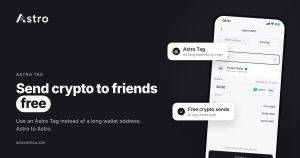
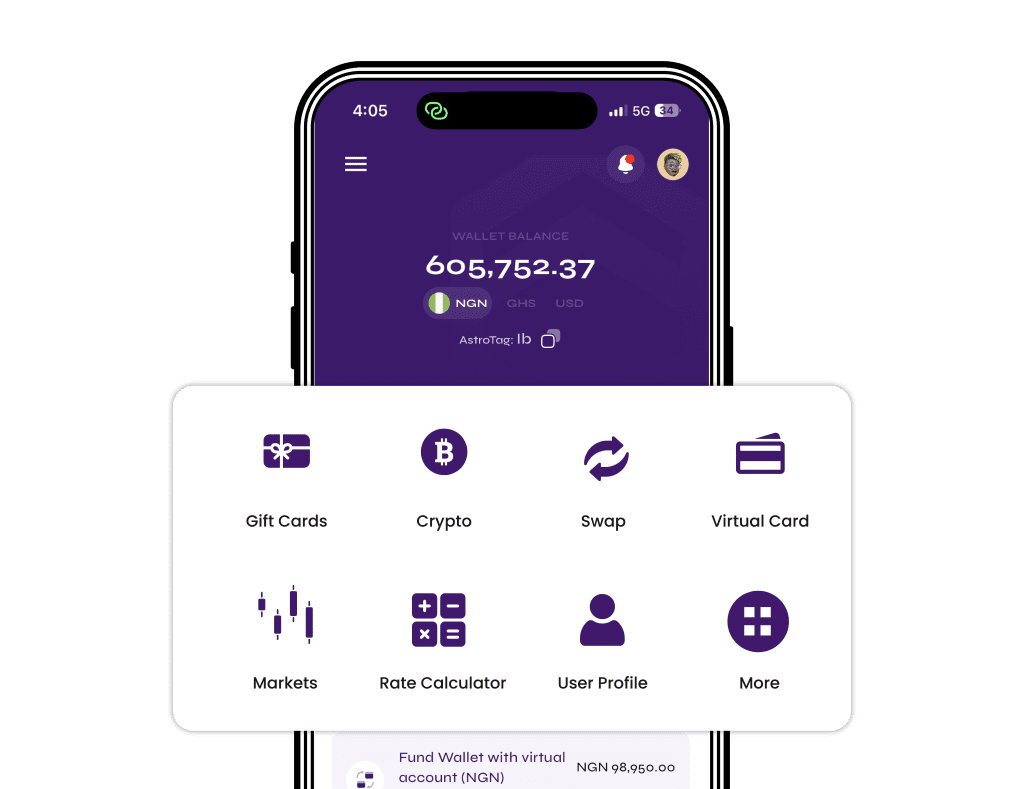
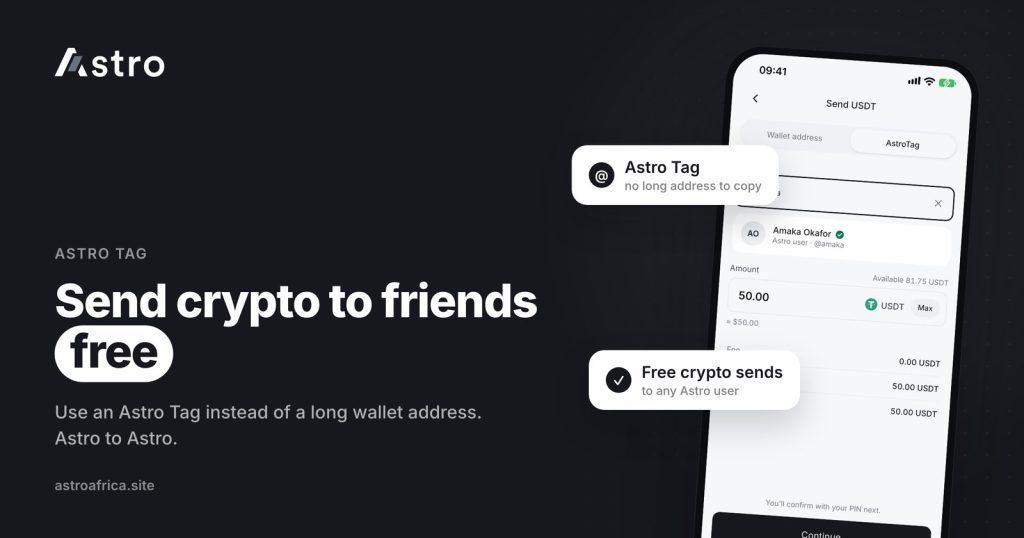
Astro Tag lets you send crypto to another Astro user for free, using their Astro Tag instead of a long wallet address and without picking a blockchain network. You open the coin in your wallet, choose to send by Astro Tag, enter your friend’s tag and the amount, then confirm with your PIN or Face ID.
This guide explains what an Astro Tag is, how it differs from a normal crypto transfer, how to send crypto to friends step by step, what Ghana users should know about cedis transfers, and the checks that keep your money going to the right person.
Key points
- An Astro Tag is a username for your Astro wallet. Other Astro users can send to you with it.
- Crypto sends by Astro Tag are free and can go to any Astro user, in Nigeria or Ghana.
- Because the transfer stays inside Astro, there is no blockchain network to choose and no long address to copy.
- Cedis transfers by Astro Tag go only to other Astro users in Ghana.
- Your Astro Tag can’t be changed after it is set, so choose it carefully.
What is an Astro Tag?
An Astro Tag is a short, unique name attached to your Astro account. Think of it as a username for your wallet. Instead of sharing a 34- or 42-character crypto address, you share your tag, and another Astro user can send to you with it.
Every Astro account has its own tag. You can find yours in the app and share it with friends, family, clients or anyone else on Astro who needs to send you crypto.
One rule to remember: customers can’t change their Astro Tag. Whatever you choose stays with the account, so pick something you are happy to share for a long time, and avoid putting private details such as your phone number or date of birth in it.
Astro Tag vs a normal crypto transfer
A normal crypto transfer goes out on a blockchain. You copy a wallet address, choose a network such as TRC20 or BEP20, pay a network fee, and wait for confirmations. An Astro Tag send stays inside Astro, from one Astro wallet to another.
| Astro Tag send | External crypto send | |
|---|---|---|
| Who can receive | Any Astro user | Any wallet or exchange, such as Trust Wallet, Binance or MetaMask |
| What you enter | The receiver’s Astro Tag | A wallet address and a network |
| Network to choose | None | Must match on both sides |
| Cost | Free for crypto | Astro’s send fee applies; the app shows it before you confirm |
| Biggest risk | Typing the wrong tag | Wrong network or wrong coin, which can’t be recovered |
If the person you are paying is on Astro, Astro Tag is usually the simpler choice. If they use another wallet or exchange, you need an external send instead. The guide on what to do if you sent USDT on the wrong network shows why external sends need more care.
Why send crypto by Astro Tag?
- It’s free. Crypto sends by Astro Tag don’t carry a fee, so the full amount you send reaches your friend.
- No network mistakes. There is no TRC20, BEP20 or ERC20 choice to get wrong, and no address to mistype.
- Easy to share. A short tag is easier to read out on a call or send in a chat than a long address.
- Works across both countries. A crypto send can go from a user in Nigeria to a user in Ghana, or the other way round.
Common uses include splitting a bill with friends, paying back a loan in USDT, sending money to family, or paying someone for a small job when you both already use Astro.
How to find and share your Astro Tag
- Open the Astro app and sign in.
- Go to your profile or the receive screen, where your Astro Tag is shown.
- Copy the tag or share it straight from the app.
Labels may differ slightly by app version. If you are new to Astro, the guide on how to set up your crypto wallet on Astro walks through the first steps. Signing up doesn’t ask for ID, and crypto trading and crypto sends need no ID verification.
How to send crypto to a friend with Astro Tag
- Open your wallet in the Astro app and choose the coin you want to send, for example USDT or BTC.
- Tap Send and choose to send by Astro Tag (to another Astro user).
- Enter your friend’s Astro Tag. If the app shows the name linked to that tag, check it is the right person before going further.
- Enter the amount you want to send and review the details.
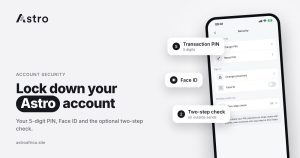
- Confirm with your 5-digit transaction PIN or Face ID. If you have turned on two-step check, the app also asks for the code from your authenticator app.
- Check your transaction history for the record of the send.
Your friend sees the crypto in the matching wallet in their Astro app. From there they can hold it, swap it to another supported coin with Instant Swap, or sell it for naira or cedis.
Sending to friends in Ghana: what to know about cedis
Crypto sent by Astro Tag can go to any Astro user, including users in Ghana. Cedis are different: cedis transfers by Astro Tag only go to other Astro users in Ghana. You can’t send cedis by Astro Tag to someone in Nigeria, and Astro doesn’t swap naira and cedis directly.
If a friend in Ghana receives crypto from you and wants cedis, they can sell it in the app and withdraw to mobile money: MTN MoMo, Telecel Cash (formerly Vodafone Cash) or AirtelTigo Money. Ghana withdrawals go to mobile money only for now and are processed by the Astro team, so timing can vary. The guide to selling USDT in Ghana to mobile money covers that part step by step, and the Ghana page lists what is available there.
What your friend can do with the crypto
Once the crypto is in their wallet, the receiver has a few options:
- Hold it. There’s no need to sell straight away.
- Swap it. Instant Swap moves between supported coins, for example BTC to USDT.
- Sell it in Nigeria. Sell for naira and withdraw to a Nigerian bank account, including OPay and PalmPay. The least naira withdrawal is ₦300. See how to sell USDT in Nigeria.
- Sell it in Ghana. Sell for cedis and withdraw to mobile money, as above.
- Send it on. Pass it to another Astro user by Astro Tag, or send it to an outside wallet on the correct network.
Crypto prices move all the time, so the value of what you send in naira or cedis can change between the moment you send and the moment your friend sells. The app shows the current price before each sale.
Safety checks before you confirm
Astro Tag removes network mistakes, but it doesn’t remove human ones. Treat every send as final and check these first:
- Get the tag from the person directly. Ask your friend to send their tag themselves rather than relying on a screenshot passed around a group.
- Check the receiver. If the app shows a name for the tag, make sure it matches the person you mean to pay. If not, double-check the tag letter by letter.
- Check the coin and the amount. Sending 100 USDT instead of 10 is an easy slip on a small screen.
- Be wary of urgency. Scammers often pose as friends, family or Astro staff and push you to “send now”. Astro support will never ask you to send crypto to a tag, address or phone number.
- Turn on two-step check. The optional authenticator check is asked on Astro Tag crypto sends and outside crypto sends for customers who turn it on, which adds protection if someone gets hold of your phone.
No app can promise zero fraud risk. For more on staying safe, read how to protect your crypto wallet from scammers and what P2P crypto trading is and how to trade more safely. The security page explains how Astro accounts are protected.
Frequently asked questions
Is it really free to send crypto with Astro Tag?
Yes. Crypto sends by Astro Tag between Astro users are free. Sends to outside wallets, such as Trust Wallet or Binance, carry a fee that the app shows before you confirm.
Can I send crypto from Nigeria to Ghana with Astro Tag?
Yes. Crypto sends by Astro Tag can go to any Astro user, so a user in Nigeria can send crypto to a user in Ghana and the other way round.
Can I send cedis to someone in Nigeria with Astro Tag?
No. Cedis transfers by Astro Tag only go to other Astro users in Ghana. Astro also doesn’t swap naira and cedis directly.
Do I need to choose a network when sending by Astro Tag?
No. Astro Tag sends stay inside Astro, so there is no TRC20, BEP20 or ERC20 choice. You only need to choose a network when sending to an outside wallet.
Can I change my Astro Tag?
No. Customers can’t change their Astro Tag once it is set, so choose one you are happy to keep.
Can I send to a friend who doesn’t use Astro?
Not by Astro Tag. Your friend needs an Astro account to receive by tag. Otherwise, you can send to their outside wallet address on the correct network.
What if I type the wrong Astro Tag?
The crypto goes to whoever owns that tag. Check the tag letter by letter, and the name linked to it if the app shows one, before you confirm, and treat every send as final.
Do I need KYC to send crypto by Astro Tag?
No. Sign-up doesn’t ask for ID, and crypto trading and crypto sends don’t need ID verification. Some other features, such as Nigerian bank accounts, do require verification.
How is an Astro Tag send protected?
Each send is confirmed with your 5-digit transaction PIN or Face ID. You can also turn on an optional two-step check with an authenticator app, which is then asked on Astro Tag crypto sends.
Which coins can I send with Astro Tag?
Astro supports coins such as BTC, USDT, USDC, ETH, BNB, TRX, LTC, DOGE and SOL. Open the coin’s wallet in the app and choose to send by Astro Tag to see what is available for that coin.
Paying a friend in crypto shouldn’t mean copying long addresses and worrying about networks. Share your tag, check every detail before you confirm, and download the Astro app to send crypto to friends for free.