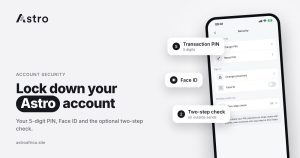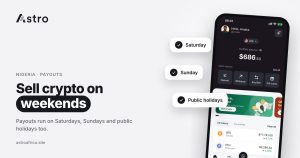
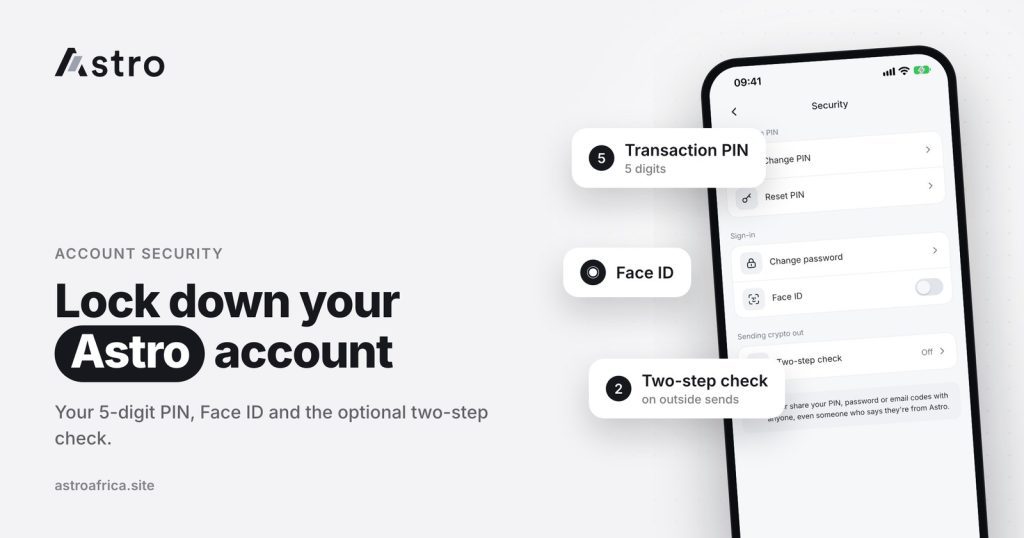
Astro protects accounts with three layers: a 5-digit transaction PIN, Face ID to unlock the app and confirm payments on supported devices, and an optional two-step check with an authenticator app for crypto sends. Good crypto app security still depends on the user too, because no app can stop someone who has been tricked into sharing a PIN, a code or a wallet address.
This guide explains what each security feature on Astro does, when it is asked for, how to set up the two-step check, and the everyday habits that keep crypto, naira and cedis safe in Nigeria and Ghana.
Key points
- Every Astro account has a 5-digit transaction PIN. Never share it with anyone, including people who say they work for Astro.
- Face ID can unlock the app and confirm payments on devices that support it.
- The optional two-step check uses an authenticator app. Once it is turned on, it is asked for on crypto sends to outside wallets and on Astro Tag crypto sends.
- Crypto sent on the wrong network, or sent as a different coin, can’t be recovered. Security features can’t undo a send.
- No app can promise zero fraud risk. Most losses come from scams, not from broken security.
Why crypto app security matters
A crypto app holds real money. On Astro, that can be crypto such as BTC or USDT, a naira balance in Nigeria, or a cedis balance in Ghana. Crypto transfers on a blockchain are final: once coins leave a wallet and are confirmed, they can’t be pulled back. That makes it important to stop a bad transaction before it happens, not after.
Good security works in layers. If one layer fails, for example if someone sees your phone unlocked, the next layer still has to be passed. Astro’s layers are the PIN, Face ID and the two-step check, and they are backed by a few account rules that make takeover harder.
Layer 1: the 5-digit transaction PIN
The transaction PIN is a 5-digit code you set up in the Astro app. It is asked for when you confirm actions that move money, such as withdrawals and transfers.
Tips for a strong PIN:
- Don’t use your birthday, phone number digits or simple patterns like 12345 or 11111.
- Don’t use the same PIN as your bank card or mobile money account.
- Don’t write it on paper kept with your phone, or save it in your notes app.
- Don’t tell anyone, including friends, family or anyone claiming to be from support.
Astro staff will never ask for your PIN. If someone does, it is a scam, however official they sound.
Layer 2: Face ID
On devices that support it, Face ID can be used to unlock the Astro app and to confirm payments. It is quicker than typing a PIN, and it is harder for someone looking over your shoulder to copy.
Face ID only works as well as the phone it runs on. Keep a screen lock on your phone, don’t add another person’s face to your device, and lock your phone when you put it down. If your phone is lost or stolen, contact Astro support as soon as possible.
Layer 3: the optional two-step check
The two-step check adds a second code that changes every few seconds. It comes from an authenticator app on your phone, such as Google Authenticator, Microsoft Authenticator or another app that supports time-based codes.
It is optional. Once you turn it on, Astro asks for a code from your authenticator app when you:
- Send crypto to an outside wallet or exchange, such as Trust Wallet, Binance or MetaMask.
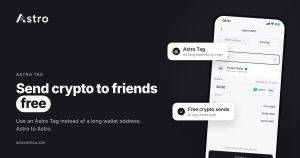
- Send crypto to another Astro user by Astro Tag.
Those are the moments when crypto leaves your Astro wallet, so they are where an extra check helps most. Even if someone learns your PIN, they would also need the code from your authenticator app to send your crypto out.
How to set up the two-step check
- Install an authenticator app on your phone.
- Open the Astro app and find the two-step check in the security settings.
- Follow the steps on screen to link Astro to your authenticator app.
- Enter the code from the authenticator app to confirm it is working.
Keep your authenticator app safe. If you change phones, move your authenticator accounts to the new phone before you reset or give away the old one, or you may lose access to your codes. For more detail on how accounts are protected, see Astro’s security page.
Account rules that also protect you
A few account rules on Astro exist partly to make fraud harder:
- Names can’t be changed after BVN verification. In Nigeria, once a name is verified with BVN, it is locked, which makes it harder for someone to take over an account and change who it belongs to.
- Astro Tags can’t be changed. Your Astro Tag stays the same, so people sending to you can rely on it.
- Deleted accounts can’t be restored. The email used on a deleted account also can’t be reused. Think carefully before deleting an account.
- Withdrawals can’t be cancelled once they start. Check the amount and the destination before you confirm.
What security features can’t do
It is important to be honest about the limits. A PIN, Face ID and two-step check stop other people from using your account. They can’t protect you from a transaction you approve yourself.
They can’t undo a wrong-network send
When you send crypto to an outside wallet, you choose the network and paste the address. Crypto sent on the wrong network, or sent as a different coin, can’t be recovered. The guide on sending crypto on the wrong network explains why and how to avoid it. If a send fails, rather than going to the wrong place, the amount and Astro’s fee come back to your wallet.
They can’t stop a scam you agree to
Most crypto losses in Nigeria and Ghana come from scams: fake investment schemes, fake support agents, fake buyers and romance scams. In each one, the victim is persuaded to send money or share codes. The guides on crypto scams in Nigeria, pig butchering scams and avoiding scams when selling BTC cover the most common patterns.
Everyday habits for staying safe
- Only download Astro from the official App Store or Google Play listing, or from the link on astroafrica.site.
- Never share your PIN or two-step codes with anyone, for any reason.
- Use support inside the app. Be careful with people who message you first on WhatsApp, Telegram, Instagram or X claiming to be Astro staff.
- Check every address and network before sending crypto out. Send a small test amount first if you are unsure.
- Protect your email account, because it is linked to your Astro account. Use a strong, unique password and turn on two-step login for your email too.
- Keep your phone updated and avoid installing apps from unknown sources.
- Be suspicious of urgency. Messages that say “act now or lose your money” are a classic scam signal.
For more practical advice, read how to protect your crypto wallet from scammers.
Do you need ID to use Astro securely?
Sign-up on Astro doesn’t ask for ID, and standard crypto trading and crypto withdrawals don’t need ID verification. Some account-based features in Nigeria, such as Nigerian bank accounts, do require verification. Verification is a separate thing from the PIN, Face ID and two-step check: it confirms who you are for certain features, while the security layers stop other people from using your account.
What to do if you think your account is at risk
- Contact Astro support through the in-app chat or at [email protected] straight away.
- Change the password on the email linked to your Astro account.
- If you shared your PIN with anyone, change it in the app as soon as you can.
- Turn on the two-step check if it isn’t already on.
- Don’t send any more money to anyone who has asked for codes or payment.
Acting quickly gives the best chance of stopping further loss. Crypto that has already been sent out on the blockchain can’t be reversed, which is why the habits above matter so much.
Frequently asked questions
How secure is the Astro app?
Astro uses a 5-digit transaction PIN, Face ID on supported devices and an optional two-step check for crypto sends. No app can promise zero fraud risk, so safe habits still matter.
How many digits is the Astro transaction PIN?
Five. Choose one that is hard to guess and different from your bank or mobile money PIN.
Can I use Face ID on Astro?
Yes, on devices that support it. Face ID can unlock the app and confirm payments.
What is the two-step check on Astro?
It is an optional extra code from an authenticator app. When it is on, Astro asks for it on crypto sends to outside wallets and on Astro Tag crypto sends.
Is the two-step check required?
No, it is optional, but turning it on adds a strong extra layer for anyone who holds crypto on Astro.
Will Astro ever ask for my PIN?
No. Astro staff will never ask for your PIN or your two-step codes. Anyone who asks is trying to scam you.
Can Astro recover crypto sent to the wrong network?
No. Crypto sent on the wrong network, or as a different coin, can’t be recovered. Always check the network and address before you confirm.
Can I cancel a withdrawal after confirming it?
No. A withdrawal can’t be cancelled once it is processing. If it fails, everything taken is refunded, including the withdrawal fee.
Can I change my name on Astro?
Not after BVN verification. Locking the verified name helps protect accounts from takeover.
Can a deleted Astro account be restored?
No. Deleted accounts can’t be restored, and their email can’t be used to sign up again.
Security works best when the app and the user both do their part. Download the Astro app, set a strong 5-digit PIN, and turn on the two-step check before you send crypto out.