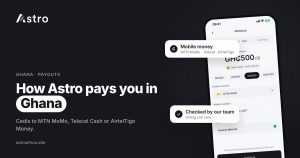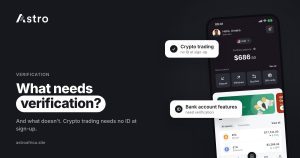
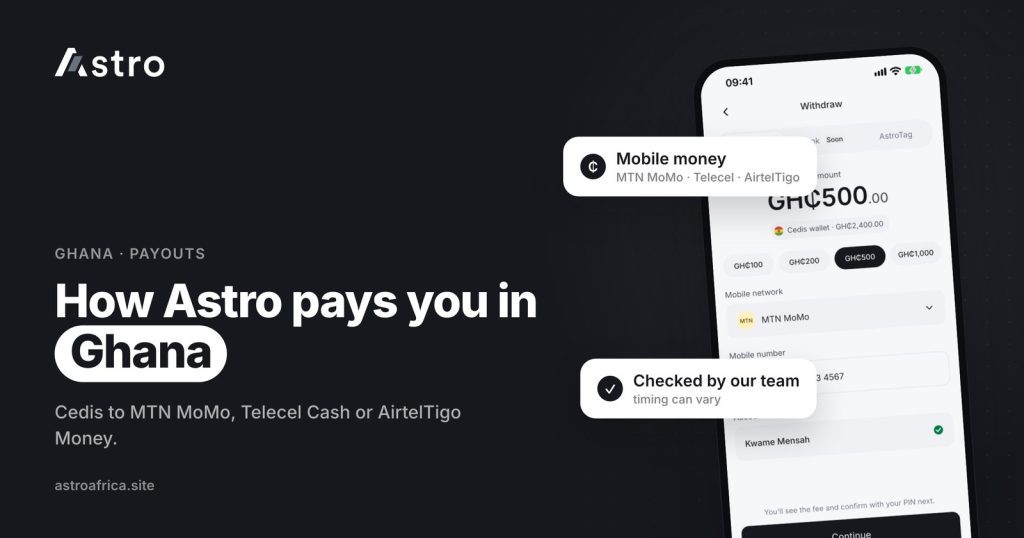
Astro pays Ghana customers in cedis to mobile money: you sell crypto or a gift card for cedis in the app, then withdraw the cedis to your MTN MoMo, Telecel Cash (formerly Vodafone Cash) or AirtelTigo Money wallet. Each Ghana withdrawal is checked and paid by the Astro team rather than sent automatically, so timing can vary, and bank account payouts are paused for now.
This guide explains how to sell crypto to mobile money in Ghana with Astro, which networks are supported, what happens after you tap withdraw, how long it can take, and the details to check so your cedis reach the right wallet.
Key points
- Ghana payouts go to mobile money only: MTN MoMo, Telecel Cash (formerly Vodafone Cash) and AirtelTigo Money. Bank account payouts are paused for now.
- Cedis come from selling crypto or gift cards. Ghanaian users can’t fund a cedis wallet directly at the moment.
- Ghana withdrawals are processed by hand by the Astro team, so they are not instant and timing can vary.
- A withdrawal shows “Processing” while it is being handled, and it can’t be cancelled once requested.
- If a withdrawal fails, everything taken is refunded, including the withdrawal fee.
How Ghana payouts work on Astro
Ghanaian users hold a cedis balance inside the Astro app. That balance grows when you sell crypto or a gift card for cedis. When you are ready to cash out, you send the cedis to a mobile money wallet in your name.
Mobile money is the payout route because it is how most people in Ghana send and receive money every day. MoMo wallets work on any phone, are accepted almost everywhere, and are easy to cash out at agents or use to pay bills and merchants directly.
Unlike Nigerian naira payouts, Ghana payouts are not pushed out automatically. Astro processes Ghana withdrawals manually until a reliable payment connection is in place. A member of the team checks each request and then pays it to the mobile money number you entered. That extra step is why Astro does not describe Ghana payouts as instant.
Supported mobile money networks
| Network | Supported for Astro payouts? | Notes |
|---|---|---|
| MTN MoMo | Yes | The most widely used mobile money service in Ghana |
| Telecel Cash | Yes | Formerly Vodafone Cash; the app may still show the older name |
| AirtelTigo Money | Yes | Also shown as AT Money in some places |
| Ghanaian bank account | Paused for now | Use mobile money instead |
What you can turn into cedis
Crypto
Ghanaian users can sell BTC, USDT, USDC, ETH, BNB, TRX, LTC, DOGE and SOL for cedis. Deposit the coin into your Astro wallet, sell it or swap it to cedis, then withdraw to mobile money. Signing up doesn’t require ID, and crypto trading and crypto withdrawals need no ID verification.
USDT is the coin most people in Ghana move, and Astro supports it on TRC20, BEP20 and ERC20. The guide to USDT TRC20 vs BEP20 vs ERC20 explains how to pick the right network when depositing. Crypto sent on the wrong network, or as a different coin, can’t be recovered, so always copy the address for the exact network from the app.
Gift cards
Ghanaian users can also sell gift cards on Astro and get paid in cedis. Accepted cards, countries and values differ, and rates depend on the card type, country, value and receipt. Check today’s gift card rates in cedis before you sell. For general advice, see where to sell gift cards in Ghana.
How to sell crypto to mobile money in Ghana, step by step
- Deposit your crypto. Open the coin’s wallet in the Astro app, tap Receive, choose the network (for USDT) and copy the address. Send from Binance, Trust Wallet or another app on that same network.
- Wait for the deposit to confirm. The coins show in your Astro wallet once the network confirms them.
- Sell for cedis. Choose the coin, select sell (or swap to cedis), enter the amount and check the cedi value shown before confirming.
- Confirm with your PIN or Face ID. Your cedis balance updates in the app.
- Withdraw to mobile money. Tap Withdraw, choose your network (MTN MoMo, Telecel Cash or AirtelTigo Money), enter your mobile money number and the amount, then confirm.
- Track the status. The withdrawal shows “Processing” while the team handles it, and changes once it has been paid.
The detailed walkthrough for the most common case is in the guide to selling USDT in Ghana to mobile money. If you hold Bitcoin, how to safely sell Bitcoin in Ghana covers the payout options, and how to sell Ethereum in Ghana for cedis covers ETH.
How long does a mobile money payout take?
Because Ghana withdrawals are checked and paid by hand, there is no fixed time. Many factors affect it: how many requests are waiting, whether the mobile money network is having delays, and whether the details on the request need checking. Astro does not promise instant Ghana payouts, and you should be cautious of anyone who claims to speed up a payout for a fee.
A few things help a withdrawal go through without delay:
- Enter the mobile money number carefully and double-check it before confirming.
- Choose the network that matches the number. An MTN number on the Telecel option, or the other way round, can cause the payout to fail.
- Use a mobile money wallet registered in your own name.
- Make sure your MoMo wallet is active and able to receive money.
For a broader look at timing, the article on how long it takes to sell Bitcoin in Ghana explains what happens at each stage, from the blockchain deposit to the payout.
Processing, cancellations and failed payouts
While the team is working on your withdrawal, it shows as “Processing”. “Pending” is used for things waiting on someone else, such as network confirmations on a crypto deposit. The guide to Processing vs Pending on Astro explains the difference.
- You can’t cancel a withdrawal once it has been requested, so check the number, network and amount first.
- If a withdrawal fails, for example because the number or network was wrong, everything taken is refunded to your cedis balance, including the withdrawal fee. The guide to failed withdrawals and refunds covers this in detail.
- There is no daily limit on cedis withdrawals for now.
Fees can change, so this guide does not quote them. The app shows any withdrawal fee before you confirm.
What Ghana customers can’t do yet
Being clear about this saves time and protects you from people who claim otherwise:
- Bank account payouts are paused. Use mobile money for now.
- You can’t fund a cedis wallet by depositing cedis from MoMo or a bank. Your cedis balance comes from selling crypto or gift cards.
- Naira and cedis can’t be swapped for each other on Astro.
- Payouts are not instant. Each one is checked by the team.
What Ghanaian users can do includes holding crypto in the app, swapping between supported coins, using crypto-to-crypto Limit Orders, sending crypto to outside wallets, and sending cedis to other Ghana users by Astro Tag. The Ghana page lists everything available in Ghana.
Staying safe with mobile money and crypto
Mobile money scams are common, and crypto adds a few more. Keep these rules in mind:
- Astro support will never ask for your PIN, password, seed phrase or a MoMo approval code.
- Only contact support through the in-app chat or [email protected]. Ignore “agents” who message you first on WhatsApp, Telegram or social media.
- Never approve a MoMo prompt on your phone that you didn’t start yourself.
- Check every crypto deposit address against the one in your Astro app before sending.
- Turn on the optional two-step check for outside crypto sends. The guide to account security on Astro shows how.
No platform can promise zero fraud risk, but these habits remove most of the common ways people lose money.
Frequently asked questions
Can I sell crypto to mobile money in Ghana with Astro?
Yes. Sell your crypto for cedis in the Astro app, then withdraw the cedis to MTN MoMo, Telecel Cash (formerly Vodafone Cash) or AirtelTigo Money.
Which mobile money networks does Astro support?
MTN MoMo, Telecel Cash (formerly Vodafone Cash) and AirtelTigo Money.
Can I withdraw cedis to a Ghanaian bank account?
Not at the moment. Bank account payouts are paused for now, so Ghana withdrawals go to mobile money only.
Are Ghana mobile money payouts instant?
No. Ghana withdrawals are checked and paid by the Astro team, so timing can vary. The status shows “Processing” until the payout is made.
Can I deposit cedis from MoMo into my Astro wallet?
No. Ghanaian users can’t fund a cedis wallet at the moment. Your cedis balance comes from selling crypto or gift cards.
Can I cancel a mobile money withdrawal?
No. Once a withdrawal has been requested, it can’t be cancelled. Check the number, network and amount before confirming.
What happens if my mobile money withdrawal fails?
Everything taken is refunded to your cedis balance, including the withdrawal fee. You can then try again with the correct details.
Is there a daily limit on cedis withdrawals?
There is no daily limit on cedis withdrawals for now.
Do I need KYC to sell crypto for cedis?
No. Sign-up doesn’t ask for ID, and crypto trading and crypto withdrawals don’t need ID verification.
Can I sell gift cards for cedis too?
Yes. Ghanaian users can sell gift cards on Astro and get paid in cedis, then withdraw to mobile money. Check today’s rates on the rates page before selling.
For Ghanaian users, the route is simple: sell crypto or a gift card for cedis, check your mobile money details, and withdraw. When you’re ready to cash out to MoMo, Telecel Cash or AirtelTigo Money, download the Astro app and get started.