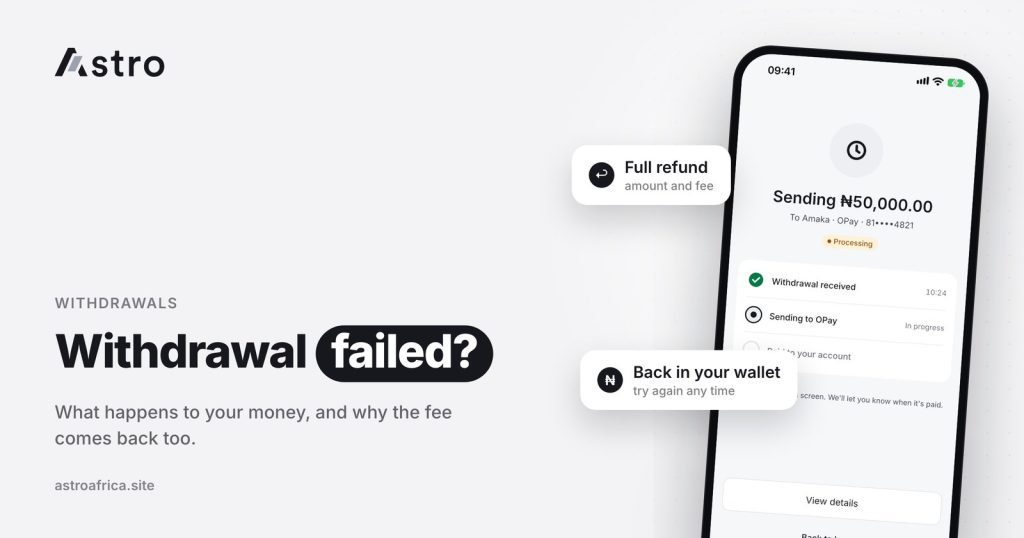
If a withdrawal fails on Astro, everything that was taken for it is refunded to your Astro wallet, including the withdrawal fee. The money doesn’t vanish: a failed withdrawal means the payout didn’t reach your bank or mobile money account, so the full amount comes back to you.
This guide explains what “Processing” and “failed” mean, why withdrawals sometimes fail, why a withdrawal can’t be cancelled once it has started, what the refund covers, and the simple checks that help your next payout go through in Nigeria or Ghana.
Key points
- A failed withdrawal is refunded in full to your Astro wallet, including the withdrawal fee.
- A withdrawal in progress shows as “Processing”. It can’t be cancelled once you have submitted it.
- The least naira withdrawal is ₦300. Nigerian users withdraw to bank accounts, including OPay and PalmPay.
- Ghana withdrawals go to mobile money only (MTN MoMo, Telecel Cash or AirtelTigo Money) and are processed by the Astro team, so timing varies.
- Most failures come from wrong account details, bank or network downtime, or a name mismatch. Checking details first prevents most of them.
What a failed withdrawal actually means
A withdrawal moves money from your Astro wallet to an account outside Astro: a Nigerian bank account, or a mobile money wallet in Ghana. To complete it, the payment has to pass through the receiving bank or mobile money provider.
When that last step doesn’t go through, the withdrawal is marked as failed. The receiving bank or provider rejected it, couldn’t process it, or the details didn’t match. In every case, the money never reached the outside account, which is why it can be returned to your Astro wallet.
A failed withdrawal is different from a delayed one. A delay means the payment is still moving, for example because a bank is slow or under maintenance. A failure means the payment stopped and won’t complete, so the funds are sent back.
What gets refunded when a withdrawal fails
The short answer: everything Astro took for that withdrawal.
- The withdrawal amount comes back to your wallet.
- The withdrawal fee comes back too. You don’t pay for a withdrawal that didn’t reach you.
Naira withdrawals return to your naira wallet, and cedis withdrawals return to your cedis balance. Once the refund shows, you can try the withdrawal again, hold the balance, or use it for something else in the app. In Nigeria, you can also use naira to buy crypto.
The same idea applies to crypto sends. If an external crypto send to a wallet such as Binance or Trust Wallet fails, the amount and Astro’s fee come back. This is different from crypto sent on the wrong network, which usually does go through on the blockchain and can’t be recovered. The guide on sending crypto on the wrong network explains that difference.
“Processing” vs “failed”: understanding withdrawal status
The status in your transaction history tells you where a withdrawal stands.
| Status | What it means | What to do |
|---|---|---|
| Processing | The withdrawal has been submitted and is on its way | Wait. It can’t be cancelled at this stage. |
| Successful | The payout was sent to your bank or mobile money account | Check your account. If it hasn’t shown after a reasonable time, contact your bank or provider, then Astro support. |
| Failed | The payout didn’t go through | Look for the refund in your wallet, check your account details, then try again. |
Labels may differ slightly depending on your app version, but the idea is the same.
Why you can’t cancel a withdrawal
Once you confirm a withdrawal with your 5-digit transaction PIN or Face ID, it is sent for payment straight away. At that point it can’t be pulled back from inside the app, and support can’t cancel it either. This protects the payment from being caught halfway, where it could be both sent and refunded.
That is why it matters to check the details before you confirm: the amount, the account number, the bank or mobile money provider, and the account name. If you spot a mistake after confirming, contact support with the transaction details, but the withdrawal itself will continue until it either succeeds or fails.
Common reasons a withdrawal fails
Most failures come down to a handful of causes. Knowing them makes them easier to avoid.
Wrong account number or bank
One wrong digit, or picking the wrong bank from the list, is the most common cause. If the account number doesn’t exist at that bank, the payment is rejected and refunded. If the number does exist but belongs to someone else, the payment may go through to the wrong person, which is much harder to fix. Always check the account name shown before confirming.
Account name mismatch
If the receiving account belongs to someone else, or the name on it is very different from the name on your Astro account, the payout can be held or rejected. Withdraw to an account in your own name where possible.
Bank or provider downtime
Banks and mobile money providers sometimes have outages or maintenance. A payment sent during a bank’s downtime can fail, or sit in “Processing” longer than usual before completing or failing. This is outside Astro’s control, and it often clears on its own.
Mobile money wallet issues (Ghana)
In Ghana, a mobile money withdrawal can fail if the number is entered wrongly, the wrong network is selected, or the wallet has limits or restrictions on the provider’s side. Check that the number and network match, for example an MTN number with MTN MoMo.
Amount below the minimum
The least naira withdrawal is ₦300. Amounts below this usually can’t be submitted in the first place, so it is rarely a cause of failure, but it is worth knowing when withdrawing small balances.
Withdrawals in Nigeria
Nigerian users can withdraw naira to supported bank accounts, including fintech banks such as OPay and PalmPay. Eligible payouts can arrive in as fast as 60 seconds under normal conditions, but bank delays, maintenance and network issues can affect timing. Payouts also run on weekends and public holidays, although a bank’s own delays can still slow things down.
If you are selling crypto to withdraw naira, the guides to selling USDT in Nigeria and selling Bitcoin in Nigeria walk through the full flow, and how to withdraw Bitcoin to a Nigerian bank account focuses on the withdrawal step.
Withdrawals in Ghana
Ghanaian users withdraw cedis to mobile money: MTN MoMo, Telecel Cash (formerly Vodafone Cash) or AirtelTigo Money. Bank account payouts in Ghana are paused for now. There is no daily limit on cedis withdrawals at the moment.
Ghana withdrawals are checked and processed by the Astro team, so they are not instant and timing can vary. A withdrawal showing “Processing” in Ghana is normal while the team handles it. If one fails, the refund rules are the same: the amount and the fee come back to your cedis balance.
Cedis come into your balance from selling crypto or gift cards; Ghanaian users can’t fund a cedis wallet directly right now. The guide to selling USDT in Ghana to mobile money covers the full process, and the Ghana page lists what is available in Ghana.
How to avoid a failed withdrawal
A short checklist before every withdrawal prevents most problems:
- Check the account number twice. Read it digit by digit against your bank app or card.
- Confirm the bank or provider. OPay and PalmPay are separate from traditional banks in the list; MTN MoMo, Telecel Cash and AirtelTigo Money are separate in Ghana.
- Read the account name. If the name shown isn’t yours, stop and check.
- Use an account in your own name. This reduces the chance of a mismatch.
- Check the amount. Make sure it meets the ₦300 minimum for naira.
More general tips are in common mistakes to avoid when selling crypto in Nigeria and Ghana.
When to contact support
Contact Astro support through the chat in the app, or by email at [email protected], if:
- A withdrawal shows “Successful” but hasn’t reached your account after a reasonable time, and your bank can’t find it.
- A withdrawal shows “Failed” but the refund isn’t in your wallet.
- A withdrawal has been “Processing” for much longer than usual.
Include the transaction reference, the amount, the date and time, and a screenshot of the status. Astro support will never ask for your PIN, password or two-step code, and won’t contact you first in your DMs asking you to send money. More on how accounts are protected is on the security page.
Frequently asked questions
What happens to my money if a withdrawal fails on Astro?
It is refunded to your Astro wallet in full. Naira returns to your naira wallet and cedis to your cedis balance.
Is the withdrawal fee refunded when a withdrawal fails?
Yes. A failed withdrawal refunds everything that was taken, including the withdrawal fee.
Can I cancel a withdrawal on Astro?
No. Once you confirm a withdrawal, it can’t be cancelled. It will either complete or fail, and a failed withdrawal is refunded.
What does “Processing” mean on my withdrawal?
It means the withdrawal has been submitted and is being paid out. In Ghana, it also covers the time the Astro team takes to handle the payout.
What is the minimum naira withdrawal on Astro?
The least naira withdrawal is ₦300.
Is there a daily limit on cedis withdrawals?
There is no daily limit on cedis withdrawals for now.
Why did my withdrawal to OPay or PalmPay fail?
The most common causes are a wrong account number, picking the wrong provider from the list, a name mismatch, or temporary downtime at the provider. Check the details and try again once the refund shows.
Can I withdraw to a Ghana bank account?
Not right now. Ghana bank account payouts are paused, and Ghana withdrawals go to MTN MoMo, Telecel Cash or AirtelTigo Money.
Are withdrawals in Ghana instant?
No. Ghana withdrawals are processed by the Astro team, so timing varies. Eligible Nigerian payouts can arrive in as fast as 60 seconds under normal conditions.
What if an external crypto send fails?
If a crypto send to an outside wallet fails, the amount and Astro’s fee come back. Crypto sent on the wrong network or as a different coin is a different case and can’t be recovered.
A failed withdrawal is frustrating, but your money comes back, fee included. Check your details, try again, and reach out to support if anything looks off. If you haven’t yet, download the Astro app to sell crypto or gift cards and withdraw to your bank or mobile money.