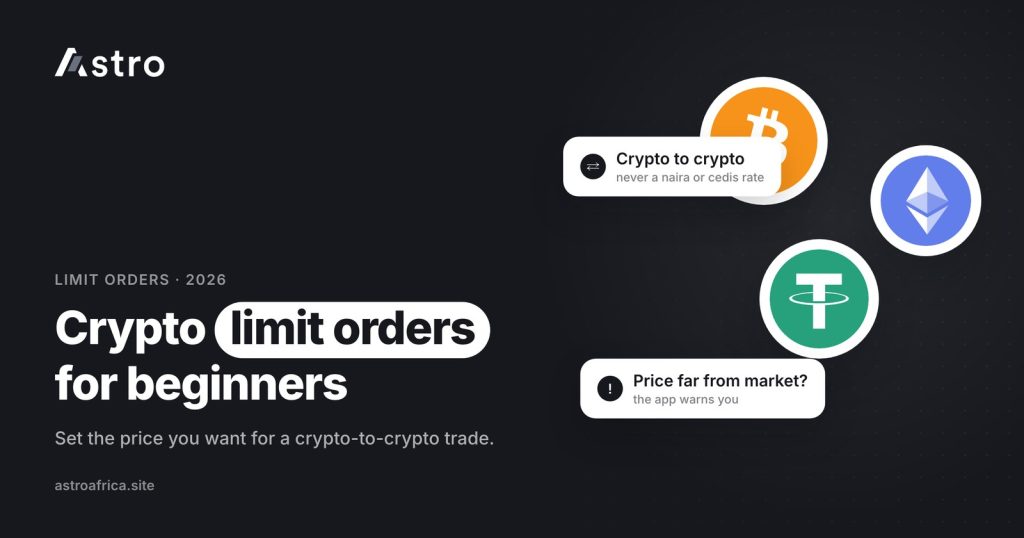
A crypto limit order is an instruction to swap one cryptocurrency for another only when the market reaches a price you set, instead of accepting whatever the price is right now. On Astro, limit orders are crypto-to-crypto only: you can use one to trade USDT for BTC or SOL for USDT at a target price, but not to set a naira or cedi cash-out rate.
This guide explains what a limit order is, how it differs from an instant swap, when it makes sense to use one, how to place one in the Astro app, and the mistakes beginners in Nigeria and Ghana most often make with them.
Key points
- A limit order waits for your chosen price. An instant swap uses the price available now.
- Limit orders on Astro are crypto-to-crypto only, for example USDT to BTC or ETH to USDT. They never convert crypto to naira or cedis.
- An open limit order shows as “Pending” until the market reaches your price.
- If your price is 10% or more away from the current price, the app shows a warning before you confirm.
- Customers in both Nigeria and Ghana can use limit orders.
What is a crypto limit order?
Every trade has two sides: the coin you give and the coin you receive. With a normal swap, the app shows you the current price, you confirm, and the trade happens straight away at that price. A limit order adds one condition: “only do this trade if the price reaches the level I choose.”
Here is a simple example. Say you hold USDT and want some Bitcoin, but you think BTC is a little expensive today. Instead of buying now, you place a limit order to swap your USDT for BTC at a lower BTC price. If the market falls to that level, the order fills and you receive BTC. If the market never gets there, the order simply stays open and your USDT is not spent at a price you didn’t want.
The same idea works in the other direction. If you hold SOL and want to move into USDT only if SOL climbs to a certain price, you can place a limit order to swap SOL for USDT at that higher price.
In short, a limit order gives you control over price, not timing.
Limit order vs instant swap: what is the difference?
Astro offers both Instant Swap and limit orders, and they solve different problems.
| Instant Swap | Limit order | |
|---|---|---|
| When it happens | Straight away, once you confirm | Only when the market reaches your price |
| Price | The current price shown in the app | The target price you set |
| Certainty it completes | Completes once confirmed (it shows “Processing” while it runs) | May never fill if the price is not reached |
| What it can trade | Crypto to crypto, crypto to naira or cedis, and naira to crypto in Nigeria | Crypto to crypto only |
| Best for | When you need the trade done now | When you have a price in mind and can wait |
If you need naira for rent today, a limit order is the wrong tool. Sell your crypto at the current rate, or swap it into the coin you need now. If you have no deadline and a clear price in mind, a limit order can save you from watching charts all day.
Why limit orders on Astro are crypto-to-crypto only
This is the point beginners most often get wrong, so it is worth being clear. A limit order on Astro moves you from one supported coin to another. It does not lock in a naira rate for your USDT, and it does not set a target cedi price for your Bitcoin.
So these are valid limit orders on Astro:
- Swap USDT for BTC when BTC reaches a lower price you choose.
- Swap ETH for USDT when ETH rises to a price you choose.
- Swap USDT for SOL, BNB or another supported coin at a target price.
And these are not possible with a limit order:
- Sell USDT for naira only when the naira rate reaches a certain level.
- Sell BTC for cedis at a fixed future cedi rate.
When you want naira or cedis, you sell crypto at the rate shown in the app at that moment. If you want to understand why that rate moves during the day, the guide on why the USDT to naira rate changes explains the main reasons.
Which coins can you use?
Astro supports BTC, USDT, USDC, ETH, BNB, TRX, LTC, DOGE and SOL. Limit orders work between supported coins, so you will often see USDT on one side, because many people use it as their base “dollar” balance and move in and out of other coins from there. The pairs available for limit orders are shown in the app when you open the limit order screen, so check there before planning a trade.
If you are holding USDT on another platform and want to bring it into Astro first, read how to send USDT from Binance to Astro, and make sure you understand the difference between USDT TRC20, BEP20 and ERC20 before you send anything.
How to place a limit order on Astro, step by step
The exact screen layout may change as the app is updated, but the flow looks like this:
- Make sure the coin you want to trade is in your Astro wallet. A limit order spends crypto you already hold, so deposit or swap into it first.
- Open the limit order option in the trading or swap area of the app.
- Choose the pair. Pick the coin you are giving (for example USDT) and the coin you want to receive (for example BTC).
- Enter your target price. This is the price at which you are happy for the trade to happen.
- Enter the amount. Decide how much of your coin to commit to this order.
- Review the summary. Check the pair, the price, the amount and any fee shown before you confirm. Read any warning the app shows.
- Confirm with your 5-digit PIN or Face ID.
- Track the order. It shows as “Pending” while it waits for the market to reach your price.
When the order fills, the coin you wanted appears in your wallet. From there you can hold it, swap it again, send it to another Astro user for free using Astro Tag, or sell it for naira or cedis at the current rate.
The 10% price warning, explained
If you set a target price that is 10% or more away from the current market price, the Astro app shows a warning before you confirm. This does not block your order. It is there to catch two common problems:
- Typing mistakes. An extra zero or a missing digit can turn a sensible price into one that is wildly off.
- Unrealistic targets. A price far from today’s market may take a very long time to fill, or never fill at all.
If you see the warning, stop and read your price again. If it is exactly what you meant, you can carry on. If not, fix it before confirming.
“Pending” vs “Processing”: what you will see
An open limit order shows as “Pending” because it is waiting on something outside your control: the market reaching your price. That is different from an Instant Swap or a withdrawal that is already running, which shows as “Processing”. The guide to Processing vs Pending on Astro covers every status in more detail.
When does a limit order make sense?
Limit orders suit people who:
- Already know the price at which they want to move from one coin to another.
- Don’t want to keep checking prices through the day.
- Are comfortable with the trade possibly not happening.
They are less useful when you need the trade done now, when the price you want is far from reality, or when you are trying to time short, sharp market moves. A limit order only controls the price at which the swap happens. It cannot protect you from a coin losing value afterwards.
Common beginner mistakes with limit orders
Expecting a naira or cedi rate
As covered above, limit orders on Astro are crypto-to-crypto only. If your plan involves getting naira or cedis, use a normal sale at the rate shown in the app.
Swapping the two sides of the pair
Check which coin you are giving and which you are receiving. A limit order to swap USDT for BTC is the opposite of one to swap BTC for USDT.
Setting a price far from the market and forgetting about it
A target well away from today’s price may never be reached. Pay attention to the 10% warning and review your open orders from time to time.
Treating a limit order as a guarantee of profit
A limit order is a tool for getting the price you choose. It does not make a trade profitable. Prices can keep moving after your order fills.
Is Astro’s limit order available in Ghana?
Yes. Customers in Ghana can use limit orders on Astro, in the same crypto-to-crypto way as customers in Nigeria. When a Ghanaian customer later wants cedis, they sell crypto at the current rate and withdraw to mobile money: MTN MoMo, Telecel Cash (formerly Vodafone Cash) or AirtelTigo Money. Ghana withdrawals are checked and paid by the Astro team, so timing can vary. The Ghana page lists what is available in Ghana today.
Staying safe while trading
Limit orders run inside your Astro account, so the usual account safety rules apply. Keep your 5-digit PIN private, use Face ID where your phone supports it, and turn on the optional two-step check with an authenticator app for outside crypto sends. No real Astro staff member will ask for your PIN or your two-step code. The guide to account security on Astro walks through each setting.
Frequently asked questions
What is a crypto limit order in simple terms?
It is an instruction to swap one coin for another only at a price you choose. If the market reaches that price, the trade happens. If it doesn’t, the order stays open and waits.
Can I use a limit order to sell USDT for naira at a target rate?
No. Limit orders on Astro are crypto-to-crypto only. To get naira, sell your USDT at the rate shown in the app at that moment.
Can I use a limit order to get cedis?
No. Ghanaian customers can use limit orders to move between coins, but cedis come from a normal sale at the current rate, followed by a mobile money withdrawal.
What does the 10% warning mean?
It appears when your target price is 10% or more away from the current price. It is a check against typos and unrealistic prices. Read your price again before you confirm.
Why is my limit order still “Pending”?
Because the market has not yet reached your target price. A limit order only fills at the price you set, so it can wait for a while, or never fill if the price isn’t reached.
Is a limit order better than an Instant Swap?
Neither is better in general. Instant Swap is for trading now at the current price. A limit order is for when you have a specific price in mind and can wait.
Are there fees on limit orders?
Any fee that applies to your trade is shown in the app before you confirm. Check the summary screen rather than relying on a figure from elsewhere.
Which coins can I use for limit orders on Astro?
Limit orders work between supported coins such as BTC, USDT, USDC, ETH, BNB, TRX, LTC, DOGE and SOL. The pairs available are shown on the limit order screen in the app.
Do I need ID verification to place a limit order?
Sign-up doesn’t ask for ID, and standard crypto trading doesn’t need ID verification. Some other features, such as Nigerian bank accounts, do. The guide to what needs verification on Astro has the full list.
Who can I contact if something looks wrong with my order?
Use the in-app chat or email [email protected]. Include the order details and a screenshot so the team can check it quickly.
A limit order is a simple way to trade crypto at the price you choose, as long as you remember it is crypto-to-crypto only and might not fill. To try it, download the Astro app, open the limit order screen and set your first target price.