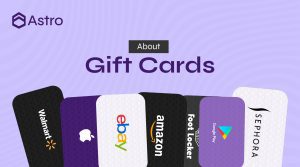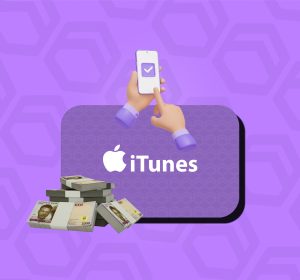
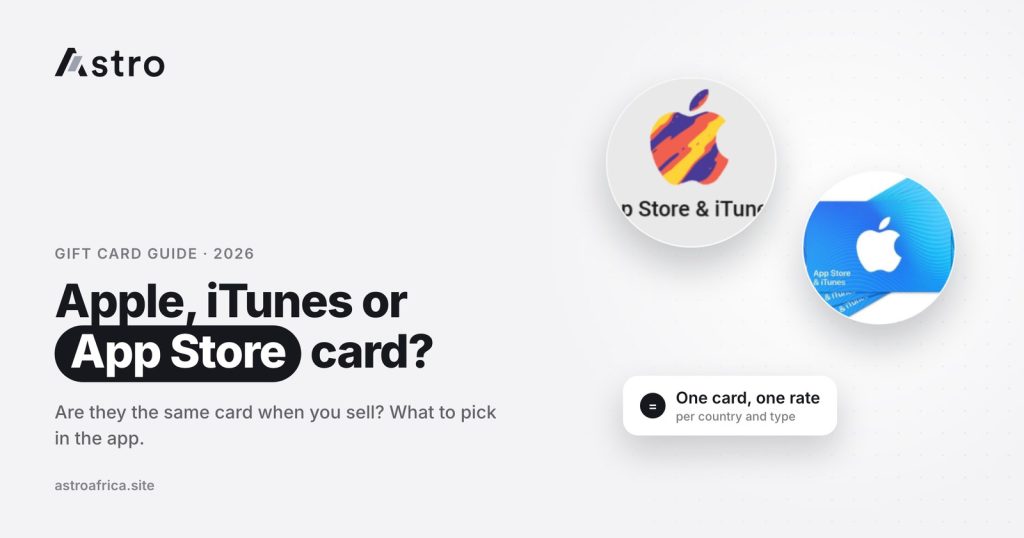
For selling purposes, an Apple gift card, an iTunes card and an App Store & iTunes card are treated as the same card: they all load money onto an Apple Account balance, and on Astro they are sold under one category, Apple/iTunes, with one set of rates. What changes the rate is not the name printed on the card but the card’s country, whether it is a physical card or an e-code, and its value.
This guide explains why there are three names for what is now one product, how to tell which version you are holding, what actually affects the price when you sell it in Nigeria or Ghana, and how to sell it on Astro without mistakes.
Key points
- “iTunes card”, “App Store & iTunes card” and “Apple gift card” are different names Apple has used over the years for cards that add credit to an Apple Account.
- Older iTunes and App Store cards still redeem as normal, so they are not “fake” or “expired” just because of the old name.
- On Astro, all of them are sold as one card type: Apple/iTunes. One card, one rate.
- The rate depends on the card’s country, physical card or e-code, and the value range, not on which of the three names is on it.
- Check today’s gift card rates before you sell. Rates can change, and Astro does not set rates by time of day.
Why Apple has three names for one gift card
The confusion comes from Apple’s own history. For years, Apple sold separate cards for separate things:
- iTunes gift cards were made for the iTunes Store: music, films, TV shows and, later, apps.
- App Store & iTunes gift cards came next, as apps became the main thing people bought. The card still added credit to the same account.
- Apple Store gift cards were, in many countries, a separate product meant for physical Apple products such as iPhones and accessories.
From around 2020, Apple began replacing these with a single Apple Gift Card. In the countries where it launched, one card can be used for apps, games, music, iCloud storage, subscriptions and, in many places, Apple products too. The design changed to a plain card with a coloured Apple logo, and the word “iTunes” slowly disappeared from shop shelves.
The rollout was not the same everywhere, and older cards did not stop working, so all three versions are still in circulation today.
Apple gift card vs iTunes card vs App Store card: side by side
| iTunes card | App Store & iTunes card | Apple Gift Card | |
|---|---|---|---|
| When you mostly see it | Older cards | Older cards, some countries for longer | Current cards in most countries |
| Where the value goes | Apple Account balance | Apple Account balance | Apple Account balance |
| Still redeemable? | Yes, if unused and valid | Yes, if unused and valid | Yes |
| Locked to one country? | Yes | Yes | Yes |
| How Astro lists it | Apple/iTunes | Apple/iTunes | Apple/iTunes |
The name changed, but what matters to a buyer did not: each version adds credit to an Apple Account in one specific country. That is why Astro groups them together.
What about Apple Store cards for hardware?
In some countries, older Apple Store cards were only meant for buying products in Apple’s retail stores or online store, not for the App Store. These are less common today, and they are not the same as the iTunes or Apple Gift Cards most people trade. If you are not sure what you have, read the back of the card: it says where it can be used. When in doubt, ask Astro support in the app before you submit the card.
Are they the same when you sell? Yes, with one important catch
When you sell on Astro, you don’t need to work out whether your card says “iTunes” or “Apple”. Both are sold under Apple/iTunes, and the rate shown applies whichever name is printed on the card. One card, one rate.
The catch is that “one card” does not mean “one price for every Apple card in the world”. Within Apple/iTunes, the rate is set by a few details that do make a real difference:
1. The card’s country
An Apple gift card is tied to the App Store of the country where it was issued. A US card, a UK card and a German card are priced separately, even when the number on the front looks the same. The country is where the card was issued, not where you live. A card a relative sent you from Canada is a Canadian card, even if you are selling it in Nigeria.
Astro currently lists live Apple/iTunes rates for cards from the USA, UK, Canada, Australia, Germany (euro), the Netherlands, Finland, Switzerland, New Zealand, Brazil, Poland, Hong Kong, Turkey, Norway, Denmark, Saudi Arabia, Mexico, Singapore, Hungary and Japan. The list can change, so confirm your country on the rates page or in the app first. If you can’t tell where your card is from, this guide on how to tell which country your Apple gift card is from walks through every check.
2. Physical card or e-code
A physical card is the plastic card you scratch to reveal the code. An e-code is a digital code sent by email or shown in a shopping app. Physical cards and e-codes are often priced differently, and not every country is available as an e-code. On Astro, e-code rates are currently listed for cards from the USA, Canada, Australia, Switzerland, Germany, Finland, the Netherlands, New Zealand, Brazil and Poland.
3. The value range
Rates are usually grouped by value. For example, a US card might fall into a smaller range or a larger range, and each range can carry its own rate. Choose the range that matches your card’s value exactly.
4. The receipt, where asked
Some card types ask for a receipt or extra pictures. Read the terms shown in the app for your card before you upload anything.
How to tell which version you are holding
The name doesn’t change the rate, but recognising your card helps you describe it correctly.
- Apple Gift Card: usually a plain white or coloured card with a coloured Apple logo and the words “Apple Gift Card”. Newer cards may say it can be used for products, apps, games and more.
- App Store & iTunes card: often shows both the App Store and iTunes names or icons, with bright colours or music and app graphics.
- iTunes card: carries the iTunes name and music-style artwork. These are the oldest of the three.
On all three, the code is usually 16 characters long and starts with an “X” on most cards. You can check how much is on a card with the steps in how to check the balance of your iTunes gift card. Avoid redeeming the card into your own Apple Account if you plan to sell it, because a redeemed card has no value left to sell.
How to sell an Apple, iTunes or App Store card on Astro
Signing up on Astro doesn’t require ID. Nigerian sellers are paid in naira, and Ghanaian sellers are paid in cedis.
- Open the Astro app and go to Sell gift card.
- Choose Apple/iTunes, whatever name is on your card.
- Select the card’s country, then physical card or e-code, then the value range that matches your card.
- Check the rate shown on screen and read the card terms.
- Upload clear pictures of the card (and the receipt if asked), or enter the e-code exactly as written.
- Review everything and submit.
A few rules are worth knowing before you submit:
- Once a sale is submitted, it can’t be cancelled.
- If the rate changes before you submit, the sale goes through at the new rate shown.
- Picking the wrong country, type or value range can delay the trade or change what you are paid, so check each choice twice.
Getting paid in Nigeria
In Nigeria, the naira from your sale goes to your Astro naira wallet. From there you can withdraw to a Nigerian bank account, including OPay and PalmPay. The least naira withdrawal is ₦300, and payouts also run on weekends and public holidays, though bank delays or maintenance can affect timing. For a Nigeria-focused walkthrough, see how to sell an Apple gift card in Nigeria.
Getting paid in Ghana
In Ghana, the cedis from your sale go to your Astro cedis balance. You can withdraw them to mobile money: MTN MoMo, Telecel Cash (formerly Vodafone Cash) or AirtelTigo Money. Ghana withdrawals are checked and processed by the Astro team, so timing can vary, and bank account payouts in Ghana are paused for now. The guide on how long it takes to sell an Apple gift card in Ghana covers timing in more detail, and the Ghana page lists what is available there.
Common mistakes when selling Apple or iTunes cards
- Choosing your own country instead of the card’s country. A UK card bought by a friend in London is a UK card, not a Nigerian or Ghanaian one.
- Mixing up physical cards and e-codes. A screenshot of a physical card is not an e-code. Choose the type that matches how the card was issued.
- Uploading blurry or cropped pictures. The full code and any serial number must be readable.
- Selling a card that was already redeemed or partly used. Check the balance first.
- Trusting strangers who “buy” codes in DMs. Many gift card scams start with someone asking for the code before payment. No platform can promise zero fraud risk, so keep your code private until you submit it inside the app.
More pitfalls are covered in mistakes to avoid when selling an Apple gift card in Nigeria and Ghana.
Frequently asked questions
Is an Apple gift card the same as an iTunes card?
For most buyers and sellers, yes. Both add credit to an Apple Account in the country where the card was issued. Apple simply replaced the iTunes name with “Apple Gift Card” in most countries. On Astro, both are sold under Apple/iTunes.
Do iTunes cards still work in 2026?
Unused iTunes and App Store & iTunes cards generally still redeem to an Apple Account balance. The old name does not make a card invalid. Check the balance before you sell to be sure it hasn’t been used.
Is the rate different for an iTunes card and an Apple gift card?
Not because of the name. On Astro it is one card, one rate. The rate changes with the card’s country, physical card or e-code, and the value range.
Can I sell an App Store & iTunes card on Astro?
Yes. Choose Apple/iTunes in the Sell gift card section, then select the card’s country, type and value range.
Which Apple gift card countries does Astro accept?
Astro currently lists live rates for Apple/iTunes cards from the USA, UK, Canada, Australia, Germany, the Netherlands, Finland, Switzerland, New Zealand, Brazil, Poland, Hong Kong, Turkey, Norway, Denmark, Saudi Arabia, Mexico, Singapore, Hungary and Japan. Check the rates page for the current list.
Is a physical Apple card worth more than an e-code?
It depends on the country and value range. Physical cards and e-codes are often priced separately, so compare both on the rates page before you sell.
Can I sell an Apple Store card that is only for hardware?
Older Apple Store cards meant only for products are not the same as iTunes or Apple Gift Cards. Read the back of the card and ask Astro support in the app before you submit one.
Does it matter that I live in Nigeria or Ghana and the card is from the US?
No. What matters is the country where the card was issued. Sellers in Nigeria are paid in naira and sellers in Ghana are paid in cedis for the same card country.
Can I cancel a gift card sale after submitting?
No. Once a sale is submitted it can’t be cancelled, so check the country, type, value range and pictures before you tap submit.
Are Apple gift card rates better at certain times of day?
No. Astro’s rates don’t depend on the time of day. Rates can move with market conditions, so check the current rate shown in the app before you sell.
Whether your card says iTunes, App Store or Apple, the sale comes down to the same three details: country, type and value. Get those right and the name on the card stops mattering. Download the Astro app, choose Apple/iTunes and see the rate for your card before you sell.