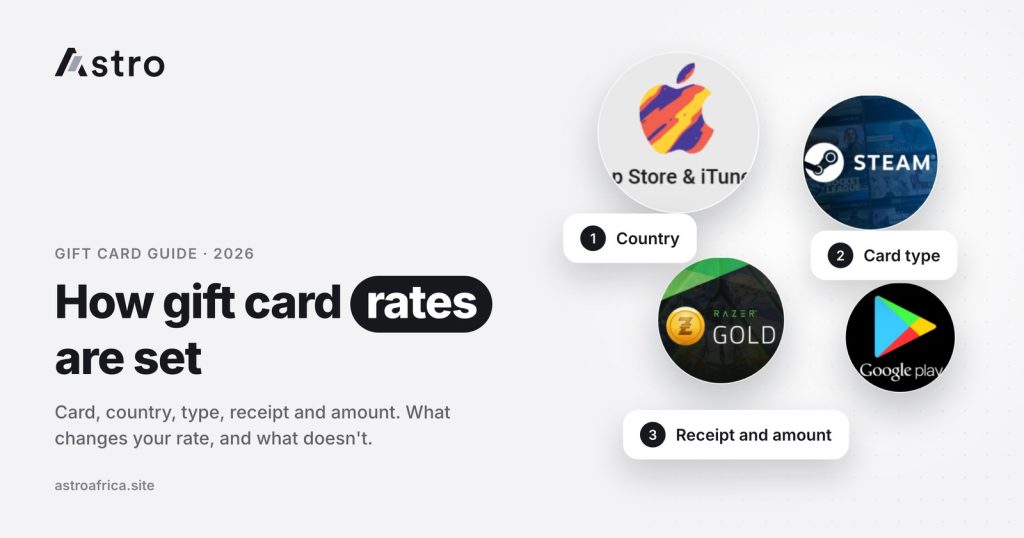
Gift card rates are set by a few clear factors: the card brand, the country or currency the card was issued in, the amount on the card, whether it is an e-code or a physical card, whether there is a receipt, and the prevailing market rate for that card at the moment. The time of day is not one of them, so a card sold at 7am gets the same rate as the same card sold at 9pm if the market has not moved.
This guide explains each factor in plain terms, shows why two cards with the same dollar value can pay differently, and explains what happens to the rate when you sell on Astro. For the actual numbers, always check today’s live rates, because rates change and no article can keep up with them.
Key points
- Rates depend on card brand, issuing country, amount (denomination), e-code vs physical, receipt, and the prevailing rate.
- Rates do not depend on the time of day. Weekdays, weekends and “peak hours” make no difference by themselves.
- On Astro, Apple/iTunes is one card with one rate, not a maze of sub-categories.
- The rate shown before you submit is the rate you get. If it changes before you submit, the new rate applies.
- Once a sale is submitted, it cannot be cancelled.
- Nigeria sellers are paid in naira; Ghana sellers are paid in cedis.
Why gift card rates exist at all
A gift card is a prepaid balance that can only be spent with one brand, usually in one country. A shopper in Lagos or Kumasi who receives a $100 Steam card from a relative abroad may have no use for Steam credit, so they sell it for local currency instead.
The buyer of that card has to resell or use the balance somewhere it is in demand. How easily that can be done, and at what cost, shapes the rate. That is why gift cards do not trade at a simple dollar-to-naira or dollar-to-cedi exchange rate. Each card has its own price based on demand, risk and how easy it is to redeem.
The six factors that set a gift card rate
1. Card type (the brand)
The brand is the biggest factor. Cards that are widely used and easy to redeem tend to attract steadier demand. Cards from smaller or more specialised retailers can have thinner demand, which usually shows in the rate.
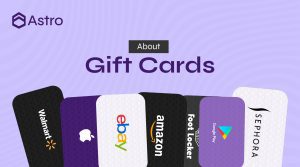
Cards with a live rate on Astro today include Apple/iTunes, Steam, Razer Gold, Google Play, eBay, Nike, Sephora, Nordstrom, Foot Locker, Macy’s, Xbox, Roblox, Walmart, Target, Coach, Saks and Finish Line. Each one has its own rate, and that rate can move independently of the others.
Not every card is accepted. Some cards, such as Visa and Amazon gift cards, are not currently being bought on Astro. If a card is not on the live rates page, it should not be sold through the app.
2. Country or currency of the card
A US Steam card and a UK Steam card are not the same product. Gift cards are usually locked to the store of the country they were issued in, and demand differs from one country’s store to another. That is why the same brand can show different rates for USD, GBP, EUR, CAD or AUD cards.
Always check the country printed on the card or stated in the e-code email before you pick a rate. Choosing the wrong country can get a trade delayed or rejected.
3. Amount (denomination)
The value on the card affects the rate per dollar. Some brands pay differently for smaller cards than for larger ones, and some have separate rates for specific denominations, such as $25, $50, $100 or $500. In other cases a range is used, for example one rate for cards between two amounts.
This is why it is worth entering the exact card value when you check a rate, instead of assuming a $25 card and a $200 card of the same brand will pay the same per dollar.
4. E-code or physical card
Some cards come as a code in an email or app (e-code), while others are plastic cards with a scratch-off code. For certain brands, the two are treated as different categories and can carry different rates. Physical cards usually need a clear photo of the card with the code visible, while e-codes are often submitted as text or a screenshot.
5. Receipt or no receipt
For some cards, especially physical cards bought in a store, a purchase receipt can affect the rate. A receipt helps confirm where and when the card was bought. Where a brand lists separate “with receipt” and “no receipt” options, pick the one that matches what you actually have. Selecting “with receipt” without one will cause problems at review.
6. Prevailing market rate
Finally, gift card rates follow the market. Demand for a card, exchange rate movements and conditions in the wider resale market all feed into the current price. This is why rates can rise or fall over days or weeks, and why any number you saw last month may already be out of date.
What does not affect the rate: time of day
A common myth in gift card groups is that rates are “better in the morning”, “higher on weekdays” or “best during business hours”. On Astro, that is not true. Rates do not depend on the time of day, the day of the week or so-called peak times.
The rate only changes when one of the real factors above changes, mostly the prevailing market rate. If you want to know whether now is a good time to sell, check the live rates rather than the clock.
Quick comparison: what changes the rate and what doesn’t
| Factor | Affects the rate? | What to check before selling |
|---|---|---|
| Card brand | Yes | The brand is listed with a live rate |
| Country / currency | Yes | Country printed on the card or in the e-code email |
| Amount on the card | Yes | Exact value, not a rounded guess |
| E-code or physical | Yes, for some brands | Pick the matching category |
| Receipt | Yes, for some brands | Only choose “with receipt” if you have it |
| Prevailing market rate | Yes | Today’s live rate, not an old screenshot |
| Time of day or day of week | No | Nothing; sell when it suits you |
Apple/iTunes: one card, one rate
Apple gift cards confuse many sellers because they have been sold under different names and designs over the years, including iTunes cards and the newer Apple gift cards. On Astro, Apple/iTunes is treated as one card with one rate, so sellers do not have to guess which sub-type their card falls into. The country and amount still need to be correct.
For more on Apple cards specifically, see the guides on selling Apple gift cards in Nigeria and mistakes to avoid when selling Apple gift cards.
How the rate works when you sell on Astro
Knowing how rates are set is only half the picture. It also helps to know how the rate is applied to your trade.
The rate you see before submitting is the rate
When you choose a card, country and amount, the app shows the rate and what you will receive. That figure is what the sale is based on when you submit it, provided the card details you entered are correct.
If the rate changes before you submit, the new rate applies
Rates can move while you are filling in details or taking a photo of the card. If the rate updates before you tap submit, the sale goes through at the new rate. A quick look at the figure just before submitting avoids surprises.
A submitted sale cannot be cancelled
Once a card is submitted, the sale cannot be cancelled. Double-check the brand, country, amount, card type and receipt option before you send it, especially if you are trading more than one card at a time.
Selling a gift card on Astro, step by step
- Download the Astro app and sign up with your email. Sign-up does not ask for an ID.
- Open the gift card section and choose the card brand.
- Select the country or currency of the card.
- Choose the card type (e-code or physical) and receipt option, where the brand offers them.
- Enter the exact amount on the card and check the rate and the amount you will receive.
- Upload a clear photo of the card or enter the code, as requested.
- Review everything, then submit. Your trade will show as “Processing” while it is being reviewed.
Sellers in Nigeria are paid in naira and can withdraw to Nigerian bank accounts, including OPay and PalmPay. The least naira withdrawal is ₦300. Sellers in Ghana are paid in cedis and can withdraw to mobile money: MTN MoMo, Telecel Cash (formerly Vodafone Cash) or AirtelTigo Money. Ghana payouts are checked by the team before they are sent, so timing can vary. More Ghana details are on the Astro Ghana page.
Tips to get the rate you expect
- Check the live rate first. Use today’s live rates, not a figure someone posted in a group chat.
- Confirm the country. A UK card listed as a US card will not be paid at the US rate.
- Use the exact amount. Enter the true balance; for some cards you can confirm it first, like checking an Xbox gift card balance.
- Be honest about the receipt. Only select a receipt option if you have one.
- Send clear photos. The full code should be readable, with nothing scratched off or cut off.
- Avoid unofficial buyers. Trading through strangers on WhatsApp carries real risks, covered in this guide to WhatsApp gift card trading.
Frequently asked questions
How are gift card rates set?
Gift card rates are set by the card brand, the issuing country or currency, the amount on the card, whether it is an e-code or physical card, whether a receipt is available, and the prevailing market rate for that card.
Do gift card rates change depending on the time of day?
No. On Astro, rates do not depend on the time of day, day of the week or “peak hours”. They change only when the market rate for a card changes.
Why do two cards with the same value pay different amounts?
Because they may differ in brand, country, card type or receipt status. A $100 US Steam card and a $100 UK Steam card are treated as different products with their own rates.
Where can I see today’s gift card rates?
Current rates in naira and cedis are on the Astro live rates page. The app also shows the exact rate for your card before you submit.
What happens if the rate changes while I am selling?
If the rate changes before you submit, the sale goes through at the new rate. Check the amount you will receive just before you tap submit.
Can I cancel a gift card sale after submitting?
No. Once a sale is submitted it cannot be cancelled, so review the card details carefully before sending.
Does Astro have different rates for Apple and iTunes cards?
No. Apple/iTunes is one card with one rate on Astro. You still need to select the correct country and amount.
Does a receipt really make a difference?
For some brands, yes. Where a card has separate “with receipt” and “no receipt” options, the rates can differ. Choose the option that matches what you have.
Which gift cards can I sell on Astro?
Cards with a live rate include Apple/iTunes, Steam, Razer Gold, Google Play, eBay, Nike, Sephora, Nordstrom, Foot Locker, Macy’s, Xbox, Roblox, Walmart, Target, Coach, Saks and Finish Line. Some cards, such as Visa and Amazon, are not currently accepted. See the gift cards page for more.
Can Ghana users sell gift cards on Astro?
Yes. Ghana sellers are paid in cedis and can withdraw to MTN MoMo, Telecel Cash or AirtelTigo Money. Payouts are checked by the team before they are sent, so timing can vary.
Ready to see what your card is worth right now? Download the Astro app, pick your card, and check the live rate before you sell.