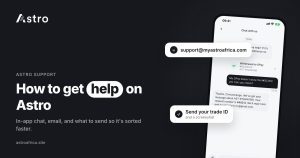
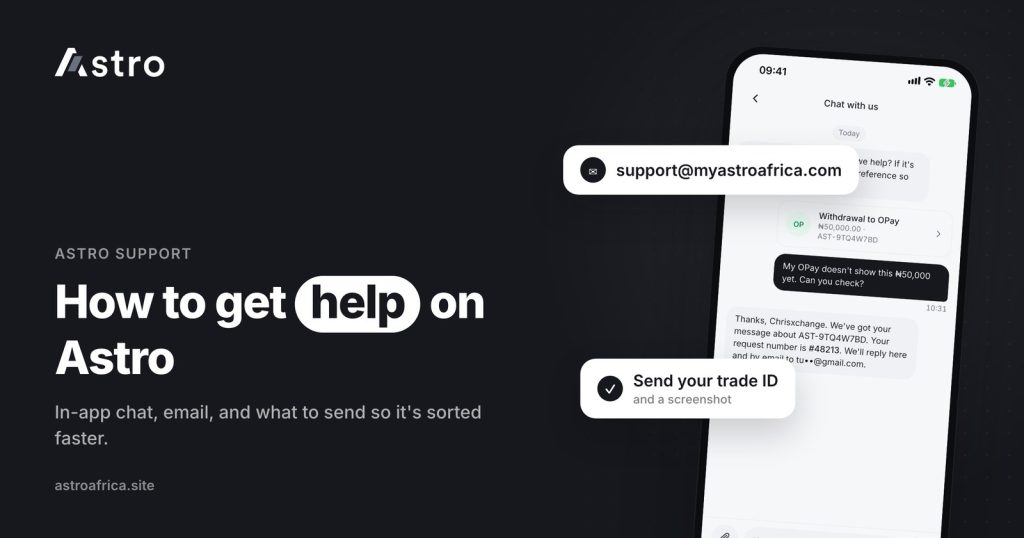
The official way to reach Astro Africa customer care is through the chat inside the Astro app, or by email at [email protected]. Sending the right details in your first message, such as your account email, the transaction type, amount and time, is what gets an issue sorted quickly.
This guide explains where to find help, what to include for each kind of problem, what support will never ask you for, and how to tell a real Astro agent from someone pretending to be one.
Key points
- Official support channels: the in-app chat and [email protected].
- Treat any “Astro customer care number” posted in comments, groups or direct messages with caution. Use the contacts shown in the app or on astroafrica.site.
- A good first message names the transaction type, amount, coin or card, time and any reference or transaction hash.
- Support will never ask for your password, 5-digit PIN, one-time codes or seed phrase.
- Many questions, such as “Processing” status or a failed withdrawal, already have a clear answer you can check first.
Where to get help on Astro
1. In-app chat
The chat inside the Astro app is the quickest place to start for most issues. Because you are already signed in, the conversation is linked to your account, which makes it easier for the team to find the transaction you are asking about.
To use it, open the app, go to the help or support section, and start a chat. Describe the problem in one or two sentences, then add the details listed further down this page. The chat may first offer automated answers to common questions and then pass you to a team member when needed.
2. Email: [email protected]
Email works well when you can’t sign in, when you need to send several screenshots, or when you want a written record. Send it from the email address registered on your Astro account so the team can match it to you. Use a clear subject line, such as “Naira withdrawal not received, 22 Nov, 3:40 pm”.
Older pages online may show a different support address. The current one is [email protected].
3. The website
The Astro website lists what the app does, current gift card rates on the rates page, and security information on the security page. If you are unsure whether a link, page or account really belongs to Astro, start from the website address you typed yourself, not from a link someone sent you.
Is there an Astro Africa customer care number?
Many people search for a phone number first. For Astro, the official, reliable routes are the in-app chat and [email protected]. Written channels also leave a record of what was said, which helps if an issue needs checking later.
Be careful with any “customer care number” that appears in social media comments, Telegram or WhatsApp groups, or a direct message from a stranger. Scammers often reply under brand posts pretending to be support, then ask for login details or a “verification payment”. Only trust contact details shown inside the app or on astroafrica.site.
What to send so support can help quickly
Most delays in support come from back-and-forth messages asking for basic details. Put these in your first message:
- The email address on your Astro account (or your Astro Tag).
- Whether you are in Nigeria or Ghana.
- What you were doing: depositing, selling, buying, swapping, withdrawing, sending, or selling a gift card.
- The amount and the coin, currency or card.
- The date and approximate time.
- A screenshot of the transaction screen or error message.
Then add the extra details for your type of problem.
Crypto deposit not showing
- The coin (for example USDT) and the network you sent on (TRC20, BEP20, ERC20 or another).
- The transaction hash (TXID) from the sending app or exchange.
- The Astro deposit address you sent to.
Before you message, check the network has finished confirming. Many delays clear on their own. This guide covers why a crypto deposit might not show yet. If you think you used the wrong network, read what happens when crypto is sent on the wrong network. Crypto sent on the wrong network, or sent as a different coin, can’t be recovered.
Withdrawal not received
- The amount and the date of the withdrawal.
- In Nigeria: the bank or fintech (for example OPay or PalmPay) and the last four digits of the account.
- In Ghana: the mobile money network (MTN MoMo, Telecel Cash, formerly Vodafone Cash, or AirtelTigo Money) and the last four digits of the number.
- The status shown in the app.
A withdrawal that is already processing can’t be cancelled. If a withdrawal fails, everything taken is refunded, including the withdrawal fee; see what happens when a withdrawal fails. Ghana mobile money withdrawals are checked and paid by the team, so they are not instant and timing varies.
Gift card sale
- The card brand, country, type (physical or e-code) and value.
- The time you submitted the sale.
- Any message shown on the trade, such as a reason for rejection.
Don’t post gift card codes or card pictures in public comments or groups. A submitted sale can’t be cancelled, so it helps to double-check the country and value before submitting next time.
Crypto sent to an outside wallet
- The coin, network and amount.
- The receiving address (Trust Wallet, Binance, MetaMask or other).
- The transaction hash, if the app shows one.
If an outside send fails, the amount and Astro’s fee come back to your wallet.
Account and sign-in problems
- The email address you signed up with.
- What happens when you try to sign in (a screenshot of the message helps).
- Whether you changed phone or reinstalled the app recently.
Check these first: common questions with quick answers
Some questions come up often enough that the answer is already clear:
| What you see or want | What it means |
|---|---|
| A withdrawal, swap or gift card sale says “Processing” | It is being worked on. See “Processing” vs “Pending” on Astro. |
| You want to cancel a withdrawal | A withdrawal that is processing can’t be cancelled. |
| You want to cancel a gift card sale | A sale can’t be cancelled once submitted. |
| You want to change your Astro Tag | Astro Tags can’t be changed. |
| You want to change your name after BVN verification | Names can’t be changed once verified with BVN. |
| You want a deleted account back | Deleted accounts can’t be restored, and their email can’t be reused. |
| You want to know which features need ID | See what needs verification on Astro. |
Support can still look into any of these with you, but knowing the rule first saves time.
What Astro support will never ask for
A real Astro agent will never ask you to:
- Share your password or your 5-digit transaction PIN.
- Read out a one-time code or an authenticator code.
- Share a seed phrase or recovery phrase. Read why no real support agent will ask for a seed phrase.
- Send crypto or money to a personal wallet or account to “verify”, “unlock” or “upgrade” your account.
- Install a screen-sharing or remote-control app.
- Move the conversation to a personal WhatsApp or Telegram number.
If anyone asks for any of these, stop and contact Astro through the in-app chat or [email protected]. For ways to lock down your account, including Face ID and the optional two-step check on outside crypto sends, see account security on Astro. No app can promise zero fraud risk, but these habits remove the most common openings.
How to tell a real Astro agent from a fake one
- Where did the conversation start? Real support conversations start when you open the in-app chat or email [email protected]. Unsolicited messages offering help are a warning sign.
- What is the email domain? Official support email comes from myastroafrica.com. Check the spelling closely.
- Are they rushing you? Pressure to act “in the next five minutes” or your account “will be blocked” is a classic scam tactic.
- Are they offering a special rate? Support agents don’t offer private rates outside the app.
Tips for a smoother support experience
- Use one channel per issue. Sending the same problem to chat, email and social media at once can split the conversation and slow it down.
- Keep everything in one thread. Reply in the same chat or email thread so the full history stays together.
- Update the app. Some problems are already fixed in newer versions. Download updates only from the App Store or Google Play.
- Keep your own records. Screenshots of confirmations and transaction hashes make any check faster.
- Be specific. “My naira withdrawal of 22 Nov at 3:40 pm to OPay shows Processing” gets a faster answer than “my money has not come”.
Frequently asked questions
How do I contact Astro Africa customer care?
Use the chat inside the Astro app or email [email protected]. These are the official support channels.
Does Astro Africa have a customer care phone number?
Astro’s support runs through the in-app chat and email. Be cautious of phone numbers posted in comments, groups or direct messages; only trust contact details shown in the app or on astroafrica.site.
What is the Astro Africa support email?
The current support email is [email protected]. Send it from the email address registered on your account.
What should I include in my message to support?
Your account email, country, the transaction type, amount, coin or card, date and time, and a screenshot. For crypto, add the network and transaction hash. For withdrawals, add the bank or mobile money network.
Will Astro support ask for my PIN or password?
No. Support will never ask for your password, 5-digit PIN, one-time codes or seed phrase. Anyone who does is not a real Astro agent.
Can support cancel my withdrawal?
No. A withdrawal that is already processing can’t be cancelled. If it fails, everything taken is refunded, including the withdrawal fee.
Can support recover crypto I sent on the wrong network?
Crypto sent on the wrong network, or sent as a different coin, can’t be recovered. Always match the network on both sides before you send.
Why is my Ghana mobile money withdrawal taking time?
Ghana withdrawals to MTN MoMo, Telecel Cash or AirtelTigo Money are checked and processed by the team, so they are not instant. If one seems delayed, contact support with the amount, time and network.
Can support change my Astro Tag or verified name?
No. Astro Tags can’t be changed, and names can’t be changed after BVN verification.
Someone messaged me saying they are from Astro. What should I do?
Don’t share any codes or send any money. Contact Astro yourself through the in-app chat or [email protected] and ask whether the message is genuine.
Getting help is quicker when you use the official channels and send the full details up front. If you don’t have the app yet, download the Astro app to trade crypto and gift cards with in-app chat close at hand.