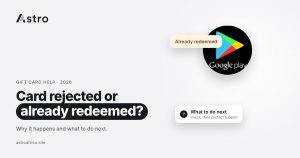
A gift card shows as “already redeemed” when its code has been added to an account before, by you, the person who gave it to you, or someone who got hold of the code first. A card can also be rejected for other reasons, such as an unclear photo, the wrong country or card type, or a missing receipt, and those are often fixable, while a code that is already redeemed usually can’t be sold.
This guide explains the most common reasons gift card trades are rejected in Nigeria and Ghana, what “already redeemed” really means, what you can do next, and the habits that stop it happening to your next card.
Key points
- “Already redeemed” means the code has been loaded onto an account before. Once that happens, the value sits in that account, not on the card.
- Other rejections are often about the upload: a blurry or incomplete code, the wrong country or type, a missing receipt, or a value outside the accepted range.
- Scratch the card gently, take clear photos and pick the exact card, country and type before you submit.
- A sale can’t be cancelled once submitted, so check everything first.
- If your trade is declined and you think it’s a mistake, contact Astro support through in-app chat or [email protected] with the trade reference.
What does “already redeemed” mean?
Every gift card has a code that can be loaded onto an account once. When someone adds that code to an Apple ID, a Steam wallet, a Google Play account or a store account, the value moves into that account. The plastic card or the e-code still exists, but it no longer carries any balance.
When a buyer or a trading platform tries to check or load a code that has already been used, the brand’s system replies that the card has been redeemed. There is nothing left to sell, which is why a redeemed card is declined.
This is different from a card that shows a $0 balance before anyone has used it. That usually points to gift card draining, where criminals copy codes from cards on store shelves and spend the money once the card is activated. That problem is covered in detail in the guide to gift card draining and $0 balances.
Why a card shows as already redeemed
- You redeemed it yourself. Some people add a card to their own account to check it, then try to sell it. Once added, the value stays in the account and can’t be moved back onto the card.
- The sender used it before giving it to you. A friend, relative or client may have loaded the code by mistake, or on purpose, before sending a photo of it.
- The code was shared too widely. If you sent a photo of the code to several buyers in a WhatsApp group or a DM to “check the rate”, any of them could have redeemed it first.
- It was sold twice. A card that was already traded somewhere else, then submitted again, will show as used.
- The card was compromised in the shop. Codes can be copied from packs on the shelf and used as soon as the card is activated.
- It came from a scam. A “client” who pays with a gift card photo, then redeems the code a few minutes later, is a known trick. The guide to avoiding fake gift card buyers covers this pattern.
Other reasons a gift card trade is rejected
Not every rejection means the card is used. Many declined trades come down to the upload, and these are usually the ones you can fix.
| Reason | What it looks like | Can it be fixed? |
|---|---|---|
| Code not clear | Blurry photo, glare, part of the code cut off or not fully scratched | Often yes: take a new, clear photo and submit a new trade |
| Code damaged | Part of the code scratched off along with the silver strip | Usually no, if the missing characters can’t be read |
| Wrong country or type | A UK card sold as USA, or an e-code sold as physical | The card may be moved to the right section and paid at that section’s rate |
| Receipt missing or not matching | A section that needs a receipt, but none was uploaded, or the numbers don’t match the card | Sometimes, if you have the correct receipt |
| Value outside the range | A card value that the chosen section doesn’t accept | Choose a section that accepts that value, if there is one |
| Already redeemed or no balance | The brand shows the code as used, or the balance is zero | Usually no |
Unclear or incomplete codes
The most common fixable problem is a photo where the code can’t be read. Scratch the silver strip gently with a coin edge, not a key or a fingernail that can lift the printing. Take the photo in good light, flat on a table, with the full code in frame and no fingers covering any characters. Knowing which number is the code and which is the serial helps too; the guide to gift card PIN vs code vs serial number shows what each one is.
Wrong country, type or section
Rates and rules depend on the card’s country and whether it is a physical card or an e-code. On Astro, a card uploaded in the wrong section is moved to the right one and paid at the current rate in that section, which may be lower than you expected. Check the country before you start: these guides help with Apple card countries, Steam card countries and e-codes vs physical cards.
Receipts that don’t match
Some card sections need a receipt, and the receipt numbers must match the card. If the payment receipt doesn’t show the card’s serial number, an activation receipt may be needed. The terms on each card section in the app say whether a receipt is required, so read them before you upload.
What to do if your card is rejected
- Read the reason in the app. Open the trade in your history. A declined trade shows its status, and where a reason is given it tells you what went wrong. Nothing is added to your wallet for a declined card.
- Work out whether it’s fixable. If the reason is an unclear photo, wrong section or missing receipt, you may be able to correct it. If the card is already redeemed or has no balance, it usually can’t be sold.
- For fixable problems, start a new trade. Take a fresh, clear photo, choose the correct card, country and type, and add the receipt if the section needs one.
- Go back to where you got the card. If the card was redeemed before it reached you, the person or shop that gave it to you is the right place to start. For a store purchase, keep the receipt and contact the brand’s own support.
- Contact Astro support if something looks wrong. Use the in-app chat or email [email protected], and include the trade reference so the team can find it quickly.
Be wary of anyone who contacts you after a rejection claiming they can “unlock”, “reactivate” or “recover” a redeemed card for a fee. A redeemed code cannot be put back on the card, and these offers are scams. Real Astro support will never ask for your PIN or your password.
How to avoid rejected cards
- Don’t redeem a card you plan to sell. Once it’s on an account, it can’t be traded.
- Keep the code private. Don’t post a clear photo of the code in groups or send it to buyers just to ask for a rate. Check today’s gift card rates instead.
- Accept cards only from people you trust. If a stranger pays you with a gift card photo, assume it could be redeemed before you sell it.
- Buy from a trusted shop and keep the receipt. Check the pack for signs of tampering before you pay.
- Check the balance only on the brand’s official page or app, and never on a link someone sends you. For iTunes and Apple cards, see how to check an iTunes gift card balance.
- Pick the right section and read its terms before you upload. A sale can’t be cancelled once it has been submitted.
- Sell soon after you get the card. The longer a code is out in the open, the more chances someone has to use it.
For brand-specific mistakes, the guide to mistakes to avoid when selling Apple gift cards is a useful check before you trade.
Which cards can you sell on Astro?
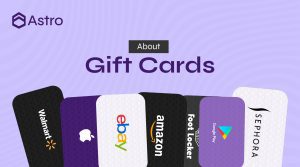
Astro currently has live rates for cards including Apple, Steam, Razer Gold, Google Play, eBay, Nike, Sephora, Nordstrom, Foot Locker, Macy’s, Xbox, Roblox, Walmart, Target, Coach, Saks and Finish Line. Accepted countries, types and values differ by card, and Walmart and Target are accepted as USA physical cards only, within a set value range. Rates depend on the card type, country, value and receipt, so see today’s live rates before you sell. The explainer on how gift card rates are set explains why they move.
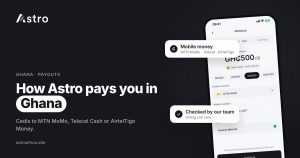
Nigerian users are paid in naira and can withdraw to a Nigerian bank account, including OPay and PalmPay. Ghanaian users are paid in cedis and can withdraw to mobile money: MTN MoMo, Telecel Cash (formerly Vodafone Cash) or AirtelTigo Money. Ghana withdrawals are checked by the team before payment, so timing can vary.
Frequently asked questions
What does “gift card already redeemed” mean?
It means the code has already been added to an account, so the value has moved into that account and the card no longer has a balance to sell.
Can a redeemed gift card be sold?
Usually not. Once a code is redeemed, the brand treats it as used, and no platform can put the value back on the card.
Can I get my money back if the card was redeemed before I got it?
Start with the person or shop that gave you the card. For a store purchase, keep the receipt and contact the brand’s own support, as only the brand can look into what happened to the code.
Why was my gift card rejected if it was never used?
Common reasons include an unclear or incomplete code in the photo, the wrong country or card type, a missing or mismatched receipt, or a value the section doesn’t accept. The reason shown in the app tells you which.
Can I resubmit a rejected gift card?
If the problem was fixable, such as a blurry photo or a missing receipt, you can start a new trade with the correct details. A card that is already redeemed can’t be resubmitted successfully.
What happens if I upload a card in the wrong section on Astro?
The card is moved to the correct section and paid at the current rate in that section, which may differ from the rate you saw.
Can I cancel a gift card sale after submitting it?
No. A sale can’t be cancelled once it has been submitted, so check the card, country, type and photos before you confirm.
Is a $0 balance the same as already redeemed?
Not always. A card that was never used but shows $0 may have been drained by someone who copied the code in the shop. Either way, there is no balance left to sell.
Someone says they can unlock my redeemed card for a fee. Is that real?
No. A redeemed code can’t be restored, and anyone charging to “unlock” or “recover” one is running a scam.
How do I contact Astro about a declined trade?
Use the in-app chat or email [email protected], and include the trade reference from your history.
Most rejected trades come down to two things: a code that was used before it reached you, or an upload that wasn’t clear. Keep codes private, take careful photos, choose the right section, and when you’re ready to sell, download the Astro app and trade your card for naira or cedis.