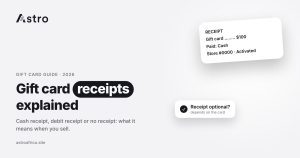
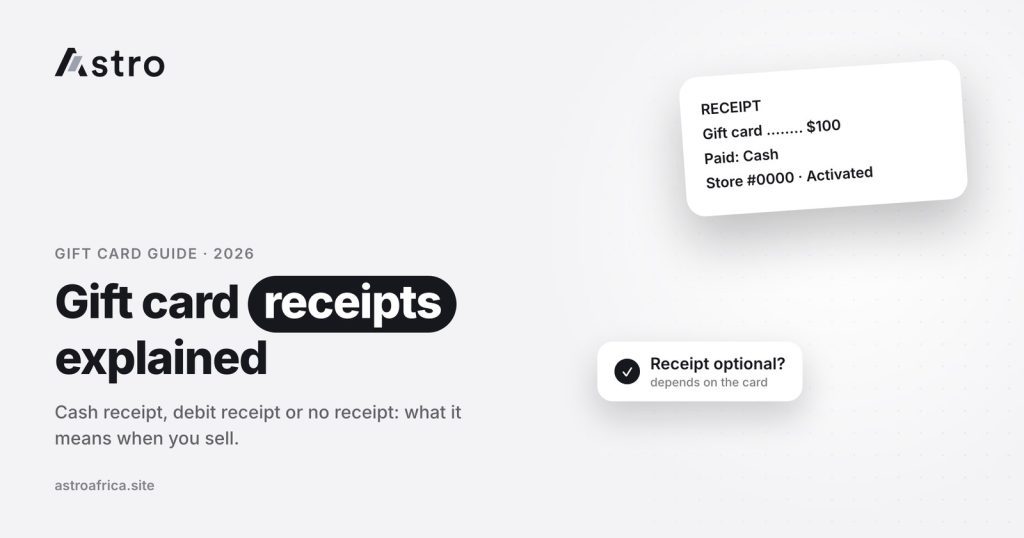
A gift card with receipt is a card sold together with the store slip that proves it was bought and activated, and in the gift card market the type of receipt (cash, debit or none) can change how a card is priced. On Astro today, most live cards don’t need a receipt at all, but Razer Gold physical cards ask for one, and any receipt you upload must match the card exactly.
This guide goes deeper than the receipt section in how gift card rates are set. It explains what each kind of receipt shows, why buyers care about the difference, which cards on Astro ask for a receipt, and how to photograph one so your trade isn’t held up.
Key points
- A receipt shows where, when and how a gift card was bought, and links the slip to the card through its number or serial.
- “Cash receipt” means the card was paid for in cash, “debit receipt” means it was paid for with a bank card, and “no receipt” means there is no proof of purchase.
- Buyers in the wider market often treat these differently, because a card paid for with a bank card can be disputed or reported later, while cash can’t.
- On Astro, most live cards say a receipt isn’t required but can be uploaded. Razer Gold physical cards ask for the card plus a receipt.
- Never edit, borrow or fake a receipt. Pick the option that matches what you actually have, and check today’s live rates before you sell.
What a gift card receipt actually proves
When someone buys a gift card in a store, the cashier activates it at the till and prints a slip. That slip usually shows:
- The store name and branch.
- The date and time of purchase.
- The gift card amount that was loaded.
- Part or all of the gift card number, or a serial number that links the slip to that exact card.
- How it was paid for: cash, debit card or credit card.
Put together, that tells a buyer three things: the card is real, it was activated for the stated amount, and it was bought in a normal way. A clean receipt that matches the card makes a trade easier to check. A receipt that doesn’t match raises questions.
Some stores print two slips. The payment receipt shows what was paid and how. The activation receipt confirms the card was switched on and often carries the card’s serial number. If the payment receipt doesn’t show a serial number, the activation receipt usually fills that gap.
Cash receipt, debit receipt and no receipt: the difference
These three phrases come up across the gift card market in Nigeria and Ghana. Here is what each one means.
| Type | What it means | Why it matters to a buyer |
|---|---|---|
| Cash receipt | The card was paid for with cash, and the slip shows “cash” as the payment method | Cash payments can’t be disputed or reversed later through a bank, so the purchase is less likely to be challenged |
| Debit (or card) receipt | The card was paid for with a debit or credit card, and the slip shows card payment | The person who owns the bank card could dispute the payment, or report the card stolen, after the gift card has been sold |
| No receipt | There is no proof of purchase, only the card itself | The buyer relies only on the card and its code, with nothing showing where it came from |
That is why, in the wider market, some cards have been priced with separate “cash receipt”, “debit receipt” and “no receipt” options: more proof and less chance of a dispute make a buyer more comfortable.
The exact effect on any rate depends on the card, its country, its amount and the prevailing market at the time. This guide doesn’t quote figures, because rates move. The live rates page shows what Astro is paying right now.
How Astro handles receipts today
Each card type on Astro has its own short terms, shown in the app when you choose the card. Based on those terms at the time of writing, cards fall into two groups.
Cards where a receipt isn’t required
For most live cards, the terms say a receipt isn’t required for the trade, but you can upload one if you have it. This includes Apple/iTunes cards across the listed countries, Google Play, Steam, eBay, Nike, Sephora, Nordstrom, Foot Locker, Xbox, Walmart, Coach, Saks and Finish Line. Target and Macy’s terms ask only for a complete, clear card.
For these cards, the main things that decide the trade are the brand, the country, the amount, whether it is an e-code or a physical card, and whether the code is complete and valid. A receipt is a useful extra, not a requirement.
Cards that ask for a receipt
Razer Gold physical cards ask for the card plus a receipt. The terms ask that the card number on the receipt matches the card, and that if the payment receipt has no serial number, the activation receipt is added too. Razer Gold e-codes don’t need a receipt. If you aren’t sure which Razer Gold card you have, see Razer Gold Global vs USA.
Roblox physical cards mainly ask for a clear upload of the card. Their terms also say that where a receipt is shown, its card number must match the gift card, with the activation receipt added if the payment slip has no serial number.
At the time of writing, the live cards on Astro don’t have separate cash-receipt and debit-receipt rate options. Terms can change, so always read the short terms shown in the app for your exact card before you upload.
How to photograph a receipt so your trade isn’t held up
A blurry or cropped receipt can slow a trade down as much as a blurry card. These habits help:
- Lay the card and receipt flat on a plain, dark surface in good light. Avoid shadows across the text.
- Show the whole slip. Store name, date, amount, payment method and the card or serial number should all be readable.
- Make sure the numbers match. The card number or serial on the receipt should match the one on the card. If they don’t, check that you haven’t mixed up slips from different cards.
- Add the activation receipt if the payment slip doesn’t show a serial number, especially for Razer Gold physical cards.
- Keep the card’s code readable too. For physical cards, scratch the panel gently and fully so the code is clear and complete. The guide to gift card PIN, code and serial numbers explains which number is which.
Picking the right option when you sell
When the app shows different options for a card, choose the one that matches what you really have:
- Brand and country. A $ card from the US and a CA$ card from Canada are different products. The Apple gift card country guide shows how to tell.
- E-code or physical. They are listed separately and can carry different terms. See e-code vs physical gift cards.
- Amount range. Pick the range your card’s value falls into.
- Receipt. Only upload a receipt that belongs to that card.
Cards uploaded in the wrong section are moved to the right section and credited at the current rate for that section. Once a sale is submitted, it can’t be cancelled, and if the rate changes before you submit, the sale goes through at the new rate. A minute of checking before you tap Submit saves a lot of back and forth.
Never edit, borrow or fake a receipt
Some sellers are tempted to use a receipt from another card, change a date or amount, or download a “receipt template” online. Don’t. A receipt that doesn’t match the card is a red flag in any review, and a forged one can stop a trade completely.
Be equally careful if someone offers you a cheap card “with receipt” on social media. A card bought with a stolen bank card can come with a perfectly real debit receipt, and the problem only shows up later. The safest rule is simple: only sell cards you bought yourself, or received from someone you know and trust. No platform can promise zero fraud risk in gift card trading, and the article on avoiding fake gift card buyers covers the other side of the same problem.
Why keeping your receipt helps even when it isn’t required
For cards that don’t need a receipt, it is still worth keeping one. It can help you:
- Prove the card’s value and country if there is any doubt during review.
- Contact the store or brand if a card shows a zero balance or won’t redeem. Brands usually ask for the receipt first. See why a brand-new card can show a $0 balance.
- Check activation. A receipt with an activation line shows the card was switched on at the till.
Selling a gift card on Astro, with or without a receipt
- Open the Astro app and choose to sell a gift card.
- Pick the brand, country, card type (e-code or physical) and amount range.
- Read the short terms shown for that card, including whether a receipt is needed.
- Upload clear photos of the card, or enter the e-code exactly as written. Add the receipt if it is required or if you have one.
- Check the details and the rate shown, then submit.
Nigerian users are paid in naira and can withdraw to a Nigerian bank account, including OPay and PalmPay. Ghanaian users are paid in cedis and can withdraw to mobile money: MTN MoMo, Telecel Cash (formerly Vodafone Cash) or AirtelTigo Money. Ghana withdrawals are processed by the team by hand, so timing can vary. In-progress sales show as “Processing” in the app.
If something about a receipt or a card isn’t clear, ask through the in-app chat or email [email protected] before you submit.
Frequently asked questions
What does “gift card with receipt” mean?
It means the card is sold together with the store slip that shows it was bought and activated, usually including the card or serial number, the amount, the date and the payment method.
What is the difference between a cash receipt and a debit receipt?
A cash receipt shows the card was paid for with cash. A debit receipt shows it was paid for with a bank card. Card payments can be disputed or reported later, so some buyers in the market treat the two differently.
Do I need a receipt to sell a gift card on Astro?
For most live cards, no. The terms say a receipt isn’t required but can be uploaded. Razer Gold physical cards are the main exception and ask for the card plus a receipt.
Does a receipt get a better rate on Astro?
At the time of writing, live cards on Astro don’t have separate cash-receipt and debit-receipt rates. Check the options and rates shown in the app for your card, as they can change.
What is an activation receipt?
It is the slip that confirms the card was switched on at the till, and it often shows the serial number. If your payment receipt has no serial number, add the activation receipt where the card’s terms ask for one.
What if the number on my receipt doesn’t match my card?
Check that you haven’t mixed up slips from different cards. A receipt that doesn’t match the card can hold up the review, so upload only the receipt that belongs to that card.
Can I use a receipt from another card?
No. Never edit, borrow or fake a receipt. A mismatched or forged receipt can stop the trade.
My receipt has faded. What should I do?
Upload the clearest photo you can and, where the card doesn’t require a receipt, rely on clear photos of the card itself. Photograph receipts soon after buying next time, as thermal paper fades.
Can I cancel a gift card sale after submitting?
No. Once a sale is submitted, it can’t be cancelled. Check the brand, country, card type, amount and receipt before you tap Submit.
Where can I see today’s gift card rates?
See today’s live rates in naira and cedis, or check the rate shown in the app before you sell.
A receipt is proof, not paperwork for its own sake. Know which kind you have, upload it when your card asks for it, and make sure it matches the card exactly. When your card and receipt are ready, download the Astro app and sell in a few taps.