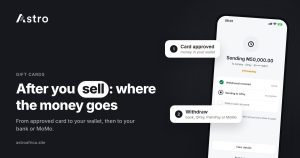
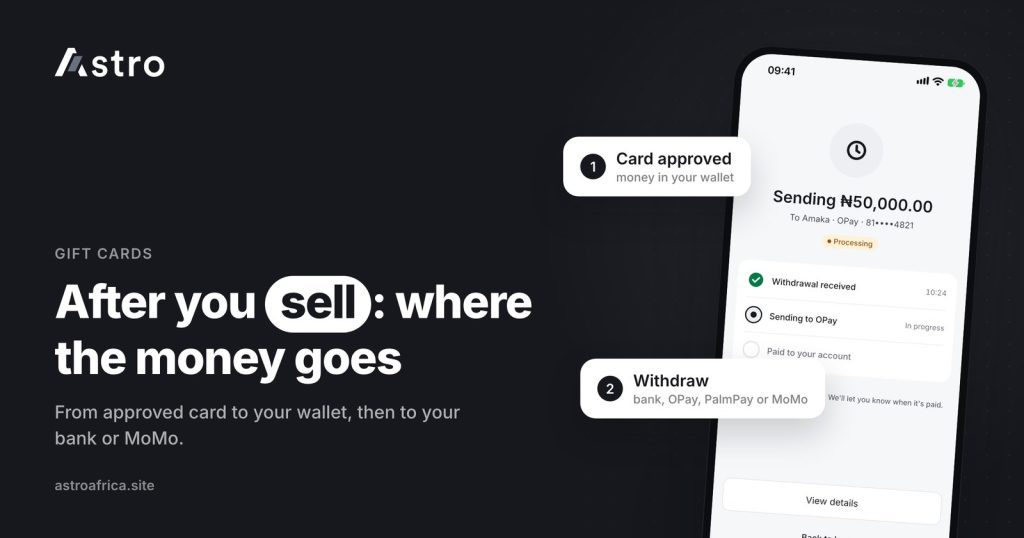
When you sell a gift card on Astro, the money doesn’t go straight to your bank or mobile money account. Once the card is approved, the value is added to your Astro wallet: naira for Nigerian users and cedis for Ghanaian users. From there, you choose when to withdraw it to a bank account, OPay, PalmPay or mobile money.
This guide follows the money step by step, from the moment you submit a card to the moment it lands in your account. It also covers what each status means, how withdrawals work in Nigeria and Ghana, what else you can do with the balance, and what to do if something takes longer than expected.
Key points
- After a gift card sale is approved, the money goes into your Astro wallet first, not directly to your bank or mobile money.
- Nigerian users receive naira and can withdraw to Nigerian bank accounts, including OPay and PalmPay. The least naira withdrawal is ₦300.
- Ghanaian users receive cedis and can withdraw to MTN MoMo, Telecel Cash or AirtelTigo Money. Ghana payouts are processed by the Astro team, so timing varies.
- A sale can’t be cancelled once submitted, and a withdrawal can’t be cancelled once confirmed.
- If a withdrawal fails, everything taken is refunded to your wallet, including the withdrawal fee.
The journey of your money, step by step
Selling a gift card on Astro happens in two separate parts: the sale and the withdrawal. Keeping them apart gives you control over when and where the money goes.
- You submit the card. You choose the card type, country and value, upload the card or enter the code, and see the rate before you submit.
- The card is checked. Astro’s team checks that the card is valid and matches what you selected. During this time, the trade shows “Processing”.
- The sale is approved. The value of the card, at the rate you submitted with, is added to your Astro wallet.
- You withdraw. When you are ready, you withdraw from your wallet to your bank account or mobile money wallet.
If the rate for a card changes while you are still filling in the sale, the sale goes through at the new rate shown when you submit. Once you submit, the sale can’t be cancelled, so check the card type, country and value carefully first. The guide on how gift card rates are set explains why rates differ by card, country and value.
Where the money lands: your Astro wallet
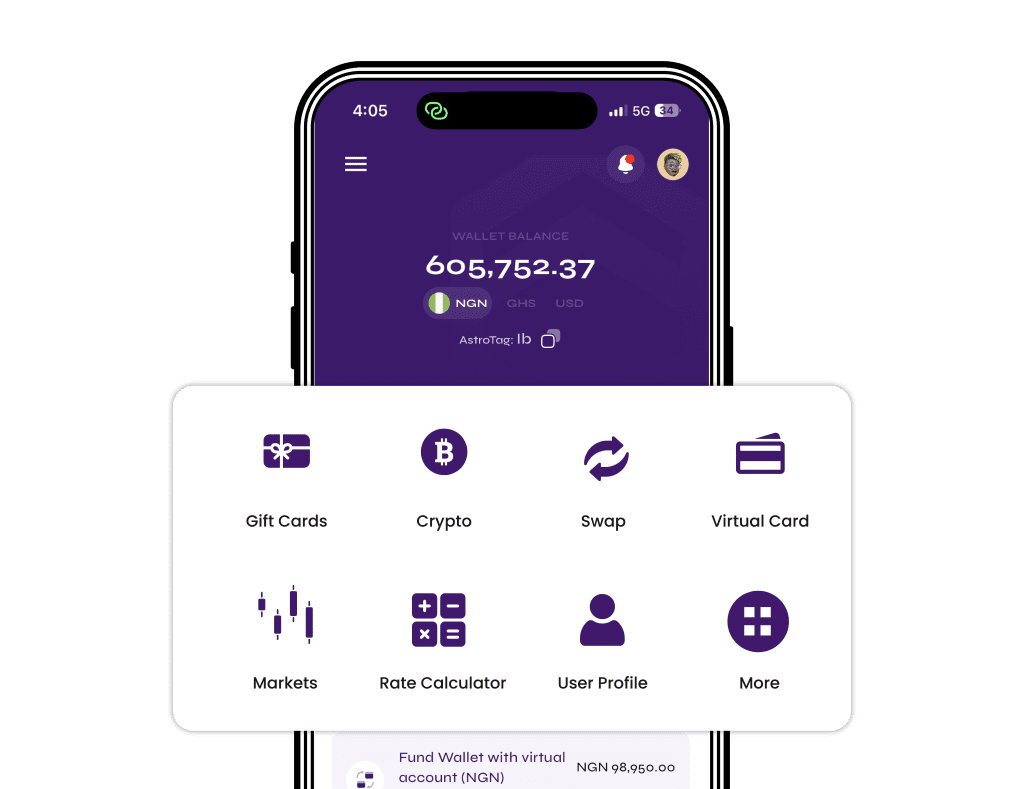
When a sale is approved, the money is credited to your wallet in your local currency.
Nigeria: your naira wallet
Nigerian users are paid in naira. The approved amount shows in your naira wallet, and you can see the trade in your transaction history.
Ghana: your cedis wallet
Ghanaian users are paid in cedis. Gift card sales in Ghana are paid into your cedis balance. You can’t fund a cedis wallet directly at the moment, so sales of crypto and gift cards are how cedis come into your account.
In both countries, the balance stays in your wallet until you decide what to do with it. Nothing leaves your Astro account until you confirm a withdrawal or another action.
What each status means
Your transaction history shows where a sale or withdrawal stands. The labels below are the ones you will usually see, though wording may differ slightly by app version.
| Status | What it means | What to do |
|---|---|---|
| Processing (gift card sale) | Your card has been submitted and is being checked | Wait. A sale can’t be cancelled once submitted. |
| Successful (gift card sale) | The card was approved and the money is in your wallet | Check your wallet balance, then withdraw when ready |
| Rejected or failed (gift card sale) | The card could not be accepted | Read the reason given in the app and contact support if it isn’t clear |
| Processing (withdrawal) | Your withdrawal is on its way | Wait. It can’t be cancelled at this stage. |
| Failed (withdrawal) | The payout didn’t go through | Look for the refund in your wallet, check your details, then try again |
For more on the difference between in-progress and waiting statuses, read “Processing” vs “Pending” on Astro. If your card was turned down, gift card rejected or already redeemed covers the common reasons.
How to withdraw in Nigeria
Nigerian users can withdraw naira to supported Nigerian bank accounts, including fintech banks such as OPay and PalmPay.
- Open the Astro app and go to your naira wallet.
- Tap Withdraw.
- Choose or add the bank account you want to be paid into.
- Enter the amount. The least naira withdrawal is ₦300.
- Check the account name shown, the amount and any fee displayed.
- Confirm with your 5-digit transaction PIN or Face ID.
Eligible payouts can arrive in as fast as 60 seconds under normal conditions. Bank delays, maintenance or network problems can still affect timing. Payouts also run on weekends and public holidays, so you don’t have to wait for Monday to get paid, although a bank’s own delays can slow things down. The guide to selling on weekends in Nigeria explains how that works.
If you mostly use a fintech bank, the article on withdrawing to OPay or PalmPay shows how to pick them from the bank list. They work the same way for gift card money as they do for crypto sales.
How to withdraw in Ghana
Ghanaian users withdraw cedis to mobile money. Bank account payouts in Ghana are paused for now.
- Open the Astro app and go to your cedis balance.
- Tap Withdraw.
- Choose your mobile money network: MTN MoMo, Telecel Cash (formerly Vodafone Cash) or AirtelTigo Money.
- Enter your mobile money number and the amount.
- Check the name, number and amount, then confirm with your PIN or Face ID.
Ghana withdrawals are checked and paid by the Astro team, so they are not instant and timing can vary. A withdrawal showing “Processing” is normal while the team handles it. There is no daily limit on cedis withdrawals for now. The guide to how Astro pays Ghana customers explains the mobile money process in more detail, and the Ghana page lists what is available in Ghana.
Make sure the number matches the network you pick. An MTN number should go with MTN MoMo, a Telecel number with Telecel Cash, and so on. A mismatch is one of the most common reasons a mobile money payout fails.
Other things you can do with the balance
You don’t have to withdraw everything at once. Your balance can stay in your wallet, and you can withdraw part of it now and the rest later.
- Hold it. Keep the money in your Astro wallet until you need it.
- Buy crypto (Nigeria). Nigerian users can use naira in their wallet to buy supported crypto, such as USDT, in the app.
- Send cedis to another Ghana user. In Ghana, you can send cedis to another Ghana Astro user by Astro Tag. The guide to Astro Tag explains how tags work.
Before you withdraw: a quick checklist
A withdrawal can’t be cancelled once you confirm it, so a few seconds of checking saves a lot of stress.
- Check the account number or phone number twice. Compare it digit by digit with your bank app or SIM.
- Pick the right bank or network. OPay and PalmPay are listed separately from traditional banks. In Ghana, each mobile money network is separate.
- Read the account name. If the name shown isn’t yours or isn’t who you expect, stop.
- Use an account in your own name where possible. This reduces the chance of a mismatch or hold.
- Check the amount and any fee shown. Make sure a naira withdrawal is at least ₦300.
If a withdrawal fails or seems slow
If a withdrawal fails, everything that was taken for it is refunded to your Astro wallet, including the withdrawal fee. You can then check your details and try again. The full explanation is in withdrawal failed? what happens to your money.
If a withdrawal shows “Successful” but the money isn’t in your account, first check with your bank or mobile money provider, because some delays happen on their side. If it still hasn’t arrived, or a withdrawal stays in “Processing” much longer than usual, contact Astro support through the chat in the app or by email at [email protected]. Include the transaction reference, amount, date and time, and a screenshot of the status. The customer care guide covers the fastest way to get help.
Stay safe with your gift card money
Once you have money in your wallet, you become a target for scammers. A few rules keep it safe:
- Astro support will never ask for your PIN, password or two-step code.
- Astro won’t message you first in your DMs asking you to send money or “verify” your balance.
- Ignore anyone who offers to withdraw for you, speed up a payout for a fee, or pay you outside the app.
- Only use the official Astro app from the App Store or Google Play.
The guide to fake Astro apps, pages and agents shows how to spot impostors, and the security page explains how accounts are protected.
Frequently asked questions
Where does my money go after I sell a gift card on Astro?
Once the card is approved, the money goes into your Astro wallet: naira for Nigerian users and cedis for Ghanaian users. You then withdraw it when you are ready.
Does Astro pay gift card money straight to my bank account?
No. The money goes to your Astro wallet first. From there, you withdraw to a Nigerian bank account, including OPay and PalmPay, or to mobile money in Ghana.
How long does it take to withdraw gift card money in Nigeria?
Eligible naira payouts can arrive in as fast as 60 seconds under normal conditions. Bank delays, maintenance or network problems can affect timing.
How do I withdraw gift card money in Ghana?
Withdraw your cedis to MTN MoMo, Telecel Cash or AirtelTigo Money. Ghana payouts are processed by the Astro team, so timing varies. Bank payouts in Ghana are paused for now.
What is the least amount I can withdraw?
The least naira withdrawal is ₦300. There is no daily limit on cedis withdrawals for now.
Can I cancel a gift card sale after submitting it?
No. Once a sale is submitted, it can’t be cancelled. If the rate changes before you submit, the sale goes through at the new rate shown.
Can I cancel a withdrawal?
No. A withdrawal can’t be cancelled once confirmed. It will either complete or fail, and a failed withdrawal is refunded in full.
What happens if my withdrawal fails?
Everything taken for it, including the withdrawal fee, is refunded to your Astro wallet. Check your details and try again.
Do I have to withdraw the money immediately?
No. You can keep it in your wallet and withdraw later. Nigerian users can also use naira to buy crypto in the app.
Where can I check today’s gift card rates?
See today’s live rates for gift cards in naira and cedis, and check the rate in the app before you submit a card.
Selling a gift card on Astro is a two-step process: the sale puts money in your wallet, and the withdrawal sends it to your bank or mobile money when you choose. To sell your next card and withdraw on your own schedule, download the Astro app.